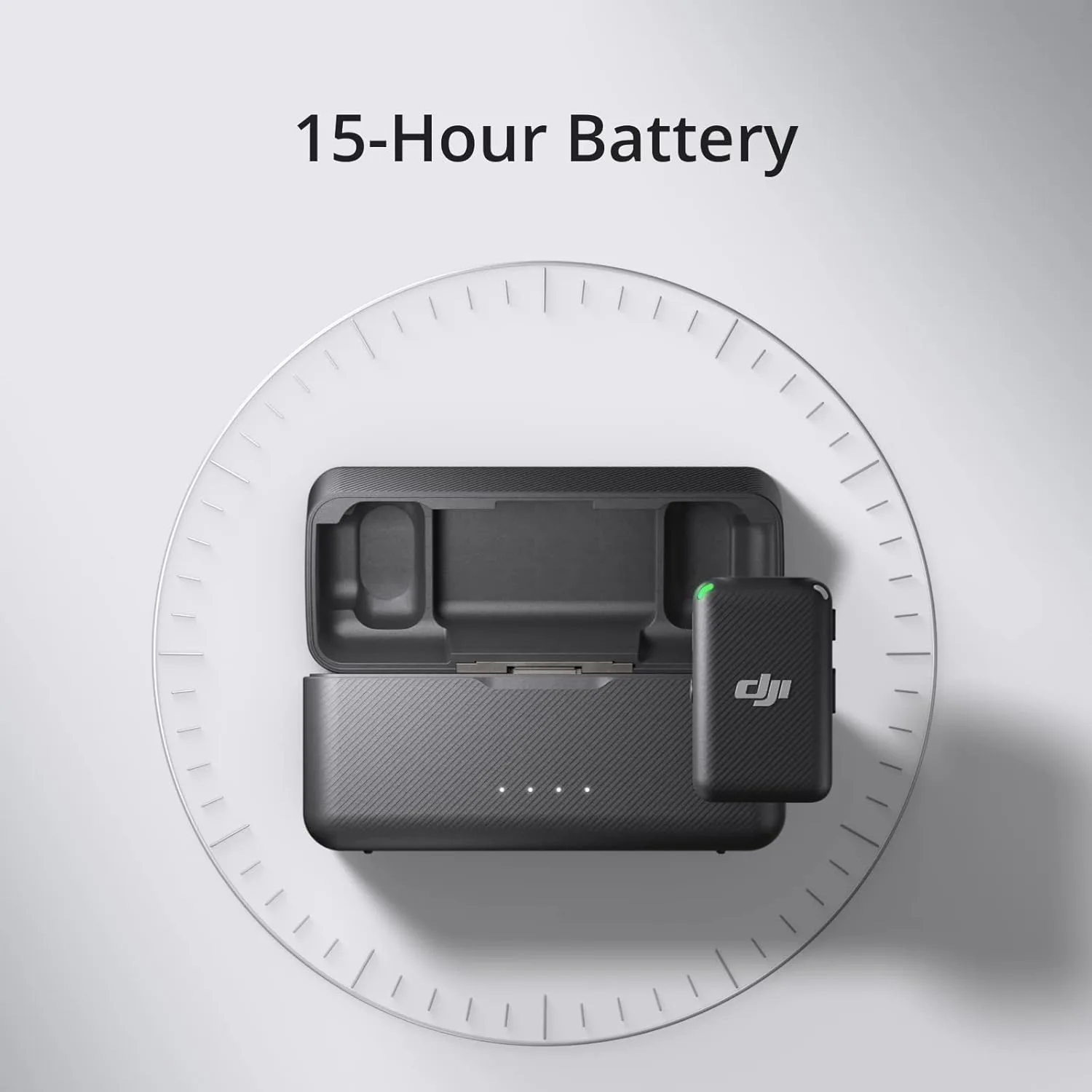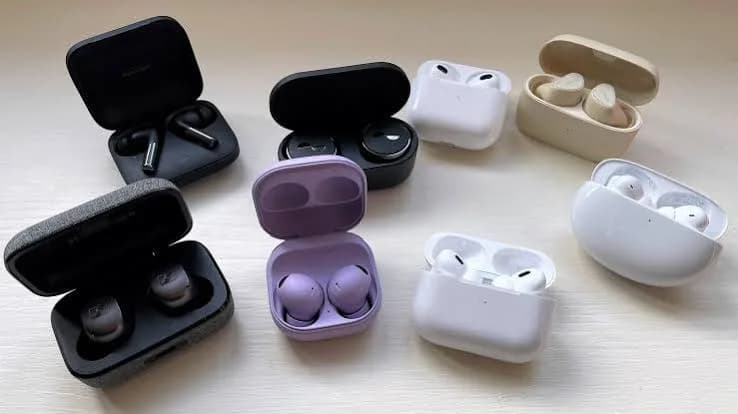
"Up to 30 hours of playtime." "Up to 8 hours with ANC on." "10 minutes of charging gives 4 hours." Every box makes earbuds battery life sound simple, and then reality arrives: the earbuds die in the middle of a call, the case is empty when you need it, or after a year the battery seems half as good as it was. This guide explains how earbud batteries really work, how manufacturers measure those headline hours, why your own numbers differ, what drains battery fastest (ANC, volume, codec, heat), how charging cases and quick charging work, how long the battery will really last over the years, and practical habits that make a pair last longer in Kenyan conditions. We use real products from our range, including the Anker Soundcore Liberty 4 NC, Space One, Space Q45 and Life Q30, the Sony WH-1000XM6, Samsung Galaxy Buds3 Pro, Apple AirPods 4 and CMF Buds, as examples, and we finish with how to spot fake earbuds that lie about battery and capacity.
The short version
- The big number on the box usually combines earbud time plus case recharges and is measured with ANC off, at moderate volume, under lab conditions.
- ANC, high volume, high-bitrate codecs, low temperatures, heat and calls all reduce playtime.
- Earbud batteries are tiny and wear out. After two to three years of daily use, expect noticeably shorter playtime.
- You can slow the wear by avoiding heat, avoiding full discharge, using the right modes and not leaving earbuds in a hot car.
- If a product claims an impossible number, it is probably fake.
What is inside an earbud battery?
An earbud is an extraordinary piece of packaging. Inside each one is a tiny rechargeable lithium-ion coin-style cell, a few millimetres across, usually with a capacity of somewhere around 30-70 milliamp-hours (mAh) depending on the design. The charging case holds a larger battery, commonly several hundred mAh, which recharges the earbuds when they are inside. Over-ear headphones use much bigger batteries: the Soundcore Space Q45 is listed with about 750 mAh, the Life Q30 about 720 mAh and the Space One about 580 mAh. That is why headphones can run for dozens of hours while earbuds last a handful.
A battery stores a limited amount of energy. How long it lasts depends on how quickly the earbuds use that energy. An earbud draws power for several jobs at once:
| Job | Power demand |
|---|---|
| Bluetooth radio receiving audio | Moderate and constant |
| Driver (speaker) playing sound | Rises with volume |
| Microphones and ANC processing | Significant when ANC is on |
| Processor and sensors (touch, wear detection) | Small but constant |
| Calls (microphones transmitting) | Higher than music |
Add them up and you can see why ANC can cut playtime by 15-30% or more compared with ANC off.
How manufacturers measure battery life
Battery life claims are produced in a test, not in your pocket. Typical conditions are:
- A fixed volume, often around 50%.
- ANC off for the headline figure; a second figure for ANC on.
- A standard audio file played continuously.
- Room temperature.
- A fully charged product with a new battery.
- A default codec, usually not the highest-bitrate one.
It is worth noting that many brands publish two numbers: playtime from the earbuds alone, and total playtime including the case. The Soundcore Liberty 4 NC, for example, is listed with up to about 10 hours in the earbuds and 50 hours with the case with ANC off, and up to 8 hours and 40 hours with ANC on. That means the case holds roughly four additional charges. A "50 hour" headline does not mean fifty hours in a row; it means about 10 hours, then a recharge from the case, and so on.
Honest reading of a battery claim: take the earbud-only number, and subtract 10-30% for real life. That is the figure that determines whether you finish a long flight or a day of calls.
What drains earbud batteries fastest
1. Active noise cancelling
The microphones and processing needed for ANC use power continuously. As the Liberty 4 NC figures show, ANC takes roughly 20% off earbud playtime in a typical specification. Use ANC when you need it and not all day.
2. Volume
Louder sound needs more power. Driving the speaker at 80% volume uses noticeably more energy than at 40%, and it is worse for your hearing. Lower volume is better for both reasons.
3. High-bitrate codecs
Streaming with a high-bitrate codec such as LDAC at its maximum setting transmits more data and uses more power in both the phone and the earbuds. See our blog on Bluetooth codecs. Using the standard quality setting or a lower bitrate extends playtime.
4. Calls and microphones
Calls use microphones and a two-way radio link, which draws more power than listening. A day of calls can empty a pair far faster than a day of music.
5. Temperature
Lithium-ion batteries dislike extremes. Cold reduces capacity temporarily. Heat reduces both capacity and lifespan. In Kenya, the big risk is heat: a car parked in the sun can reach temperatures that damage batteries in minutes. Never leave earbuds, headphones or their cases on a dashboard or in a hot car.
6. Features that stay awake
Always-listening voice assistants, constantly adjusting adaptive modes, spatial audio with head tracking, multipoint connections to two devices and heavy equaliser processing all add to the load. They are usually worth it, but they matter if battery is tight.
7. Weak signal
When the Bluetooth link is poor, the radio works harder. Keeping the phone close and in a position with a clear path to the earbuds saves a little energy.
8. Age
A battery that is two or three years old simply holds less than it did when new.
A realistic expectation table
The figures below are rough ranges for typical modern true wireless earbuds in daily use, not guarantees. Individual products differ, so check each product's specifications.
| Scenario | Typical earbud-only playtime |
|---|---|
| Music, moderate volume, ANC off | 6-10 hours |
| Music, moderate volume, ANC on | 4-8 hours |
| Calls and video meetings | 3-5 hours |
| Gaming with low-latency mode | 3-5 hours |
| Standby (in ears, not playing) | Many hours, but varies |
| With the case, total before the case itself needs charging | Often 24-50 hours in total claims |
And for over-ear headphones:
| Product (listing figures) | ANC on | ANC off |
|---|---|---|
| Soundcore Space One | Up to about 40 hours | Up to about 55 hours |
| Soundcore Space Q45 | Up to about 50 hours | Up to about 65 hours |
| Soundcore Life Q30 | Up to about 40 hours | Up to about 60 hours |
These come from the manufacturers' published figures, measured in laboratory conditions. Sony publishes figures for the WH-1000XM6 and Samsung and Apple publish figures for their earbuds; ask us to confirm the numbers for the exact model and version you are buying.
The charging case: your earbuds' power bank
The case is more than a container. It contains its own battery, a charging circuit and contacts that top up the earbuds whenever they are inside with the lid closed. This is why total battery claims are so big: they count every top-up the case can deliver before the case itself needs a charge.
How the case recharges the earbuds
When the earbuds sit in the case, small metal contacts (pogo pins) connect them to the case's battery, which charges each earbud. The earbud battery fills in roughly an hour or less, depending on the product. When both earbuds are full, the case stops charging them.
How you recharge the case
Most cases charge by USB-C (the Liberty 4 NC lists USB-C charging), and many also support wireless charging on a Qi pad. Some premium cases support Qi2 or MagSafe. A case that charges wirelessly is convenient on a desk but slower and less efficient than a cable, and wireless charging generates more heat, which is not ideal for batteries.
Quick charge
Quick charge is one of the best everyday features. A short stint in the case gives hours of listening. The Liberty 4 NC lists about 10 minutes in the case for roughly 4 hours of playback. For people who forget to charge, this is a lifesaver, and a good reason to put your earbuds back in the case whenever you are not using them.
Case battery vs earbud battery
The case battery lasts days to weeks, depending on how often you top up. When the case battery is empty, the earbuds still work until their own cells run out, but you cannot recharge them. Many people discover this on a long trip. Charge the case whenever it gets below roughly 30%.
Do not charge with random chargers
A low-quality charger or cable can supply unstable voltage and cause heat and damage. Use the supplied cable, a decent charger and, where you can, a charger from a reputable brand. See our guides to chargers and USB-C cables.
How long does an earbud battery actually last?
Rechargeable lithium-ion batteries age with every charge cycle and with time. A common rule of thumb is that after about 300 to 500 full charge cycles, a battery retains around 80% of its original capacity. A full cycle is the equivalent of using 100% of the battery, in one go or in pieces.
With earbuds, the tiny cells charge and discharge a lot, because they top up from the case repeatedly. Heavy users can accumulate cycles quickly.
| Usage pattern | Estimated cycles per year | Approximate time to 80% capacity |
|---|---|---|
| Light (1 hour a day) | About 60-100 | Several years |
| Moderate (3 hours a day) | About 150-250 | About 2-3 years |
| Heavy (6-8 hours a day) | About 300-500 | About 1-1.5 years |
These are estimates, not guarantees. Quality of cells, temperature and charging habits all change the result. Still, the pattern matters: a heavily used pair of earbuds will probably have a noticeably weaker battery within two years, which is why earbuds are better thought of as consumables than as lifetime products.
What ageing looks like
- The earbuds last a little less each month, then a lot less.
- One earbud dies noticeably faster than the other.
- The case needs charging more often.
- Battery percentage jumps around, falling quickly then stalling.
- The earbuds shut down at 20-30% charge.
Can the battery be replaced?
On most true wireless earbuds, no. The cells are tiny, glued in and sealed. Some manufacturers offer a battery service for their own products, and third-party repair shops sometimes offer replacement, but repair is delicate and often uneconomical. Over-ear headphones are easier: some have replaceable or serviceable batteries, though this varies. Ask us about the specific model you are considering, and about the warranty period, since batteries are normally covered only for defects, not normal wear.
How to make earbud batteries last longer
These habits cost nothing and add months or years of useful life.
- Keep them cool. Heat is the biggest enemy. Never leave earbuds in a hot car, on a dashboard or in direct sun.
- Use ANC only when needed. It saves charge and reduces cycles.
- Keep the volume sensible. Lower volume saves power and protects hearing.
- Put them back in the case when not in use. It tops them up in small amounts, which is gentle on a battery and avoids deep discharges.
- Do not run them to zero repeatedly. Occasional empties are fine, but deep discharges stress the cell.
- Do not leave them dead for months. If you store a pair for a long time, charge to roughly half, switch off and store somewhere cool.
- Avoid charging in the sun or on a hot surface. Wireless pads and sunny windowsills add heat.
- Use quality chargers and cables. Cheap chargers are a leading cause of battery problems.
- Keep firmware updated. Manufacturers sometimes improve battery management through updates.
- Clean the charging contacts. Dirt on the earbuds' contacts causes poor charging and wasted power. Wipe with a dry cloth or a lightly dampened cotton bud, then dry fully.
- Use one earbud for calls if you can. Alternating ears spreads the load.
- Use a case for the case. Not essential, but scratches do not harm battery; moisture and drops can.
Battery life in Kenyan conditions
Our environment adds some twists.
Heat. Nairobi is mild by tropical standards, but Mombasa, Kisumu, Garissa and Lodwar are hot, and cars heat up everywhere. Keep earbuds out of hot vehicles.
Power cuts. Frequent outages mean you may not always be able to charge overnight. Keep a power bank in your bag; earbud cases draw tiny amounts, so even a small power bank will charge a case many times. A common trick is to charge the case during the day from a laptop's USB port or a power bank so you are never stranded.
Long commutes. If you commute for two hours each way, a pair with 8+ hours per charge and quick charge will get you through the week with a top-up every day or two.
Dust and moisture. Dust in the charging contacts causes poor charging. Wipe regularly. Sweat and rain can corrode contacts, so choose a product with a proper water-resistance rating if you use them outdoors. See our blog on IP ratings.
Voltage fluctuations. Poor mains power can damage chargers. Use a surge-protected socket or a good quality charger. See our blog on power surges and AVR.
Choosing earbuds or headphones by battery needs
| Your need | What to look for |
|---|---|
| All-day office wear | At least 7-8 hours per charge, with ANC on, and quick charge |
| Long-distance travel | Over-ear headphones with 40+ hours (Soundcore Space Q45, Space One, Life Q30) or earbuds with a big case |
| Heavy call user | Good microphones plus a battery that holds up for calls; consider single-bud mode |
| Gym and running | Secure fit, water resistance and 6+ hours |
| Student on a budget | Reasonable battery and replaceable tips; avoid features you will not use |
| Frequently forgetful about charging | Quick charge and a long-lasting case |
| Hi-res listening | Remember that LDAC at maximum uses more battery |
For product recommendations, see our guides to the best wireless earbuds in Kenya and the best noise cancelling headphones.
A little battery maths you can do yourself
You do not need an engineering degree to sanity-check a claim. Battery capacity is quoted in milliamp-hours (mAh) at a nominal voltage, which for lithium-ion cells is about 3.7 volts. Multiply to get energy in watt-hours (Wh): capacity in mAh multiplied by 3.7, divided by 1,000.
- A 50 mAh earbud cell stores about 0.185 Wh.
- A 500 mAh case stores about 1.85 Wh, enough to refill ten earbuds of that size in theory, though real charging is less than 100% efficient, so expect about four to five full recharges in practice, which matches the claims on most products.
- A 750 mAh headphone battery (like the one listed for the Soundcore Space Q45) stores about 2.8 Wh. Spread over 50 hours, that is just over 0.05 W of average draw, which shows how efficient modern Bluetooth headphones have become.
If a manufacturer claims 30 hours from an earbud with a 40 mAh cell, the average draw would be a few milliwatts, which is physically unrealistic for a working ANC earbud. The maths exposes impossible claims quickly.
We cover power banks in the same way in our blog on mAh versus Wh.
Why earbud designers make the trade-offs they do
Buyers often ask why earbuds do not simply have bigger batteries. The answer is physical. An earbud must sit in the ear for hours, which limits weight and size. A bigger battery means a bigger, heavier earbud that is uncomfortable and falls out. Designers therefore balance battery size, comfort, microphone placement for ANC, antennas for Bluetooth, drivers for sound and the sealed shape needed to fit an ear. Over-ear headphones have room to spare, which is why their battery life is dramatically better.
This also explains why product reviews that complain about a few hours less than claimed are usually expecting the impossible. A modern pair that lasts six to eight hours with ANC on is performing very well for its size. Rather than chasing the biggest number, choose the battery that matches your habits and enjoy the quick-charge safety net.
Battery features worth looking for
Quick charge. Perhaps the most useful of all. A few minutes for several hours.
Smart power-off. Earbuds that switch off after a period of inactivity or when out of range save charge.
Wear detection. Pausing playback and reducing power when you take them out.
Battery saver or low-power mode in the companion app.
Single-earbud mode. Using one earbud while the other charges gives you effectively all-day listening or calling.
Battery status in the app. Showing earbud and case levels separately lets you plan.
Replaceable ear tips. Not a battery feature, but a good seal reduces the need for volume, which saves power.
Wireless charging. Convenient on a desk, though less efficient than a cable.
Six real days, six battery plans
The student. Five hours of lectures and study with ANC on a noisy campus, plus travel. Choose earbuds with 6-8 hours per charge, drop in the case between lectures, and charge the case twice a week.
The sales rep. Calls all day on the road. Calls drain faster, so choose a product with good microphones and quick charge, and keep a small power bank in the car.
The remote worker. Meetings in the morning, focus music in the afternoon. Over-ear headphones with 40+ hours need charging only once a week.
The traveller. A twelve-hour flight. ANC on for the whole flight needs over-ear headphones (comfortable for sleeping too) or earbuds with a full charge plus a case top-up on arrival.
The gym-goer. An hour a day. Any modern earbuds will last for days; the issue is sweat, not battery.
The commuter. Two hours each way. A pair with at least 8 hours per charge and quick charge covers the week with an overnight top-up.
If your pattern looks different, tell us on WhatsApp and we will build a plan around it.
Six battery myths we hear all the time
Myth 1: "Charge to 100% overnight and you ruin the battery." Modern charging circuits stop at full, and earbud cells are small and managed carefully. Overnight charging occasionally is fine; heat is the bigger enemy.
Myth 2: "You must drain a new battery fully before first charging." That belonged to older battery chemistries. Lithium-ion batteries need no special first-use ritual.
Myth 3: "Leaving earbuds in the case wears out the battery." The case is built for this, and it actually keeps the earbuds topped up gently.
Myth 4: "A higher-priced product always has better battery life." Not necessarily. Premium products often add features (ANC, sensors, spatial audio) that use power. Mid-range products sometimes beat them on hours.
Myth 5: "Quick charging damages batteries quickly." Earbud quick charging involves tiny currents and is designed to be safe. The big damage comes from heat and chronic deep discharge.
Myth 6: "Battery claims are lies." They are usually true under the test conditions, which are different from yours. Treat them as a comparison tool between products, not a promise of your own results.
Troubleshooting battery problems
One earbud dies faster than the other. This is common: the primary earbud (which relays audio to the other, in some designs) uses more power. Update firmware, and some products swap roles automatically. If the difference is huge, battery wear or a fault may be the cause.
Earbuds not charging in the case. Clean the contacts, check the earbuds are seated properly, charge the case itself, try a different cable and charger, and reset the earbuds following the manufacturer's instructions.
Case battery drains quickly. Check whether the lid is staying closed, whether a stuck earbud is keeping the case awake, and the age of the case.
Battery percentage is wrong. Run the earbuds down completely and recharge them fully to recalibrate the reading.
Earbuds hot to touch while charging. Mild warmth is normal. If they become too hot to hold, stop charging, let them cool and do not continue to use a hot, swollen or damaged product.
Short battery life from new. Check ANC and volume settings, codec choice (LDAC), multipoint and background features. If it still falls well short of the specified figure, contact us.
The case will not turn on after months of storage. Deeply discharged lithium batteries may not respond immediately. Charge for a few hours before concluding it is dead.
Safety: what to do with a damaged battery
Lithium-ion batteries are safe in normal use, but damaged ones can be hazardous. Stop using any earbuds or case that become swollen, extremely hot, smell burnt or leak. Do not charge them, do not puncture them and do not throw them in a fire. Take them to a proper e-waste collection point. Fake earbuds with uncertified batteries and charging circuits are more likely to overheat. This is one more reason to buy from a seller you trust.
How to spot fake earbuds and false battery claims
Fake earbuds love big numbers. They print "100 hours" or "30-hour playtime" on tiny cells, and some fake cases display fake battery readings to look authentic. Here is how to see through it.
1. Do the maths
A tiny earbud cell of around 40-60 mAh cannot play for 20 hours. If a product claims an extraordinary battery life in a small body, it is probably fake or the claim is inflated. Compare with the manufacturer's official specifications.
2. Check the official specs
Genuine brands publish specifications for each model. If the box claims a number that the official page does not, or the model number does not exist on the manufacturer's site, suspect a fake.
3. Check the battery display on your phone
Genuine AirPods and many genuine earbuds show battery levels for each earbud and the case on a connected phone. Fake products sometimes show wrong or constant values (always 100%, or jumping erratically). Be suspicious if it never changes during an hour of playback.
4. Check serial numbers
For Apple products, check the serial number on Apple's coverage page; for Samsung, Sony and Anker, use the official apps. A serial number that does not exist is a fake.
5. Check the weight
Fake earbuds often use smaller, cheaper batteries, so they feel lighter. Compare with a genuine pair if you can.
6. Check the charging
Genuine cases charge predictably and do not get dangerously hot. A case that gets very hot, charges implausibly fast or slowly, or has charging port flaws may have a fake or poor-quality battery.
7. Run a real test
Charge the earbuds fully, then play music at moderate volume with ANC off and time how long they last. A genuine product should be near the specified figure (within 10-20%).
8. Price and seller
A premium product at an impossible price with big battery claims is a trap.
9. Check the warranty and receipt
A seller that cannot give a receipt or explain the warranty is a risk.
The bottom line on earbud battery life
Treat battery life as a budget. Every feature spends from it: ANC, volume, calls, high-bitrate codecs, heat. Spend it on what matters to you, switch off what does not, and top up in small amounts from the case whenever you can. Expect two to three good years from a pair used daily, shorter if used heavily, and plan your next purchase with the real, not the printed, figures in mind. If you want help matching a product to your day, message us on WhatsApp with your routine.
Why buy from City Gadgets Kenya
- Genuine earbuds and headphones from Sony, Samsung, Apple, Anker Soundcore, CMF and more, with battery specifications confirmed for the exact unit.
- Honest battery advice. We will tell you what to expect in real life and not just what is on the box.
- A real shop in Nairobi CBD: New Alnoor Exhibition, Second Floor, Shop C7, Accra Road.
- Same-day delivery in Nairobi and next-day outside Nairobi through reputable couriers, with M-Pesa payment.
- After-sales support for charging issues, firmware and warranty questions.
Browse our accessories category.
Frequently asked questions
How long should earbuds last on a charge? Most modern earbuds give 5-10 hours per charge, depending on ANC, volume and features, with the case adding extra charges.
Does ANC really reduce battery life? Yes, typically by around 15-25% in manufacturer figures.
How long does an earbud battery last overall? Often two to three years of regular use before capacity drops noticeably, shorter for heavy use.
Can I replace the battery? Usually not on true wireless earbuds. Some brands offer a service.
Is it bad to leave earbuds in the case all the time? No. Cases are designed for that. Smart charging stops when the earbuds are full.
Should I let my earbuds run flat before charging? No. Frequent top-ups are fine; avoid habitually running to zero.
Why does one earbud die first? The earbud acting as the primary link often uses more power. Updates and role-swapping reduce the gap.
Is quick charge bad for the battery? Short top-ups are fine. Modern quick-charge systems are designed to be safe.
Can I charge earbuds from a power bank? Yes. Earbud cases draw very little, so even a small power bank works.
How do I know a product is genuine? Check the serial or app, test the claimed battery life and buy from a trusted seller.
Ready to choose?
Tell us how long your day is, how much you use ANC and calls, and we will recommend earbuds or headphones with battery life that matches.
WhatsApp: wa.me/254745575931 Visit: New Alnoor Exhibition, Second Floor, Shop C7, Accra Road, Nairobi CBD. Same-day delivery in Nairobi; next-day outside Nairobi.
Related reading: lithium-ion battery care guide, how active noise cancelling works, best power banks in Kenya.