Can I Watch All Football Matches on a Fire TV Stick in Kenya? The Honest Answer
If you've been thinking about cutting the cord on a bulky satellite decoder and moving your football watching over to a small stick that plugs into your TV's HDMI port, you've probably typed some version of this exact question into Google: can a Fire TV Stick actually show me every match I want to watch? It's a genuinely fair question, and the honest answer deserves more than a simple yes or no — because the truthful answer is "mostly yes, but it depends entirely on what you subscribe to, not on the stick itself." This guide walks through exactly what that means in practice for a football fan in Kenya, which apps actually carry which competitions, how a Fire TV Stick performs on a live matchday specifically, and which Fire TV Stick to actually buy if football is the main reason you're getting one.
This is a long, deliberately thorough guide, because the difference between a great matchday experience and a frustrating one usually comes down to details most buyers never think to check before they buy — the wrong device tier, the wrong Wi-Fi standard for peak-hour streaming, or simply not knowing which app actually holds the rights to the league you care about. Let's get into it properly.
The Short, Honest Answer
No single device — not a Fire TV Stick, not a Xiaomi box, not even a full satellite decoder — gives you "all football matches" automatically, because broadcast rights are split across many different companies, and each competition, and sometimes each individual match, belongs to a specific rights holder in a specific region. A Fire TV Stick is a streaming device, not a broadcaster. What it actually gives you is a fast, reliable way to install and run the apps of whichever football broadcasters you already subscribe to, plus a genuine app store to add more.
So the real, practical answer is this: a Fire TV Stick can absolutely get you extremely close to "all football," provided you're willing to combine a handful of subscriptions — much the same way a satellite decoder alone doesn't cover every league either, and cable and satellite providers worldwide have been splitting football rights between multiple broadcasters for decades. The Fire TV Stick's job is to be the single, capable hub that runs every one of those apps smoothly on one screen, instead of needing a separate box or decoder for each one.
What a Fire TV Stick Actually Does for Football Fans
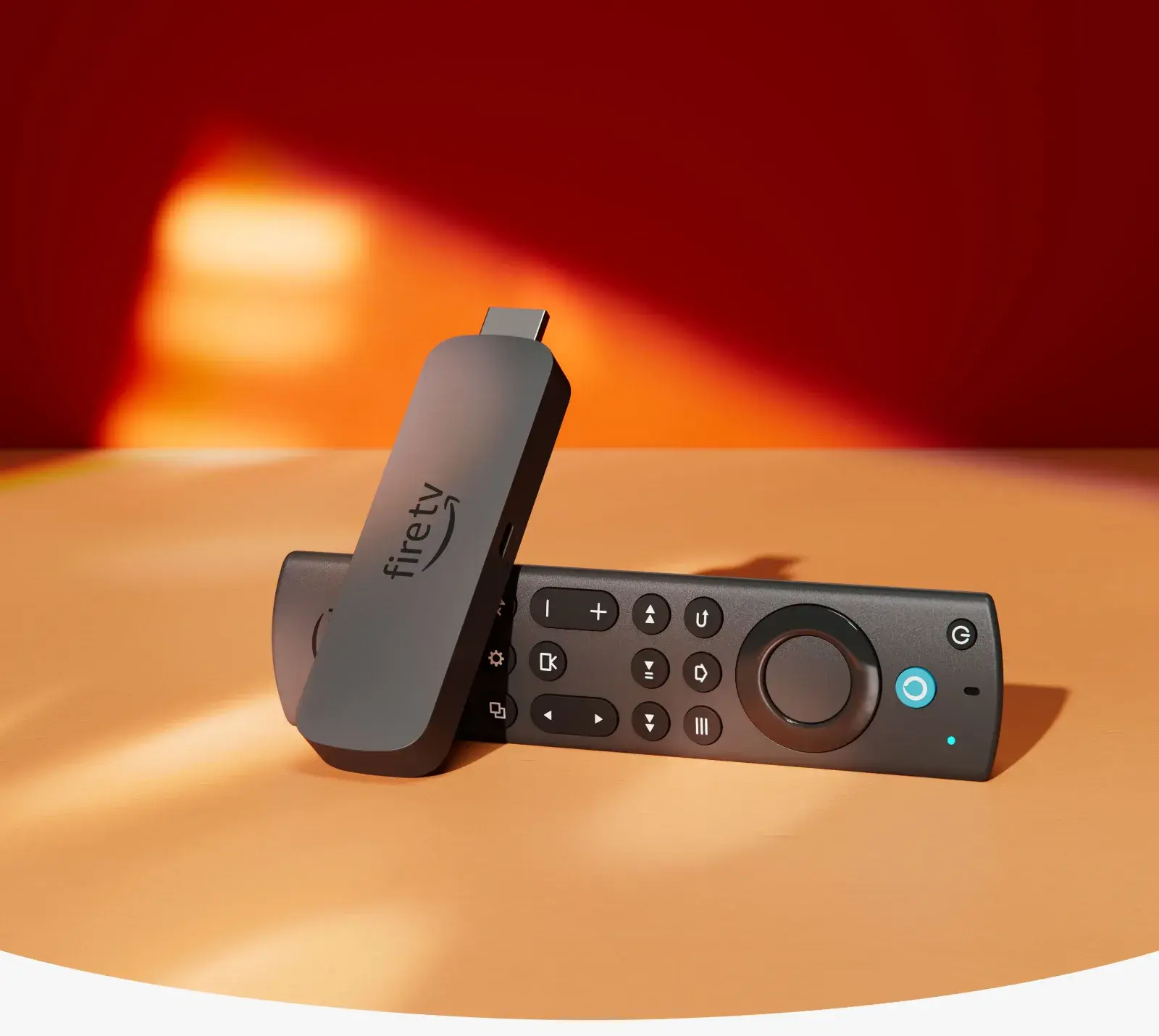
Before going further, it's worth being clear about what the device itself contributes to your matchday experience, separate from any subscription. A Fire TV Stick plugs into a free HDMI port on your television and runs Amazon's Fire OS software, giving you access to Amazon's own app store, a fast and responsive interface, and a proper remote with dedicated volume and power buttons plus Alexa voice control. For football specifically, this means:
- One remote, one interface, for every football app you use — no switching between multiple boxes or decoders for different subscriptions.
- Fast app switching during a matchday when you might want to flick between a live match, a second screen with scores, and a highlights app.
- Voice search to jump straight to a match or team without scrolling through menus, using the built-in Alexa remote.
- A genuine, tested platform that major broadcasters build and optimize their apps for, rather than a generic device where app performance is unpredictable.
None of this replaces a subscription to whichever broadcaster holds the rights to the match you want to watch — but it does mean that once you have those subscriptions, watching them is dramatically simpler and more reliable than juggling separate hardware for each one.
Which Football Competitions You Can Actually Watch, and Through What
This is the part that actually answers the question properly. Here's a realistic breakdown of major football content relevant to Kenyan viewers, and how it typically reaches a Fire TV Stick.
English Premier League and other top European leagues: In Kenya, Premier League rights have historically sat with pay-TV broadcasters like SuperSport (via DStv and GOtv) and, at various points, other regional broadcasters. Where a broadcaster offers its own standalone streaming app — as SuperSport and DStv have increasingly done through services like DStv Stream — that app installs on a Fire TV Stick the same way it would on any other Fire TV-compatible device, provided the app is available in Amazon's app store for your region or side-loadable through supported means. Showmax has also expanded into live sports content in various markets, so it's worth checking current Showmax Pro or sport-tier offerings for competitions it carries.
Local and regional African football: Broadcasters like SuperSport carry a wide range of African club and international football, and where their apps are available on Fire TV, a Fire TV Stick handles them exactly as it would any other streaming app.
Champions League and major European cup competitions: Rights for these competitions have moved between broadcasters in various markets over the years, sometimes split between a pay-TV broadcaster and a standalone streaming service. Whichever broadcaster holds the rights in Kenya for a given season, if they offer an app, it's installable the same way.
Free-to-view highlights and clips: YouTube, readily available on every Fire TV Stick, carries an enormous amount of official highlights content from leagues, clubs, and broadcasters — genuinely useful for catching up on a match you missed, even if it doesn't replace live coverage.
Amazon Prime Video: In markets where Amazon holds streaming rights to specific football content (this has included certain competitions in some regions), a Fire TV Stick naturally gives you the smoothest, most native access to that content of any device, since Prime Video is built directly into Fire OS.
The pattern across all of these: the Fire TV Stick is never the limiting factor. The limiting factor is always which broadcaster currently holds the rights to the specific competition and match you want, and whether you're subscribed to it. Rights change from season to season and even mid-season in some cases, so it's genuinely worth checking current holders for the specific league you follow before assuming any single subscription covers everything.
Why "All Football Matches" Isn't a Realistic Promise From Any Device
It's worth taking a moment to explain why this fragmentation exists, since understanding it changes how you plan your setup. Football broadcast rights are sold competitively, league by league, and often region by region, specifically because leagues and clubs make more money splitting the rights among multiple bidders than selling everything to one buyer. This is true globally — a football fan in the UK, the US, or South Africa faces exactly the same fragmented picture, needing multiple subscriptions to follow every competition they care about.
A Fire TV Stick doesn't change this underlying reality, and no honest guide should claim otherwise. What it does change is how painless it is to manage multiple subscriptions once you have them — instead of multiple decoders, multiple remotes, and multiple HDMI inputs on your TV, you get one device, one remote, and one home screen with every app you've installed sitting in the same place.
Building a Realistic "Watch Almost Everything" Football Setup
Given the above, here's a practical approach to getting as close to "all football" as realistically possible on a Fire TV Stick in Kenya:
- Identify which competitions you actually care about. Premier League, Champions League, local leagues, international tournaments — list them out, since this determines which subscriptions you actually need rather than guessing.
- Check current rights holders for each competition for the season you're watching, since these do shift over time.
- Subscribe to the specific services that hold those rights — this might mean a DStv or GOtv subscription with its companion streaming app, a Showmax subscription, and potentially others depending on what you follow.
- Install every relevant app on your Fire TV Stick through Amazon's app store, or through supported alternative installation methods where an app isn't listed directly for your region.
- Use YouTube and free-to-air apps to fill gaps for highlights, non-live content, and any coverage available without a paid subscription.
This layered approach genuinely gets most serious football fans in Kenya extremely close to comprehensive coverage — not because any single service or device promises "everything," but because the Fire TV Stick makes running several services together painless in a way that juggling separate physical decoders never was.
Why Your Choice of Fire TV Stick Actually Matters for Football Specifically
This is the part most buying guides skip entirely, and it's genuinely important: not every Fire TV Stick handles a live football matchday equally well. Football streaming has a specific technical demand that other content doesn't — it's live, it's happening in real time, and any buffering or lag during a goal, a penalty, or a late winner is far more frustrating than the same interruption during a recorded show you can pause and rewind. This makes two specs matter more for football than for almost any other use case: Wi-Fi standard and processor speed.
Wi-Fi standard determines how well your stream survives a busy household on matchday. Football matches are watched live, often at exactly the same time as everyone else in your building is also streaming, browsing, or on a video call — Saturday and Sunday afternoons, and midweek European nights, are peak load moments for any shared Wi-Fi network. A Fire TV Stick running on an older Wi-Fi standard is more likely to buffer exactly when it matters most. A Fire TV Stick with Wi-Fi 6 or Wi-Fi 6E handles that congestion far more gracefully, keeping your stream stable when dozens of neighbouring networks and devices are all competing for bandwidth during the exact same 90 minutes.
Processor speed determines how fast you can react to what's happening on the pitch. Switching from a pre-match studio show to the live feed, checking a second match's score, or quickly restarting a stream after a brief signal drop all happen faster on a more powerful chip. A sluggish device turns a 10-second task into a 30-second one — and during a live match, that's genuinely the difference between seeing a goal live and finding out about it from your phone a moment later.
Comparing the Fire TV Stick Lineup Specifically for Football
With that context, here's how Amazon's current Fire TV Stick lineup, all available through City Gadgets Kenya, actually stacks up for a football-focused buyer.
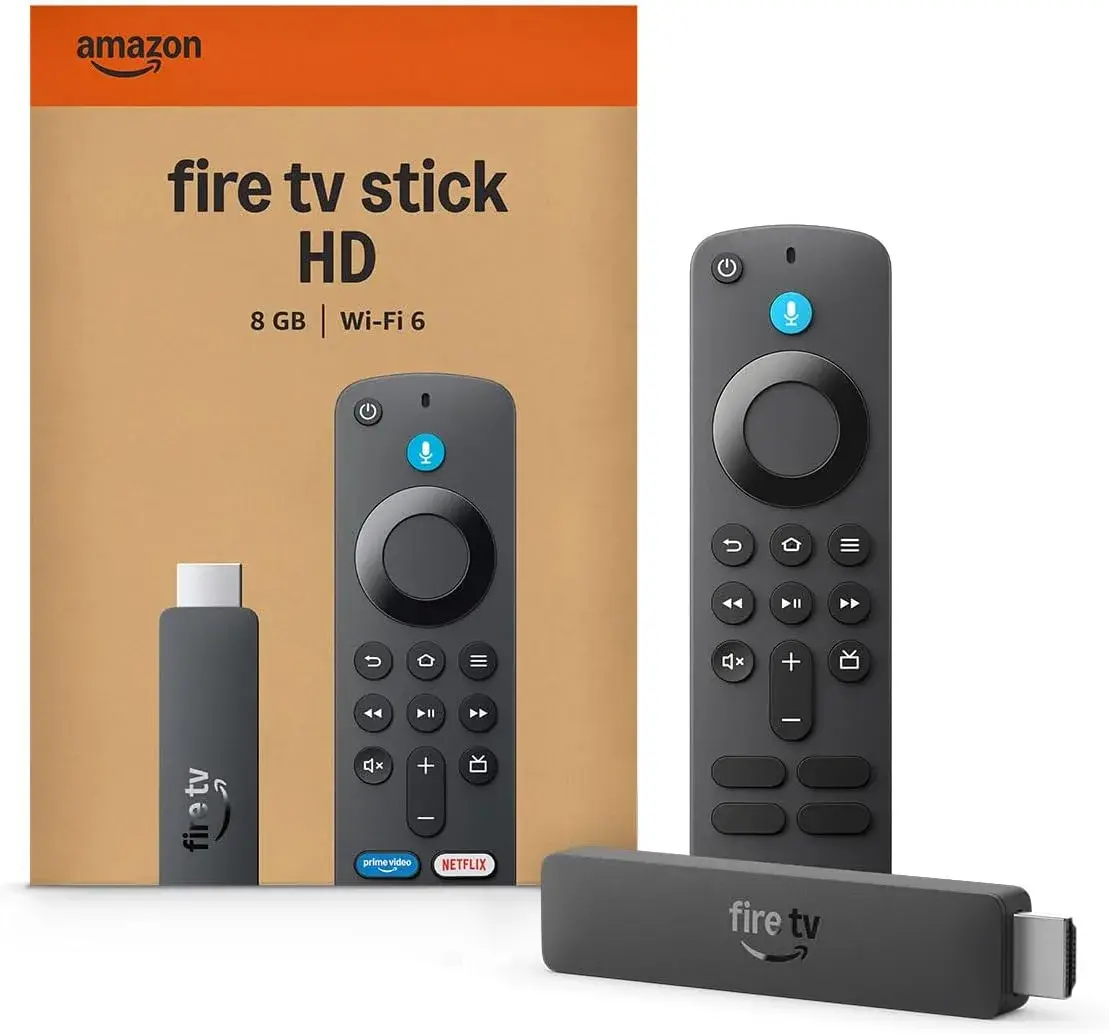
Fire TV Stick HD (Ksh 5,500): Runs on Wi-Fi 5 with 1GB of RAM. This is a perfectly serviceable choice if your television is Full HD rather than 4K, and if your household's Wi-Fi is relatively uncongested on matchday. For a single-person household or a secondary TV where football isn't the main event, this remains a genuinely capable, budget-friendly way to get every football app running.
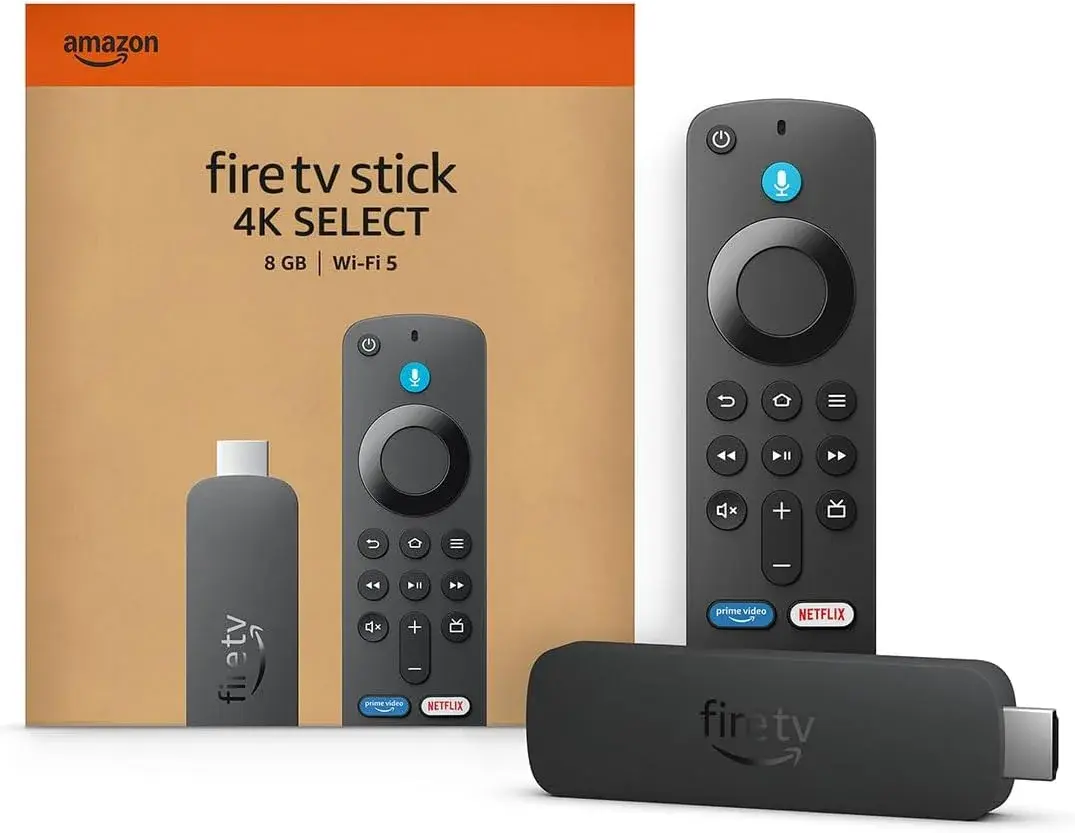
Fire TV Stick 4K (Ksh 6,500): Adds genuine 4K Ultra HD with Dolby Vision, HDR10+, and HLG, plus Dolby Atmos audio and 1.5GB of RAM — a real step up in picture quality for football watched on a 4K television, since the sharper detail genuinely helps with fast-moving action and following the ball across a full pitch. Still runs on Wi-Fi 5, so it suits households with a reasonably stable connection rather than an especially crowded building.
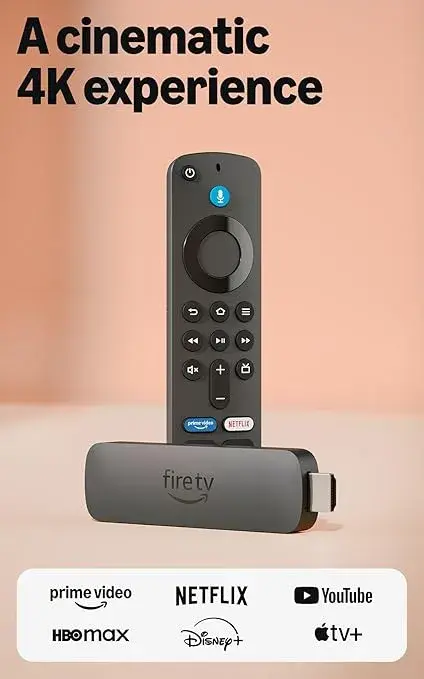
Fire TV Stick 4K 2nd Gen (Ksh 6,999): This is genuinely the sweet spot for most football-watching households in Kenya. It keeps the 4K picture quality and Dolby Atmos audio, bumps RAM to 2GB for snappier app switching between matches, and — critically for matchday — upgrades to Wi-Fi 6, which handles the exact kind of network congestion a Saturday afternoon full of Premier League fixtures creates in a busy Nairobi apartment building. For the price, this is the strongest all-round pick for a genuine football fan who wants reliability during the moments that matter most.
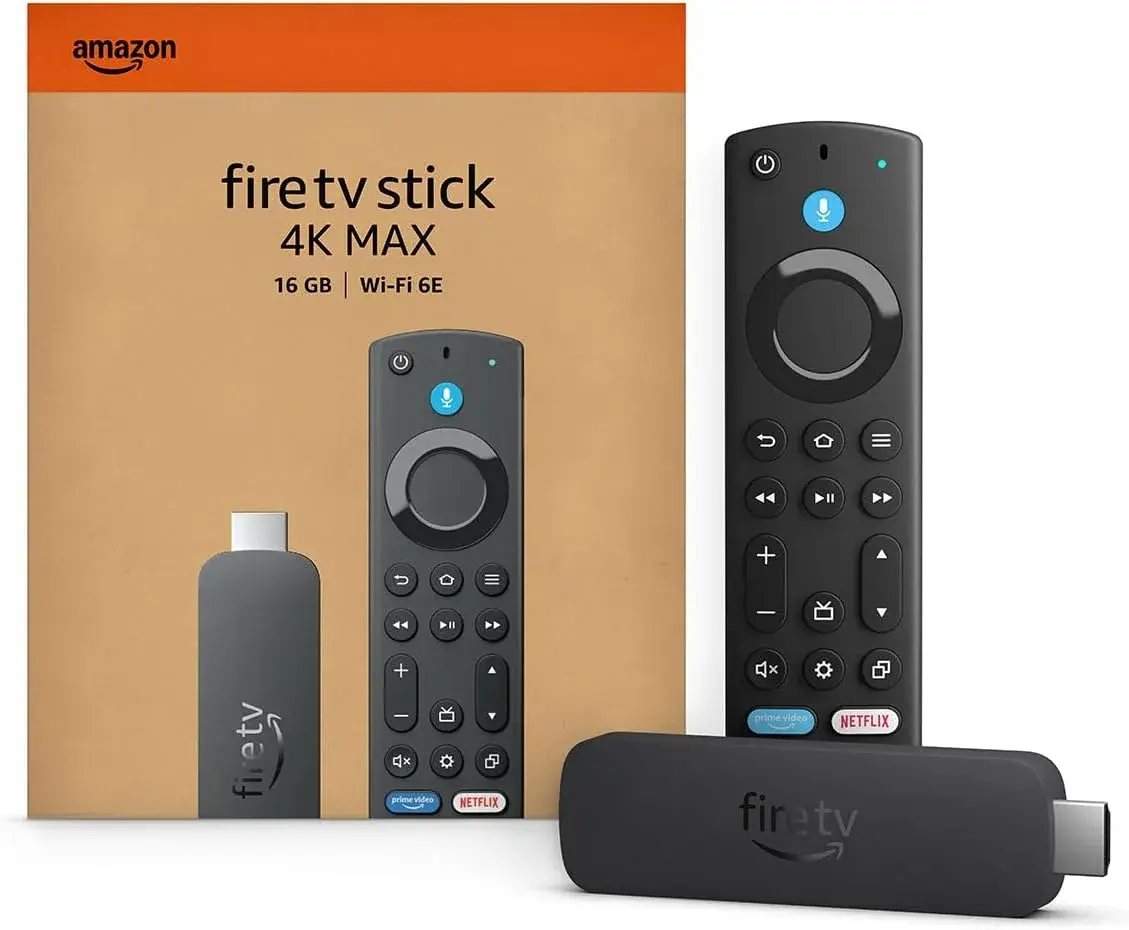
Fire TV Stick 4K Max (Ksh 8,500): Amazon's flagship stick, with a faster 1.8GHz processor, 2GB of RAM, 16GB of storage, and Wi-Fi 6E — a full generation ahead of standard Wi-Fi 6, built specifically for extremely congested wireless environments. If you live in a dense apartment block where dozens of neighbouring networks compete for bandwidth every single weekend, or if you regularly run a second screen alongside your football stream (checking live scores, fantasy football apps, or a second match), the 4K Max's extra headroom in both processing power and wireless performance is genuinely worth the additional cost. It also includes the Enhanced Alexa Voice Remote and Amazon's Ambient Experience for smart home control, and doubles the storage of the 4K and 4K 2nd Gen models, useful if you plan to install a large number of football and sports apps simultaneously.
Our Recommendation for Football Fans in Kenya
If you're buying a Fire TV Stick specifically to watch football, and you want a clear, no-nonsense recommendation rather than a spec sheet to puzzle over yourself: for the vast majority of Kenyan households, the Fire TV Stick 4K 2nd Gen (Ksh 6,999) offers the best balance of picture quality, audio, and — most importantly for live sport — Wi-Fi 6 stability, at a genuinely accessible price. If you live in a particularly crowded apartment building, want the most future-proof option, or simply want Amazon's very best streaming stick for match-day reliability, step up to the Fire TV Stick 4K Max (Ksh 8,500).
Both of these are available genuine, brand new, and sealed at City Gadgets Kenya, with a 12-month official brand warranty and same-day delivery within Nairobi — meaning you can realistically order on a Thursday and have your new streaming stick set up and tested well before kickoff on Saturday.
Setting Up Your Fire TV Stick for a Football-Ready Home
Once you've picked your device, getting football-ready is straightforward:
- Plug the Fire TV Stick into a free HDMI port on your television, and connect the included power adapter to a wall outlet — never rely on your TV's USB port for power, since it can't reliably supply what the stick needs for smooth 4K streaming during a live match.
- Switch your TV's input to the correct HDMI channel and complete the on-screen Fire OS setup, connecting to your home Wi-Fi network.
- Install every football-relevant app you plan to use through Amazon's app store — your pay-TV broadcaster's streaming app, Showmax, YouTube, and any others relevant to the competitions you follow.
- Sign in to each app with your existing subscription details. If you don't yet have a subscription to a broadcaster carrying a competition you want, this is the point to sign up.
- Test each app before matchday, ideally during a quieter period, so you're not troubleshooting a login issue five minutes before kickoff.
- Position your router sensibly if possible — a Fire TV Stick's Wi-Fi performance, however capable, still depends partly on a reasonable signal from your router, so avoid streaming through multiple walls or from the far end of the house if you can help it.
This entire process typically takes under half an hour even when installing several apps, and it only needs to be done once.
Common Football-Watching Problems and How the Right Fire TV Stick Solves Them
It's worth addressing a few specific frustrations football fans in Kenya commonly run into, and how device choice genuinely helps.
Buffering right as a match kicks off. This is almost always a Wi-Fi congestion issue rather than an internet speed issue — everyone in your building streaming the same match, or different content, at the same time. A Wi-Fi 6 or Wi-Fi 6E Fire TV Stick handles this dramatically better than an older Wi-Fi 5 device, because these newer standards are specifically engineered to manage many devices competing for bandwidth simultaneously, rather than simply offering a faster theoretical top speed.
Slow app switching between a live match and a second screen. If you like checking another scoreline or a fantasy football app during breaks in play, a device with more RAM — the Fire TV Stick 4K 2nd Gen or 4K Max, both at 2GB — switches between apps noticeably faster than the entry-level 1GB Fire TV Stick HD.
Picture quality that doesn't do a big match justice. Football is genuinely one of the sports where 4K resolution matters more than for many other kinds of content, since the wide, detailed shots of a full pitch benefit enormously from extra sharpness compared to a tighter, more static shot like a studio interview. Any of the three 4K-capable Fire TV Sticks — the 4K, 4K 2nd Gen, or 4K Max — genuinely improves this over the Full HD-only Fire TV Stick HD, provided your television itself supports 4K.
Running out of storage for multiple sports apps. If you're installing several broadcaster apps, a fantasy football app, a live scores app, and streaming services simultaneously, the Fire TV Stick 4K Max's 16GB of storage gives noticeably more headroom than the 8GB found on the 4K and 4K 2nd Gen models.
What About VPNs and Accessing Foreign Football Coverage?
It's worth addressing this honestly and responsibly, since it's a genuine question many football fans have. Broadcast rights are licensed by region specifically so that a broadcaster's coverage is only available in the territory they've paid for the rights to serve — this is a standard, legal part of how sports broadcasting works globally, not unique to Kenya. Using a VPN to access another country's streaming service typically violates that service's terms of use, and this guide isn't going to walk through the specifics of doing so. The straightforward, above-board path to comprehensive football coverage in Kenya is subscribing to the broadcasters who legitimately hold the rights for your region — SuperSport, DStv, GOtv, Showmax, and others — and running their genuine apps on your Fire TV Stick exactly as intended.
Why Buy Your Fire TV Stick From City Gadgets Kenya Specifically
Given everything above, where you buy your Fire TV Stick matters almost as much as which one you choose, for reasons that go beyond just getting a good price.
Genuine hardware, verified before it reaches you. City Gadgets Kenya sources and checks every Fire TV Stick in Nairobi before it's sold, meaning you're not gambling on an undisclosed used unit or a grey-market device that might not perform reliably during a live match — the worst possible moment for hardware to let you down.
A real 12-month official brand warranty. If your stick develops a fault, you have genuine recourse, rather than being left stranded mid-season with no support.
Same-day delivery within Nairobi. Decide you need a better streaming setup before a big weekend of fixtures, and City Gadgets Kenya can realistically get a genuine Fire TV Stick to your door the same day, rather than leaving you stuck watching a big match on a struggling old device or a phone screen.
Clear, honest specification listings. Every Fire TV Stick tier — HD, 4K, 4K 2nd Gen, and 4K Max — is listed with its exact chip, RAM, storage, Wi-Fi standard, and audio support stated upfront, so you can make the Wi-Fi-6-for-matchday decision this guide walks through with full confidence in exactly what you're buying, rather than guessing from an ambiguous listing title.
Flexible payment options built for Kenyan buyers. M-Pesa, card, or cash on delivery, whichever suits you best, with countrywide shipping if you're outside Nairobi.
A business that's still here afterward. If you have setup questions, want advice on which apps to install for the competitions you follow, or need support down the line, City Gadgets Kenya's team is reachable directly via WhatsApp — not a faceless marketplace listing you can't get a response from.
Reach out via WhatsApp to confirm current stock and pricing, or browse the full Fire TV Stick range directly: Fire TV Stick HD (Ksh 5,500), Fire TV Stick 4K (Ksh 6,500), Fire TV Stick 4K 2nd Gen (Ksh 6,999), and Fire TV Stick 4K Max (Ksh 8,500).
Building the Ultimate Football Matchday Setup: Beyond Just the Stick
A genuinely great matchday experience is about more than the streaming device alone, so it's worth touching on the surrounding setup for anyone building this out properly.
Pair it with a capable sound system. The Fire TV Stick 4K, 4K 2nd Gen, and 4K Max all support Dolby Atmos audio — genuinely worth pairing with a soundbar or AV receiver that supports it, since crowd noise and commentary come through with noticeably more depth and presence than your TV's built-in speakers can manage alone. City Gadgets Kenya also stocks a range of soundbars and speakers from brands like JBL and Harman Kardon that pair well with any Fire TV Stick tier.
Consider your router placement, not just your streaming stick. Even the best Fire TV Stick can only work with the Wi-Fi signal it actually receives — if your router sits in a bedroom at the far end of the house from your TV, no amount of Wi-Fi 6E on the stick's end fully compensates for a weak signal at the source. A mesh Wi-Fi system or a simple router repositioning can make a genuine difference on top of your device choice.
Keep a backup plan for critical matches. Even the most reliable setup can occasionally hit an ISP-side outage during a big match. Having the relevant broadcaster's app also installed on a phone as a backup means a rare bad night doesn't cost you the match entirely.
Managing Multiple Football Subscriptions Without Overspending
Since comprehensive football coverage genuinely does mean juggling more than one subscription, it's worth a practical note on keeping that manageable rather than letting costs creep up unnoticed. A few habits help here. Audit your subscriptions each season, since broadcast rights shift, and you may find you're still paying for a service that no longer carries a competition you actually watch. Consider seasonal subscriptions rather than year-round ones where a provider offers them, particularly for competitions with a clear season and off-season, so you're not paying for months where nothing you follow is being broadcast. Share costs within a household where multiple people in the same home follow different leagues, since a single Fire TV Stick and a shared set of subscriptions covers everyone in the house rather than needing separate setups per person. Take advantage of free tiers and highlights apps like YouTube for the competitions or moments you don't need live, reserving paid subscriptions specifically for the leagues where live coverage genuinely matters to you. None of this changes what a Fire TV Stick itself can do, but it does mean the "combine several subscriptions" approach to comprehensive football coverage stays financially sensible rather than spiralling into an unnecessarily expensive stack of services.
Frequently Asked Questions
Can a Fire TV Stick show every football match in Kenya? No single device can guarantee every match, since broadcast rights are split across multiple companies by competition and region. A Fire TV Stick's job is to run every broadcaster's app smoothly on one device — how much football you can actually watch depends on which subscriptions you hold, not the stick itself.
Which Fire TV Stick is best for watching football in Kenya? For most households, the Fire TV Stick 4K 2nd Gen (Ksh 6,999) offers the best balance of 4K picture quality, Dolby Atmos audio, and Wi-Fi 6 stability for live matchday streaming. For particularly congested apartment buildings or households wanting the absolute best performance, the Fire TV Stick 4K Max (Ksh 8,500) is the stronger pick thanks to its Wi-Fi 6E connectivity.
Does Wi-Fi standard really matter for watching football? Yes, genuinely more than for most other content. Live matches are watched at the same time as everyone else in your building, creating exactly the kind of network congestion that Wi-Fi 6 and Wi-Fi 6E are specifically designed to handle better than older Wi-Fi standards.
Do I need a subscription in addition to the Fire TV Stick? Yes — the Fire TV Stick is a streaming device, not a broadcaster. You'll need subscriptions to whichever services hold the rights to the specific competitions you want to watch, such as DStv, GOtv, or Showmax, then install and sign in to their apps on your stick.
Can I use a VPN on a Fire TV Stick to watch football from another country? This typically violates the terms of use of foreign streaming services, and broadcast rights are licensed by region for legitimate commercial reasons. The straightforward, above-board approach is subscribing to broadcasters who legitimately hold rights for Kenya.
Is 4K worth it specifically for football? Genuinely yes, more than for many other kinds of content, since football's wide shots of a full pitch benefit noticeably from the extra sharpness 4K resolution provides, provided your television itself supports 4K.
Where can I buy a genuine Fire TV Stick for football in Nairobi? City Gadgets Kenya stocks the full genuine Fire TV Stick range — HD, 4K, 4K 2nd Gen, and 4K Max — each with a 12-month official brand warranty and same-day Nairobi delivery. Reach out via WhatsApp to confirm current stock and pricing before your next big match.
Final Word
So, can you watch all football matches on a Fire TV Stick in Kenya? Not automatically, and no honest guide should tell you otherwise — no single device or subscription covers every competition, because football rights are deliberately split across multiple broadcasters, in Kenya just as everywhere else in the world. But a Fire TV Stick, particularly one chosen with matchday reliability in mind — genuine 4K picture quality, Dolby Atmos sound, and Wi-Fi 6 or Wi-Fi 6E for handling a busy Nairobi building on a Saturday afternoon — is genuinely the best, simplest way to bring every subscription you do hold together on one screen, with one remote, running smoothly through the moments that matter most.
Get the device right, pair it with the subscriptions that actually cover the leagues you follow, keep an eye on your total subscription costs each season, and you'll get about as close to "all football" as any realistic setup offers — genuinely closer, and with far less hardware clutter, than the multi-decoder setups many Kenyan households were still running only a few years ago.
Browse the complete genuine Fire TV Stick range at City Gadgets Kenya, or reach out on WhatsApp to get set up before your next matchday.