Black November can save you real money, or it can cost you real money. The difference is preparation. This guide is written for Nairobi and Kenyan shoppers who want to use the season well: to get the Black Friday deals in Kenya that are genuine, to avoid the ones that are not, and to buy the right phone, television, appliance or gaming accessory for their needs. It comes from the team at City Gadgets Kenya, a Nairobi CBD shop that also sells online, and it covers planning, comparing, checking and paying, with specific advice for each product category.
In this guide
- How discounts really work
- Set your budget before you see a single offer
- A four-week Black November timeline
- Phones: what to check before you buy
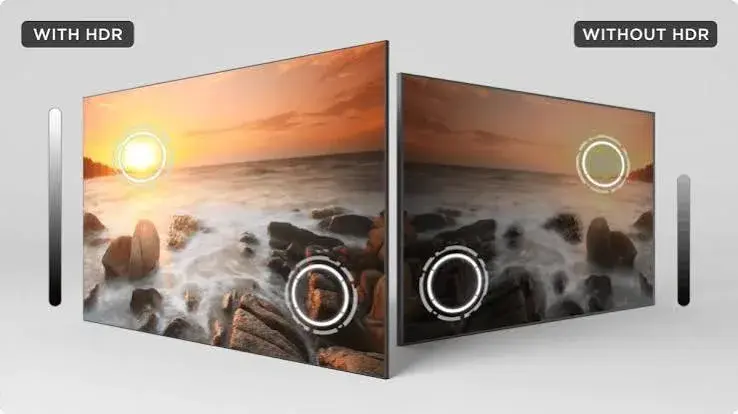
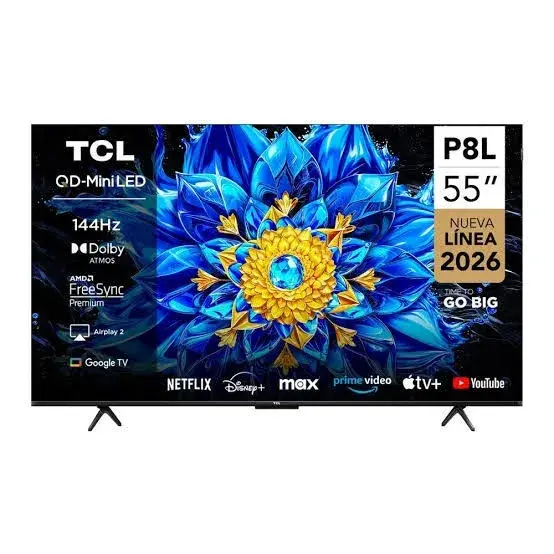
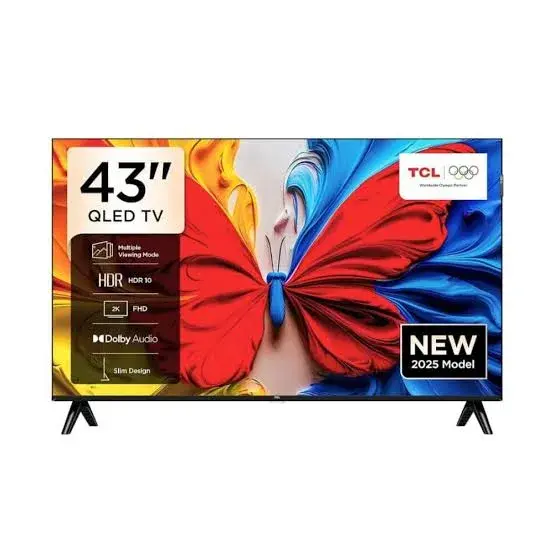
- Televisions: size, picture and smart features
- Home appliances: fridges, freezers and washing machines
- Audio: soundbars and speakers
- Gaming: consoles, accessories, games and top-ups
- Laptops and tablets
- Accessories, earbuds and smartwatches
- Protecting new electronics from power problems
- Eight common Black November mistakes
- A worked example without the numbers
- Gift-buying guide for the festive season
- Comparing offers fairly
- Paying safely
- What to do when the item arrives
- Warranty, receipts and records
- A one-screen checklist to save on your phone
- How City Gadgets Kenya fits into your plan
How discounts really work
Before you chase offers, it helps to understand how advertised discounts are built. A discount is a comparison between two numbers: the 'old' price and the 'new' price. The new price is real, because it is what you pay. The old price is only a claim. Some sellers raise the old price shortly before a sale so that the discount looks bigger. Others compare a product's price with a 'recommended' price that no shop actually charged.
This does not mean that every Black November offer is a trick. Many shops, including ours, do have genuine offers when stock is cleared, when suppliers support a promotion or when a new model replaces an old one. The point is that the percentage on the poster tells you very little. The number that matters is the final price you pay for the exact product you want, compared with what other trustworthy sellers charge for the same product.
So do the work: note the prices for your target products in October, before the season starts. Then you have your own reference, and you can tell a good offer from a decorated ordinary price. Keep a simple list on your phone with the product name, the version and the price from two or three sellers.
Set your budget before you see a single offer
Offers are designed to make you spend. The best defence is a budget that you set in advance. Write down the total you can spend in the month, and divide it into needs and wants. A needs list might include a replacement phone for work, or a fridge because yours has failed. A wants list might include a second television, a gaming headset or a smartwatch.
Rank the items in each list. If an offer appears on something that is not on your list, ask whether you would have bought it at a normal price. If the answer is no, a discount does not make it a need.
Also think about total cost of ownership. A cheap phone that lasts one year may cost more over three years than a better phone that lasts three. A television with a low price but poor sound may require a soundbar later. A gaming console accessory that does not fit your console is wasted money at any price. Add up the whole cost before you commit.
If you are buying on instalments, such as our Lipa Mdogo Mdogo option on Apple iPhones, work out the monthly amount against your income, and confirm the terms before you start. A payment plan should fit comfortably inside your budget, not stretch it.
A four-week Black November timeline
Treat the month as four stages.
Week 1: research. Decide your list and read about the products. Learn what the main specifications mean, so that you can compare models. Our guides explain things like HDR on televisions and soundbars in plain language.
Week 2: shortlist and ask. Choose two or three options for each item. Contact sellers, including us on 0745 575 931, and ask for availability, versions, warranty and total price with delivery. Save the answers.
Week 3: compare and decide. Put the answers side by side. Eliminate sellers who could not answer clearly or who pressured you. Decide which items to buy now and which to wait on.
Week 4: buy and receive. Black Friday itself falls on 27 November 2026. Popular items can sell out before that, and couriers are busiest in the last days of the month, so many buyers order earlier. Pay safely, track delivery, inspect on arrival and keep your records.
If you start in week 4, you can still shop well, but you will have less time to compare and to recover from a problem.
Phones: what to check before you buy
Phones are the most popular Black November purchase in Kenya, and also the product with the most variation between versions. Use this checklist.
Exact model and version. Many phones have several versions with different RAM and storage, such as 4GB with 128GB or 8GB with 256GB. Confirm the exact combination, because the price difference is meaningful.
Network support. Make sure the phone supports 4G in Kenya and, if you want 5G, ask which bands it supports. A phone that lists 5G may not support every band used by local networks. We say 'we confirm per unit' when a band list is not published.
Battery and charging. Look at both the battery size in mAh and the charging speed in watts. Ask whether a charger is included in the box, because some brands now leave it out.
Software support. Ask how many years of updates are promised. Flagships from some brands now promise up to seven years, while budget phones promise less.
Region and warranty. Ask whether the phone has a local warranty and what it covers. A phone made for another market may be genuine but may not be covered locally.
Camera claims. A high megapixel number does not guarantee good photos. Sensor size, lens quality and software matter. Look at sample photos, and ask for a demonstration in the shop.
SIM setup. Check whether the phone is dual SIM, uses a nano-SIM, an eSIM or both, and whether it has a memory-card slot if you need one.
Test it. When you collect from a shop, switch the phone on, check the screen for dead pixels, test the speakers, camera and charging, and confirm the box is sealed. At City Gadgets Kenya you can inspect the sealed item before you pay.
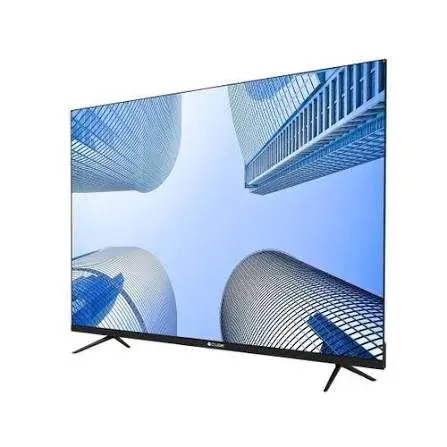
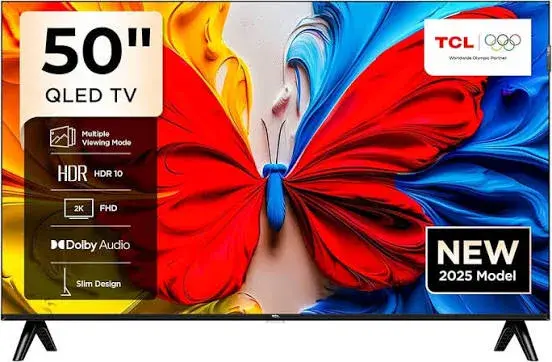
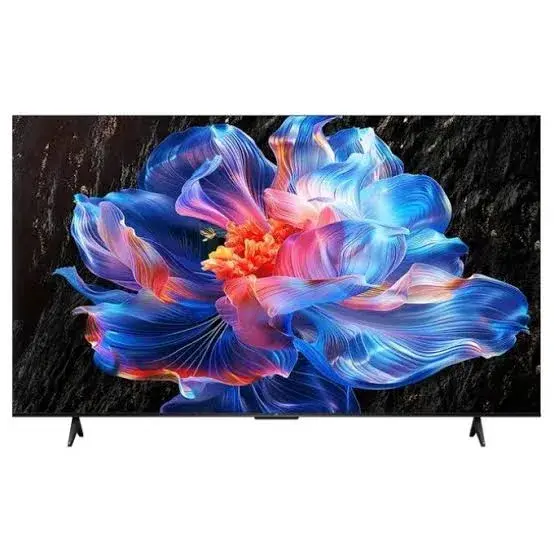
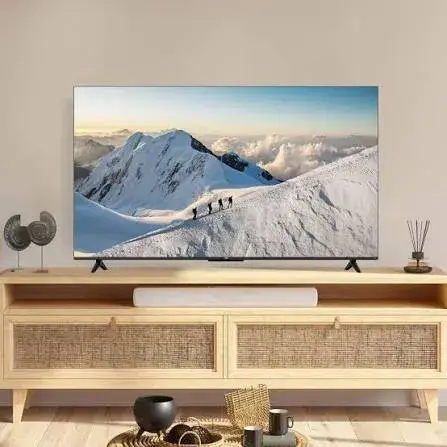
Televisions: size, picture and smart features
A television is a purchase you will live with for years, so it deserves care.
Size and distance. Measure your wall space and the distance from the sofa to the screen. A very large television in a small room can be tiring, while a small one in a big room feels lost. As a rough guide, many viewers sit about twice the screen's diagonal away from a Full HD set, and a little closer to a 4K set.
Resolution. Full HD is fine for small screens and basic viewing. 4K gives a sharper picture on larger screens, if you watch 4K content. Check your internet speed and data allowance if you plan to stream in 4K, because it uses much more data than HD.
Panel type and brightness. LED, QLED and other panel types differ in contrast and colour. In a bright Nairobi living room, brightness matters. Ask to see the television switched on.
Smart platform. Televisions run different smart systems, such as Google TV, Vidaa and Tizen. Check that the apps you use, such as YouTube, Netflix and Showmax, are available, and ask about voice control and updates.
Sound. Slim televisions often have thin sound. Think about a soundbar from the start. Check the ports, such as HDMI and optical, that you will need.
Gaming features. If you play on a console, ask about refresh rate and HDMI features.
Mounting and power. Check the wall-bracket pattern if you want to mount it, and use a surge protector. Power cuts and surges are a real risk to televisions in Kenya.
Home appliances: fridges, freezers and washing machines
Appliances are big purchases, and delivery matters as much as price.
Refrigerators. Choose the capacity that fits your household and your space, and measure the door and passage so that the unit can get in. Check whether it is frost-free or needs defrosting, and look at power consumption. Ask about compressor warranty, which is often the longest part of the guarantee.
Chest freezers. They suit shops, butcheries and large families who store bulk food. Capacity, lock and power use are the key points. Because of power cuts, an insulated chest freezer that holds cold for hours is a practical advantage.
Washing machines. Check the drum capacity in kilograms against your household's laundry, and whether it is a front-load or top-load. Ask about water use, spin speed and installation requirements such as water pressure.
Cookers and ovens. Confirm the size, the number of burners, whether it is gas, electric or both, and what comes with it, such as a gas regulator.
Water dispensers and fans. Check whether the dispenser has hot, normal and cold outputs, and confirm the bottle size it takes. For fans, check the blade count, size and speed settings.
For all appliances, ask about delivery to your home, installation and the warranty process before you pay. A heavy appliance that arrives damaged is a headache, so inspect it when it is delivered.
Audio: soundbars and speakers
Audio products are easy to judge in person and hard to judge online, which is another reason a physical shop helps.
Soundbars. Look at the channel layout, such as 2.1 with a separate subwoofer, and the connections your television supports. Check whether it supports Dolby Audio, whether the subwoofer is wireless and whether it has Bluetooth.
Tower speakers. Check the power rating, the inputs, such as Bluetooth, USB and AUX, and whether it has features such as a microphone input for karaoke. Remember that rated watts are a guide, not a promise of loudness.
Portable party speakers. Battery life, weight and wireless pairing matter most. Ask about stereo pairing if you want two speakers together.
Premium refurbished speakers. Refurbished premium speakers can give a lot of sound for the money, but check the condition and the warranty terms carefully.
If you can, listen before you buy. Bring a familiar track and judge the bass, the vocals and the volume at your normal listening level.
Gaming: consoles, accessories, games and top-ups
Gaming gear has special traps, so shop carefully.
Compatibility. An accessory made for one console may not work on another. Tell the seller your exact console model, such as PlayStation 5 standard, Slim or Pro, or Xbox One or Series. A Series S has no disc drive, so a disc game will not play on it.
Games. Confirm whether a game is a disc or a digital code, which edition it is and which region it belongs to. Be aware that some online-only games lose their servers over time and may stop working.
Gift cards and top-ups. PlayStation wallet top-ups are locked to a region. A South Africa code works only on a South Africa account, and a USA code only on a USA account. Check your account region first. We sell cards for the South Africa, USA, UK and UAE regions, and we list each card value separately.
Headsets and controllers. Check the connection type, such as a 3.5mm wired plug, USB or wireless, and the microphone. Make sure the headset works with your platform.
Safety. Gift card scams are common. Never buy a code because a stranger asked you to, never share codes before you redeem them and never share your account password.
Our guide to PlayStation gift cards for the South Africa region explains the process in detail, and the same principles apply to the other regions.
Laptops and tablets
For laptops, check the processor generation, RAM, storage type (SSD is faster than a hard disk), screen size, battery life and the condition if it is refurbished. A refurbished laptop can be excellent value, but ask for the condition grade, the battery health and the warranty terms.
For tablets, choose by use. Children's learning tablets, entertainment tablets and work tablets have different needs for screen size, memory and connectivity. Check whether the tablet has a SIM slot or only Wi-Fi, and whether it supports a stylus or keyboard if you need one.
For both, ask how many years of software updates are promised, because an unsupported device becomes risky to use.
Accessories, earbuds and smartwatches
Small gadgets are easy to overspend on because each one looks cheap. For earbuds, check the connection type, battery life of the earbuds and the case, whether they have noise cancellation and whether they are made for your phone's ecosystem. For smartwatches, check compatibility with your phone, the battery life, the water resistance rating and whether the watch has its own SIM or needs the phone nearby.
For chargers and cables, buy from a seller you trust. A poor charger can damage a phone battery or even start a fire. Check the wattage against your phone's maximum, and look for a reputable brand. For power banks, check the capacity in mAh and the output wattage, and be sceptical of capacities that seem too large for the size.
For mice and keyboards, think about how you will use them. A wireless mouse is convenient for a laptop, a gaming mouse needs a good sensor and comfortable shape, and an ergonomic mouse can help if you work long hours. Try them in the shop if you can, because comfort is personal.
Protecting new electronics from power problems
Kenya's power supply can be unpredictable. Cuts, surges and sudden returns of power damage televisions, fridges, consoles and computers every year. Budget for protection when you buy.
For televisions, consoles and computers, use a surge-protected extension. For refrigerators and freezers, which are sensitive to voltage swings, consider a voltage guard or stabiliser, and do not plug a fridge back in the moment power returns after a long outage, as many guards include a delay to protect the compressor. For laptops and phones, avoid charging on a dodgy socket and avoid cheap chargers.
Keep electronics away from damp, direct sun and dust. Leave space behind a fridge for air to circulate. Clean dust from consoles and fans regularly. These small habits extend the life of your purchases far more than most people expect.
Eight common Black November mistakes
-
Buying because of urgency. A countdown timer is a sales tool. Take the time to check.
-
Ignoring the version. Two phones with the same name can be different in memory, bands and warranty.
-
Forgetting the total cost. Add delivery, a case, a screen protector, a soundbar or a surge protector where relevant.
-
Paying a stranger in advance. Prefer sellers with an address, a phone line and a receipt.
-
Skipping the inspection. Check the seal, the contents and the function at once.
-
Buying a game, accessory or gift card without checking compatibility and region. These errors are common and often cannot be reversed.
-
Not keeping records. Without a receipt and a box, a warranty claim becomes difficult.
-
Spending on credit beyond your means. An instalment plan that strains your budget turns a deal into a burden.
Worked example: a household budget plan without the numbers
Imagine a household preparing for the festive season. The family needs a new refrigerator because the old one is failing, wants a larger television for visitors, and has a teenager who would like a gaming headset. The parents sit down and rank these: the refrigerator is a need, the television is a want, and the headset is a gift.
They first research the refrigerator: capacity, frost-free design and warranty. They ask two sellers for the total with delivery and installation. They choose, pay and arrange delivery for a day when someone will be home. Next, they look at the television. They measure the wall and the distance, decide on a size, and ask about the smart platform and sound. They decide to wait for a particular offer and set a limit. Finally, they ask about the headset, confirm that it works with the teenager's console, and buy it as a gift.
Notice that the family did not start by hunting offers. They started with needs, they compared on the same points and they used the season's offers to support decisions already made. That is the discipline that makes Black November pay off.
Gift-buying guide for the festive season
Many Black November purchases are gifts, and gifts have their own rules. Choose something the person will use, not something that merely looks impressive. Ask them, or someone close to them, what they need. Check sizes, compatibility and regions, especially for gaming gear and gift cards.
For a student, a durable phone, a learning tablet, earbuds or a power bank are practical. For a gamer, a headset, a controller accessory, a game that suits their console or a wallet top-up that matches their account region are good choices, as long as you confirm the details first. For parents, a smart television, a soundbar for easier hearing, a simple phone with a large screen or a feature phone with long battery life are thoughtful. For a new home, a fridge, a washing machine or a cooker are the gifts that last.
Ask the seller whether you can exchange the gift if it does not fit, and understand the terms in advance. Digital products such as codes are generally final, so be especially careful with them. Include the receipt or a note with the warranty details so that the recipient can use them.
If you are buying for a child, think about safety and age ratings. Check the rating on a game, set up family settings on the console or phone and agree rules about screen time. A gift should bring happiness to the household, not conflict.
Comparing offers fairly
When you compare two offers, make sure you are comparing the same product. Check the model number, the memory and storage, the colour, the region version, the warranty and what is in the box. A phone at a lower price may be a different version, or may come without a charger. A television at a lower price may be last year's panel.
Use this comparison table in your own notes:
| Question | Seller A | Seller B | Seller C |
|---|---|---|---|
| Exact model and version | |||
| Brand new and sealed? | |||
| Warranty and who honours it | |||
| Total price with delivery | |||
| Payment method and receipt | |||
| Can I inspect before paying? | |||
| Who do I call afterwards? |
Fill it in for each seller, and the best choice often becomes obvious. The seller who answers all seven questions clearly and patiently is usually the one to trust.
Paying safely
Payment is where most scams happen. Follow these rules.
-
Pay only after you have a clear description of the product, the total price and a number that answers.
-
Be careful about paying a deposit to a person you cannot identify.
-
Check the recipient's name or till number before you confirm an M-Pesa payment.
-
Keep the M-Pesa confirmation message and the seller's written confirmation.
-
Be suspicious of pressure, such as 'only two left' or 'offer ends in ten minutes'.
-
Avoid sellers who refuse to let you inspect the item or who refuse to give a receipt.
If you can, pay when you collect or when you receive the item, after inspecting it. When that is not possible, as with online orders for delivery outside Nairobi, deal with a seller who has a physical address and a phone line, like ours.
What to do when the item arrives
The moment of delivery is your best chance to catch problems. Check the outer packaging for damage. Ask the courier to wait while you open the parcel if you can. Check that the model, colour and version match what you ordered. Check that the seal is intact and that all the accessories are present.
Switch the item on and test its main functions. For a phone, test the screen, camera, speakers, charging and SIM. For a television, check the picture for dead pixels and connect a source. For an appliance, check that it powers on and runs. For a game or gift card, check the title, edition and region.
If anything is wrong, take photos and contact the seller straight away. For City Gadgets Kenya orders, contact Customer Relations on 0794 488 806. The sooner you report a problem, the easier it is to solve.
Warranty, receipts and records
Warranties are only useful if you can prove your purchase. Keep your receipt or invoice, your payment confirmation, the original box and the seller's messages. Take a photo of the serial number on the box and the device. Note the date of purchase and the warranty period.
Read what the warranty covers. It normally covers manufacturing faults, not damage from drops, liquid or misuse. Ask who handles warranty claims: the seller, the brand's service centre or both. Ask what you must bring, such as the box or the receipt.
For digital products such as gift cards and game codes, terms are different. They are generally final once delivered, so confirm the details first.
A one-screen checklist to save on your phone
Before you pay for anything this month, run through this short list: Do I need it? Have I compared the same version across sellers? Is it brand new and sealed? Do I know the warranty and who honours it? Do I know the total with delivery? Can I inspect it? Do I have a receipt and a number that answers? Is my payment going to the right person? If you can say yes to all eight, you are ready to buy. If you cannot, pause and ask, because a good seller will not mind the questions.
Save the list as a note or a screenshot, and use it every time an offer excites you. It takes one minute, and it can save you from the most expensive mistakes of the season.
How City Gadgets Kenya fits into your plan
If you want a seller who fits the plan above, we are built for it. We are a Nairobi CBD shop at New Alnoor Exhibition, Shop 7, Second Floor, Taveta Road, and we also take orders online and by WhatsApp. We cover phones, tablets, televisions, appliances, audio, gaming and accessories. We confirm the model, version and details before you pay. We accept M-Pesa. We deliver the same day in Nairobi for orders confirmed before 3:00pm on a working day, and by courier elsewhere. We have a Customer Relations line for problems afterwards.
Read more about our approach in our article on why City Gadgets Kenya is the best store for Black November deals in Nairobi, and about how to choose between shopping online and in person in our online-or-in-store guide.
Keep reading
Other guides in this Black November series:
- Why City Gadgets Kenya Is the Best Store in Nairobi for Black November Deals
- Online or In Store? The Best Way to Shop Black November Deals in Nairobi
- Everything City Gadgets Kenya Sells: A Black November Product Guide for Phones, TVs, Audio and Gaming
- How to Avoid Fake Gadgets This Black November in Kenya and Buy Genuine From City Gadgets
Why buy from City Gadgets Kenya
Genuine, brand-new stock from a Nairobi shop you can visit. City Gadgets Kenya is at New Alnoor Exhibition, Shop 7, Second Floor, Taveta Road (at the Taveta Road and Accra Road junction), Nairobi CBD. We are open Monday to Friday 9:00am to 7:00pm, and Sunday 11:00am to 4:00pm (Saturday closed).
- Sales (pricing, stock and orders): call or WhatsApp 0745 575 931 on WhatsApp.
- Customer Relations (warranty, returns and support): call or WhatsApp 0794 488 806 on WhatsApp.
- Email: sales@citygadgetskenya.co.ke, handy for invoices, bulk orders and warranty paperwork.
- Delivery: same-day delivery in Nairobi for orders confirmed before 3:00pm on a working day. Outside Nairobi we deliver by courier to your nearest agent or your door, typically 1 to 3 business days after dispatch. The delivery charge depends on your location and the size of the item and is confirmed before you pay. Collection from the shop is free. Delivery times are estimates, not guarantees.
- Payment: M-Pesa accepted.
- Follow us: Instagram, TikTok and Facebook.
Frequently asked questions
When should I start shopping for Black November? Start researching at the beginning of the month, compare in the second and third weeks, and buy before the last days when stock and couriers are under pressure.
How do I know a Black November offer is genuine? Compare it with the prices you noted before the season, confirm the exact version and warranty, and check that the seller has an address and a phone line.
Should I buy a phone, television or appliance first? Buy first what you need most. Needs come before wants, whatever the discount.
What should I ask a seller? Ask for the exact model and version, whether it is brand new and sealed, the warranty, the total price with delivery and who to call afterwards.
Can I inspect an item before paying? At City Gadgets Kenya you can inspect the sealed item at the shop before you pay.
Do you have current Black November offers? Offers change with stock. Call or WhatsApp 0745 575 931 and we will confirm the current offers before you pay.
Can I pay via M-Pesa? Yes, M-Pesa is accepted.
What if an item is faulty on delivery? Contact Customer Relations on 0794 488 806 straight away, and we will advise on the next steps.
Plan your Black November purchases with City Gadgets Kenya
Call or WhatsApp our sales team on 0745 575 931 (WhatsApp), email sales@citygadgetskenya.co.ke, or visit us at New Alnoor Exhibition, Shop 7, Second Floor, Taveta Road (at the Taveta Road and Accra Road junction), Nairobi CBD. Browse the range at City Gadgets Kenya.