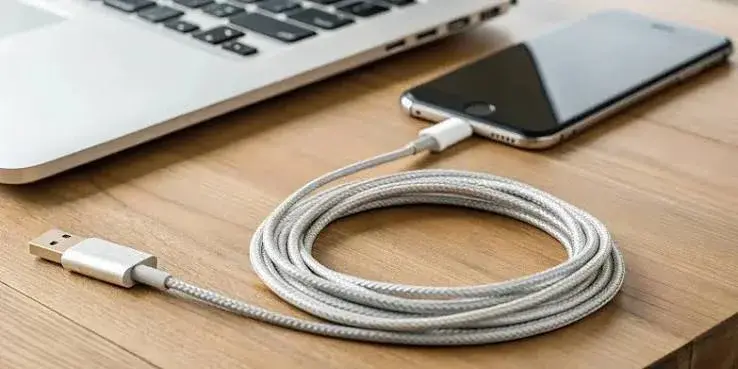
USB-C was meant to make cables simple: one connector for everything. In practice it has made cables confusing, because two USB-C cables that look identical can behave completely differently. One charges a laptop at 100 watts. Another barely charges a phone. One transfers files at 10 gigabits per second. Another is limited to the speed of a 20-year-old standard. One carries video to a monitor. Another does not carry video at all. And many of the cheapest cables sold in Kenyan markets are unrated, unbranded and unsafe.
This guide to the best USB-C cable in Kenya cuts through the confusion. It explains what the numbers mean, how to choose the right cable for your phone, laptop, power bank, hub or monitor, covers the Anker cables we stock, and shows how to spot a fake.
We are City Gadgets Kenya, at New Alnoor Exhibition, Second Floor, Shop C7, Accra Road, Nairobi CBD, with same-day delivery in Nairobi and next-day delivery outside Nairobi. Specifications are per Anker or the USB standards, and we confirm details per unit. Prices change, so message us on WhatsApp for today's price.
The short version
- The connector tells you nothing about the cable. Check the power rating (watts), the data speed and whether it carries video.
- 60W cables suit phones, tablets and many small laptops. 100W cables suit most laptops. 240W cables suit the biggest laptops and high-output power banks.
- Data speed is separate from charging. Many charging cables are slow for files.
- Length matters. Longer cables lose more power and speed, and 1 to 2 metres is a practical range.
- Fake cables are common and can be unsafe. Buy from a trusted brand and seller.
| Cable | Rating | Best for |
|---|---|---|
| Anker 322 USB-C to USB-C, 3 ft | 60W | Phones, tablets, small laptops, power banks |
| Anker USB-C to USB-C, 6 ft | Up to 240W | Large laptops, gaming laptops, high-output power banks |
| Anker USB-A to USB-C, 6 ft | Charge and sync from USB-A | Android phones with older USB-A chargers, bedside, car |
Ratings are per Anker's listings and the USB-C standard, and we confirm the exact model, build and warranty per unit.
USB-C: the connector versus the cable
USB-C is the small, oval, reversible plug you see on most new phones, tablets and laptops. It is a connector shape. What the cable behind it can do depends on what is inside:
- How much current the wires can carry, which sets maximum charging power.
- Whether it has a special chip (an e-marker) that tells chargers it is safe to deliver more than 60 W.
- Which data standard the wires support, from USB 2.0 to USB4.
- Whether it supports video over the same wires.
- How well it is built: shielding, connectors, strain relief and materials.
Two cables with identical plugs can differ in all of these. That is why a ruinously cheap cable and a well-made one can look the same on a shelf.
Charging power: watts, volts and amps
Power in watts equals volts multiplied by amps. USB Power Delivery negotiates voltage steps between charger and device. The cable's job is to carry the current safely.
| Rating | Maximum current and voltage | Maximum power | Typical use |
|---|---|---|---|
| Standard cable | 3 A at up to 20 V | 60 W | Phones, tablets, small laptops |
| 5 A e-marked cable | 5 A at 20 V | 100 W | Most laptops |
| 240 W cable | 5 A at 48 V | 240 W | Largest laptops, high-output power banks |
These are from the USB-C Power Delivery standard. Arithmetic check: 3 × 20 = 60, 5 × 20 = 100, 5 × 48 = 240.
The e-marker chip. Cables carrying more than 3 A (above 60 W) must contain an e-marker, a small chip that identifies the cable's capability to the charger and device. Without it, a charger will not deliver more than 60 W through the cable, which protects against overheating. A cheap cable that claims 100 W with no e-marker is either mislabelled or unsafe.
The cable never forces power. A device draws only what it needs and the charger offers. A 240 W cable on a phone does not harm it. It simply carries what the phone asks for. You buy a higher rating only when your charger and device need it.
Data speeds: USB 2.0 to USB4
Cables vary a great deal in data speed, which matters for transferring files, connecting external drives and driving monitors.
| Standard | Speed | Notes |
|---|---|---|
| USB 2.0 | 480 Mbps | Typical of simple charging cables |
| USB 3.2 Gen 1 (older name USB 3.0) | 5 Gbps | Good for most external drives |
| USB 3.2 Gen 2 | 10 Gbps | Fast SSDs |
| USB 3.2 Gen 2x2 | 20 Gbps | Rare |
| USB4 / Thunderbolt 3 and 4 | 40 Gbps | Docks, fast SSDs, high-resolution monitors |
Speeds are from the standards. Marketing names change confusingly, so check the actual speed in Gbps on the listing.
For charging only, a USB 2.0 cable is fine. For moving large files to a portable SSD, you need a cable matched to the drive's speed. Our portable SSD guide explains the drive side. For video, you need a cable that carries DisplayPort signals (USB 3.x full-featured cables or Thunderbolt/USB4). Many charging cables do not carry video.
Length: longer is not always better
Electrical resistance grows with length, and so do signal losses. For charging, long cables can cause voltage drop and slower charging, especially at high power. For data, long passive cables are limited at high speed. Practical lengths:
- 0.5 to 1 m (about 1.6 to 3 ft): best for desks, cars, power banks and high-speed data.
- 1.8 m (6 ft): convenient for bedside, sofa or a socket far from the desk. Fine for charging if well made.
- Beyond 2 m: use with care. For high-speed data, look for active cables.
The Anker 322 cable is 3 ft (about 0.9 m), a practical length for a desk, a car or a power bank, per Anker. The 240 W cable and the USB-A to USB-C cable are 6 ft (about 1.8 m), per Anker.
USB-C to USB-C, USB-A to USB-C and Lightning
USB-C to USB-C. The modern standard for phones, tablets, laptops, power banks and many accessories. It is the only type that supports high-power Power Delivery charging between both ends.
USB-A to USB-C. Connects a USB-C device to an older rectangular USB-A charger or computer port. It is common in cars, with older chargers and with many power banks. USB-A generally charges more slowly than USB-C Power Delivery, per Anker's notes. Good for bedside use and everyday charging. The Anker USB-A to USB-C cable in our range is 6 ft, per Anker.
Lightning. Older iPhones and some accessories use Apple's Lightning connector. The iPhone 15 and later moved to USB-C. If you have an older iPhone, you need a USB-C to Lightning cable, which we can advise on.
Micro-USB. An older connector still found on some cheap accessories. It is being phased out.
Anker 322 USB-C to USB-C cable, 3 ft, 60W
A short, durable cable rated for fast charging at up to 60 W, per Anker. A 60 W rating means it can carry up to 3 A at 20 V. It suits phones, tablets and smaller USB-C laptops. It does not make a slow charger fast; your charger and device must both support fast charging. For larger laptops that need more than 60 W, you need a higher-rated cable.
Good for:
- Samsung, Pixel and other Android users with USB-C fast chargers.
- iPhone 15 and later users.
- Anyone pairing a power bank with a tablet or laptop.
- Desk and car use.
Pair it with the Anker Nano 45W charger in our range for a compact, fast setup. See our fast charger guide.
Anker USB-C to USB-C cable, 240W, 6 ft
Rated for the highest power USB-C allows, up to 240 W, per Anker. USB Power Delivery 3.1 allows up to 240 W using 48 V at 5 A. It is built for large laptops, gaming laptops and high-output power banks. Anker's Prime 26K 300W power bank, which supports up to 140 W per USB-C port, comes with a 240 W cable in its box, according to Anker's listing.
Good for:
- Laptop users with high-wattage chargers.
- Owners of the Anker Prime power bank.
- Buyers who want one cable for everything.
Things to know:
- You need it only if your charger and device both support that power.
- For phones, earbuds and small tablets, a 60 W cable is enough.
- We confirm the exact model, build and warranty per unit. Anker's listings describe this cable family with a durable braided build.
Anker USB-A to USB-C cable, 6 ft
Connects a phone, tablet or accessory with a USB-C port to a standard USB-A charger or computer port, per Anker. At 6 ft it is long enough to reach from a wall socket to a bed or sofa.
Good for:
- Android phone users with older USB-A chargers.
- Bedside and car use.
- Replacing a worn-out cable.
Things to know:
- Speed depends on the charger and device, not only the cable.
- For fast charging, use a USB-C to USB-C cable with a Power Delivery charger.
- We confirm the exact model, ratings and warranty per unit.
Which cable for which device?
| Your device | Suggested cable |
|---|---|
| Android phone with fast charger | USB-C to USB-C, 60 W |
| Android phone with an old USB-A charger | USB-A to USB-C |
| iPhone 15 or later | USB-C to USB-C, 60 W |
| Older iPhone | USB-C to Lightning (we can advise) |
| Tablet | USB-C to USB-C, 60 W |
| Thin laptop (45–65 W) | USB-C to USB-C, 60 W |
| Laptop needing 100 W | 100 W e-marked cable |
| Gaming laptop or workstation | 240 W cable where the charger supports it |
| High-output power bank | 240 W cable or the one supplied |
| External SSD | A cable matched to the drive's speed, often supplied |
| Monitor via USB-C | A video-capable full-featured cable |
| Earbuds and small accessories | Short USB-A to USB-C or USB-C to USB-C |
If you are unsure what your device needs, message us your model on WhatsApp.
Charging cables versus data cables versus video cables
Many people assume that a cable that charges will also do everything else. It will not.
Charge-only cables have wires for power but minimal data, and are fine for phones plugged into chargers. If you connect a phone to a computer and nothing happens, a charge-only cable may be the reason.
USB 2.0 data and charge cables handle charging and slow data transfer at 480 Mbps. Fine for syncing photos slowly.
USB 3.x cables carry faster data at 5 or 10 Gbps, and may carry video if the device supports it.
USB4 and Thunderbolt cables carry 40 Gbps and support docks, fast SSDs and high-resolution monitors. They are more expensive, and they should be used for these demanding tasks.
For video, check the cable specifications. A hub or monitor that says "USB-C video" generally requires a cable that carries DisplayPort signals. Our USB-C hub guide explains why a hub may output 4K at only 30 Hz, per Anker, and our HDMI 2.1 explained article covers the bandwidth.
Why cables fail and how to make them last
Cables break at the plug, where the wire bends. Common causes:
- Sharp bends near the connector, from using the phone while charging.
- Pulling by the cable instead of the plug.
- Wrapping tightly around chargers or devices.
- Heat, such as under pillows or on car dashboards.
- Poor materials, thin wires, weak strain relief and soft solder.
- Dirt and lint in the phone's port, which can cause bad contact.
To make a cable last: pull the plug, not the wire; loop cables loosely; avoid kinks; keep them out of heat; and clean the port gently with a wooden toothpick (not metal) if lint builds up. A braided or reinforced cable lasts longer, but quality of construction matters more than the outer layer.
Safety: the danger of cheap cables
A cable carries real current, and a cable that is thin, badly insulated or missing protections can overheat or short. With fast charging at 60 W or more, the stakes are higher. Fake cables may:
- Claim a power rating the wires cannot carry safely.
- Lack the e-marker chip and cause fallback to slow charging or unsafe behaviour.
- Have poor insulation, risking short circuits or shock.
- Damage ports with badly sized connectors.
- Fail early and intermittently, causing repeated connect/disconnect cycles that stress the phone's port.
Never use a cable that is hot to touch, smells of burning, has exposed wire, or has a damaged plug. Replace it immediately.
Cables for specific jobs
Charging a laptop
Check the original charger's label for the rated output. Many thin laptops use 45 W or 65 W, and a 60 W cable is enough for the former and borderline for the latter, since 65 W exceeds 60 W. For laptops at 65 W and above, choose a 100 W e-marked cable. For 100 W and above, a 100 W or 240 W cable. When in doubt, buy the higher rating. The cable never forces more power than the laptop requests.
Connecting a power bank
Power banks are often limited by the cable. The Anker Prime 26K supports up to 140 W per USB-C port with a suitable cable, per Anker, and comes with a 240 W cable. A thin 60 W cable would cap the speed. If you want to recharge the bank itself at its maximum rate, you need cables and chargers matched to its input rating. Our power bank capacity guide shows how recharge time depends on charger watts.
Connecting an external SSD or hard drive
Most drives come with a suitable cable. If you replace it, match the speed rating. A fast SSD on a USB 2.0 cable will crawl. See our portable SSD guide.
Connecting a monitor or projector
Use a cable that supports video over USB-C, or use a hub with HDMI. Many hubs and docks include their own cable. Check the specifications before buying a long cable for video.
In the car
Choose a cable of sensible length, away from the gear stick and pedals. The Anker USB-A to USB-C 6 ft cable suits older USB-A car ports, and USB-C to USB-C suits a modern car charger such as the Anker 67 W unit, per our product notes. Unplug when leaving the car for long periods if your socket stays live.
At the bedside
A 6 ft cable reaches from a socket to the bed without strain. Do not charge under the pillow, and avoid sharp bends.
For kids and shared use
Cables get abused. Choose a durable cable, keep spares, and avoid very thin cheap cables that fray quickly.
Reading the numbers on a listing
Listings can be confusing, so here is a quick glossary.
W (watts): maximum charging power the cable is rated for.
A (amps) and V (volts): the current and voltage limits behind the watts. 5 A at 20 V is 100 W.
Gbps / Mbps: data speed. 480 Mbps is USB 2.0. 5 Gbps and 10 Gbps are USB 3.x. 40 Gbps is USB4 or Thunderbolt.
PD (Power Delivery): the USB fast-charging standard that negotiates voltage.
E-marker: the chip in cables rated above 60 W.
PPS: an extension of PD for fine voltage control, supported by some phones and chargers. The cable generally does not need special features for PPS, but it must be a proper PD cable.
Braided: an outer layer of woven fibres. Looks durable, but build quality inside matters more.
MFi: Apple's licensing for Lightning accessories.
Certified: a mark or claim that the product has been tested by a standards body. Ask what the certification is, and check it.
How a good cable is built
Even without opening it, you can judge a cable's build.
- Plug housing: solid, with clean seams and no loose parts.
- Metal contacts: clean, evenly coloured, not rough or bent.
- Strain relief: a flexible, tapered section where the cable meets the plug. It prevents sharp bends.
- Cable jacket: smooth or braided, evenly thick, with no bulges.
- Weight: noticeably heavier for higher-power cables because of thicker conductors.
- Printing: crisp logos and markings.
A well-made cable from a trusted brand costs more than a stall cable but lasts longer, and protects your device.
How USB-C compares to older and newer standards
USB-C is the connector that replaced micro-USB, mini-USB and, on newer iPhones, Lightning. Regulators and makers pushed it as a common standard, which is why more devices use it each year. The standards riding on it continue to improve, with higher power and faster data. A good cable bought today works with future devices as long as its rating meets their needs. This is a reason to buy slightly above your current needs: a 100 W or 240 W cable may serve your next laptop too, whereas a 60 W cable may not.
Buying cables for an office or a school
Organisations should:
- Standardise on a small number of models for easy replacement.
- Match ratings to the chargers and devices in use.
- Keep spares at reception or the IT desk.
- Label cables by length or purpose to avoid confusion.
- Replace damaged cables immediately for safety.
- Keep receipts and warranty details together.
- Pilot new cable types with a few users before buying in bulk.
Message us on WhatsApp with your quantities and we will advise on availability and delivery.
Warranty and replacing a cable
Cables are cheap compared with the devices they connect, but a faulty cable can still cost you time, and a bad one can harm a port. Keep your receipt and note the warranty period for the cable you buy. Anker states warranty periods for its products, which vary by model, so we confirm the one that applies to the unit you order. If a cable fails within the warranty, bring it to us with the receipt and we will check it and explain the next step. Do not attempt to repair a damaged cable with tape, as taped cables can still be unsafe. Replace it instead.
Quick tests you can do at home
You do not need lab equipment to catch many bad cables.
- Swap test. Charge the same device with the same charger using a cable you trust, then with the new cable. A noticeable difference points at the cable.
- Wiggle test. While charging, gently move the plug. If charging drops in and out, the cable or the port is worn.
- Heat test. After thirty minutes of charging, a good cable is cool or slightly warm. A hot cable is a fault.
- File copy test. Copy a large file to a fast drive and time it. A cable claiming 10 Gbps that transfers like USB 2.0 is mislabelled.
- Screen test. If it claims video, connect a monitor and check that a picture appears.
- Charger display test. Some chargers and power banks display the wattage they are delivering. Compare it with the cable's claim.
Bring any cable that fails these tests to us at Shop C7, and we will check it with proper testers.
Common problems and fixes
My phone charges slowly. Try a different cable and charger. A weak cable is the commonest cause.
Charging stops and starts. The cable may be damaged, or the port may have lint. Clean the port and try another cable.
The computer does not recognise my phone. You may have a charge-only cable. Try a data-capable cable and check the phone's USB mode.
My monitor does not work through USB-C. The cable, port or device may not support video. Check specifications.
My laptop charges but slowly. The cable or charger wattage may be too low. Check ratings and try a higher-rated cable.
The plug feels loose. The port may be worn, or the cable may be badly made. Try another cable.
The cable gets hot. Stop using it. Heat means resistance or a fault.
Common mistakes when buying a USB-C cable
- Judging by the plug. Look at ratings.
- Buying a 60 W cable for a 100 W laptop charger.
- Assuming any cable carries video or fast data.
- Buying the cheapest cable from a stall, with no brand, receipt or warranty.
- Buying an overly long cable for fast charging.
- Using damaged cables.
- Ignoring the charger. The cable cannot make a weak charger faster.
- Ignoring the device's limit.
- Buying a 240 W cable you will never need.
- Not asking for the rating and warranty.
Example scenarios
These are illustrative scenarios, not customer records.
The student whose phone charges slowly. Their phone and charger are both fast, but the cable is an old unbranded one. Replacing it with a genuine 60 W cable restores the speed.
The consultant with a power bank and laptop. They use the Anker Prime 26K with a laptop that needs up to 100 W. The 240 W cable in the box, or a similar rated cable, is the right match.
The driver with an old USB-A car charger. A 6 ft USB-A to USB-C cable lets them reach the phone mount without stretching.
The photographer with an external SSD. They need a cable matched to the SSD's speed to transfer large files, not a thin charging cable.
Questions to ask any seller before you pay
- Is this a genuine product, and is the packaging sealed?
- What is the power rating in watts, and does it have an e-marker?
- What is the data speed in Gbps, and does it carry video?
- What is the length, and is it suitable for my use?
- Will it work at full speed with my phone, laptop or power bank?
- What warranty applies?
- Will I get a receipt?
How to spot a fake or mislabelled USB-C cable
Cables are among the most counterfeited and most mislabelled accessories. A cable may claim 100 W or 10 Gbps and deliver neither, or may be unsafe. Use these ten checks together.
- Check the packaging. Genuine packaging has sharp printing, accurate model names and clear specification tables. Spelling mistakes and exaggerated claims are red flags.
- Check the markings on the cable. Reputable cables usually have the brand and sometimes the model or rating printed near the plug. Blank cables are suspect.
- Check the weight and thickness. A high-power cable needs thicker conductors. A very thin, light cable claiming 100 W or 240 W is not credible.
- Check the connectors. The plug should be well made, with clean metal, snug fit and decent strain relief.
- Check for an e-marker claim on cables rated above 60 W. The listing should state it, and the cable should enable the higher power when tested.
- Test charging. Compare charging speed with a known good cable and the same charger and device.
- Test data speed with a fast drive if the cable claims fast data. Compare with a known good cable.
- Check for heat. After a half hour of charging, the cable should be warm at most.
- Check the seller and warranty. A genuine seller has a shop address, gives a receipt and states the warranty period.
- Check the price. A price far below normal for a branded high-power cable is a red flag.
If you are unsure, bring the cable to New Alnoor Exhibition, Second Floor, Shop C7, Accra Road, and we will help you check it.
Why buy your USB-C cable from City Gadgets Kenya
- Genuine Anker cables, checked before they reach you.
- A real shop at New Alnoor Exhibition, Second Floor, Shop C7, Accra Road, Nairobi CBD, opening from 9:00 AM.
- Same-day delivery in Nairobi and next-day delivery outside Nairobi.
- M-Pesa payment and clear receipts.
- Honest advice, including telling you when a 60 W cable is enough.
- Compatibility checks. Tell us your charger and device and we will match the cable.
- Chargers, hubs and power banks in our accessories category.
- Support and repairs through our repair service.
- Trade-ins through our sell page.
- WhatsApp help on +254745575931.
Your USB-C cable checklist
- I know the wattage my charger and device use.
- I chose a cable rated for it (60 W, 100 W or 240 W).
- I checked whether I need fast data or video.
- The length suits my use.
- I checked the markings, weight and box for signs of a fake.
- I have a receipt and know the warranty terms.
Frequently asked questions
What is the best USB-C cable in Kenya? The one rated for your charger and device: a 60 W cable for phones and tablets, a 240 W cable for big laptops and high-output power banks.
Are all USB-C cables the same? No. They differ in power, data speed, video support and build.
Will a 240 W cable damage my phone? No. The phone takes only what it needs.
Do I need a special cable for fast charging? A good USB-C cable rated for the power, plus a fast charger and device that support it.
Why does my cable charge but not transfer files? It may be a charge-only or USB 2.0 cable.
Is a longer cable slower? Longer cables lose more power and speed, so use the shortest practical length for high power or data.
What is an e-marker? A chip in cables rated above 60 W that tells chargers the cable's limits.
Can I use a USB-A to USB-C cable for fast charging? Typically not at the same speed as USB-C Power Delivery.
Can I pay by M-Pesa? Yes.
How do I know it is genuine? Use the ten checks above.
Where can I buy a USB-C cable in Nairobi? At City Gadgets Kenya, Shop C7, Second Floor, New Alnoor Exhibition, Accra Road.
Ready to choose?
Message us on WhatsApp with your charger, device and what you want to do, and we will recommend the right cable.
Related reading: Best fast charger in Kenya · Best GaN charger in Kenya · Best power bank in Kenya · USB-C cable types, speeds and watts