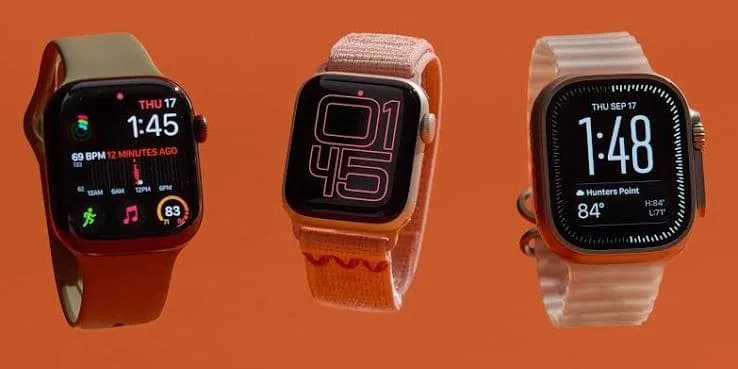
If you carry an iPhone, the smartwatch question has a short answer and a long one. The short answer is Apple Watch: it is the only smartwatch that integrates with iPhone as deeply as an iPhone accessory can, and it is the one most iPhone owners end up with. The long answer is that Apple sells several different watches, they differ in generation, size, price and purpose, and there are good alternatives from Huawei, CMF and Amazfit that also work with iPhone. This guide to the best smartwatch for iPhone in Kenya explains the Apple Watch Series 10, Series 11, SE 2, SE 3 and Ultra 3, helps you choose a size, explains GPS versus cellular, covers non-Apple options and shows how to avoid fakes.
We are City Gadgets Kenya, at New Alnoor Exhibition, Second Floor, Shop C7, Accra Road, Nairobi CBD. We sell genuine Apple products, iPhones (with Lipa Mdogo Mdogo available on iPhones), Samsung and Huawei watches, audio and accessories. Apple Watch specifications change with each generation, so where a precise figure matters, such as battery hours, we say "we confirm per unit."
The short version
- Apple Watch requires an iPhone. It does not work with Android phones.
- Series 10 and Series 11 are Apple's mainstream, full-featured watches. The Series 11 is the newer generation.
- SE 2 and SE 3 are the value watches. They keep the core experience and leave out some premium features. The SE 3 is newer than the SE 2.
- Ultra 3 is the rugged, large, long-battery sports watch.
- Choose size by wrist comfort, not by feature differences. Sizes of the same model have the same core features.
- GPS or cellular? Cellular depends on carrier support in Kenya; we confirm the version before you buy.
- Non-Apple watches such as the Huawei Watch 6, CMF Watch Pro 2 and Amazfit models also work with iPhone, with fewer integrations.
- Fake Apple Watches exist. Buy from a seller with a shop, a receipt and a warranty.
| If you want... | Look at | Why |
|---|---|---|
| Newest mainstream Apple Watch | Series 11 (42mm or 46mm) | Newest generation of the main watch |
| Mainstream Apple Watch, possibly better value | Series 10 (42mm or 46mm) | Full-featured, thin design, large display |
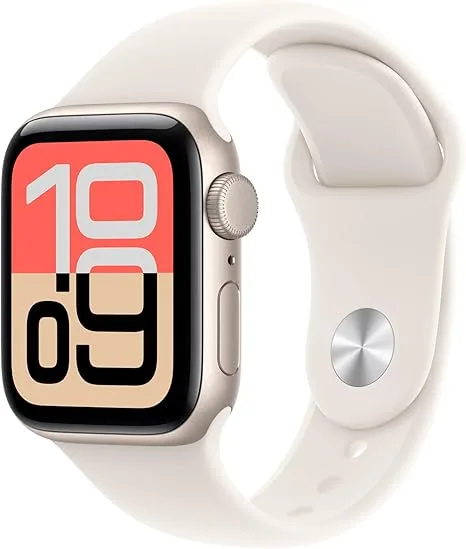
| Apple Watch on a budget | SE 3 or SE 2 | Core features at a lower tier |
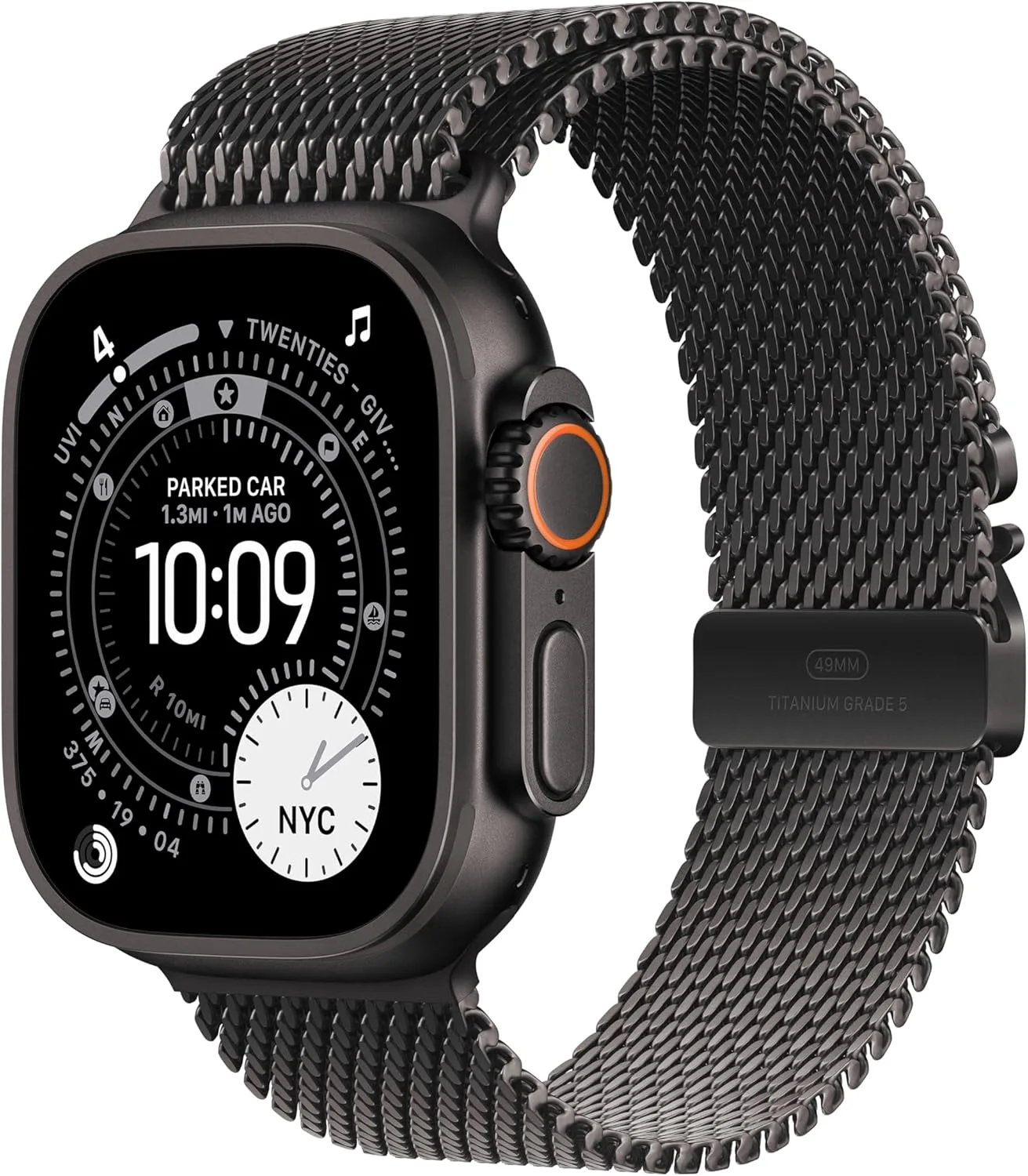
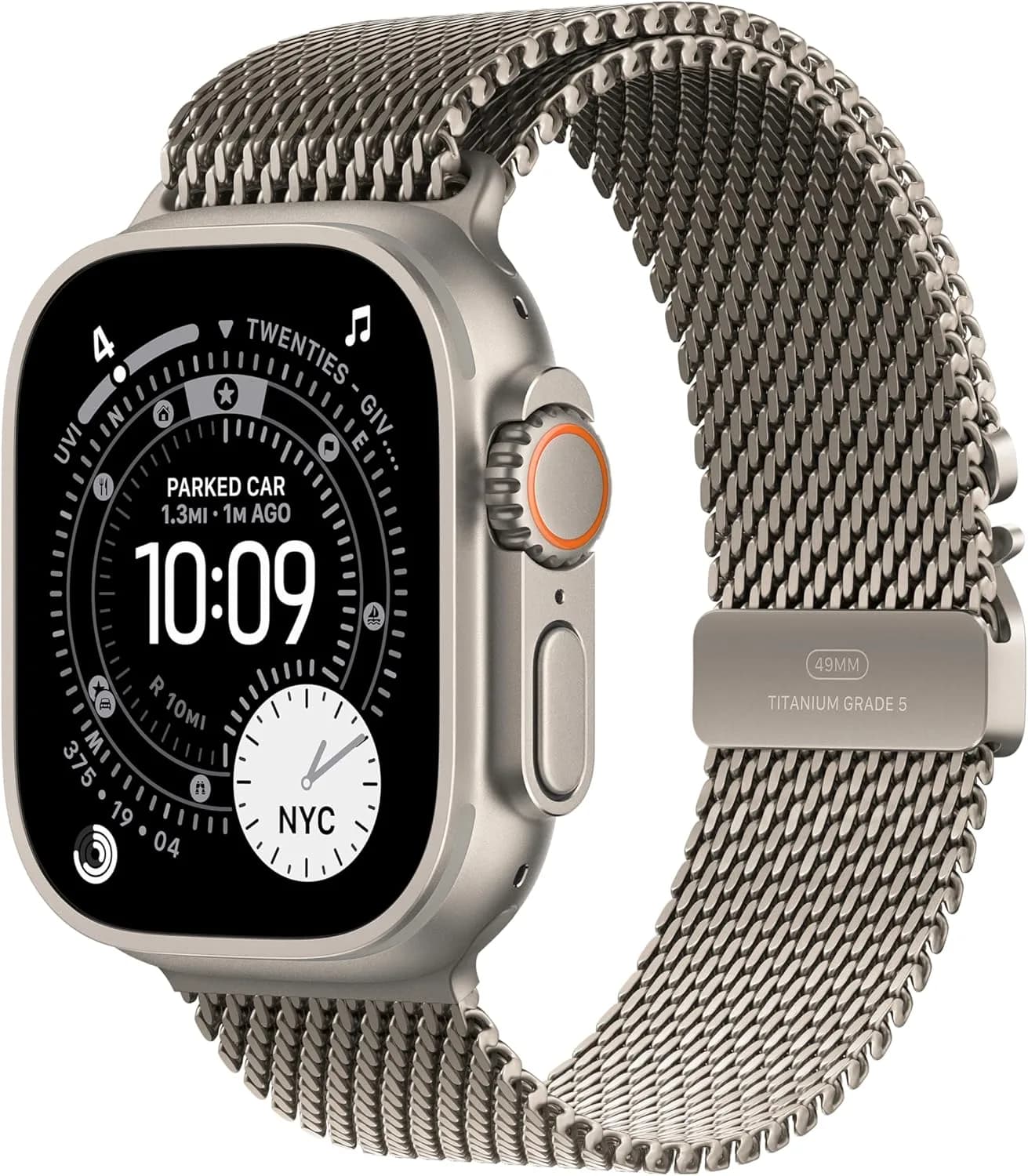
| Rugged sport, long outdoor sessions | Ultra 3 49mm | Biggest, toughest, longest battery of the Apple line |
| Any-phone premium alternative | Huawei Watch 6 | Works with Android and iOS |
| Style on a budget | CMF Watch Pro 2 | Works with Android and iPhone |
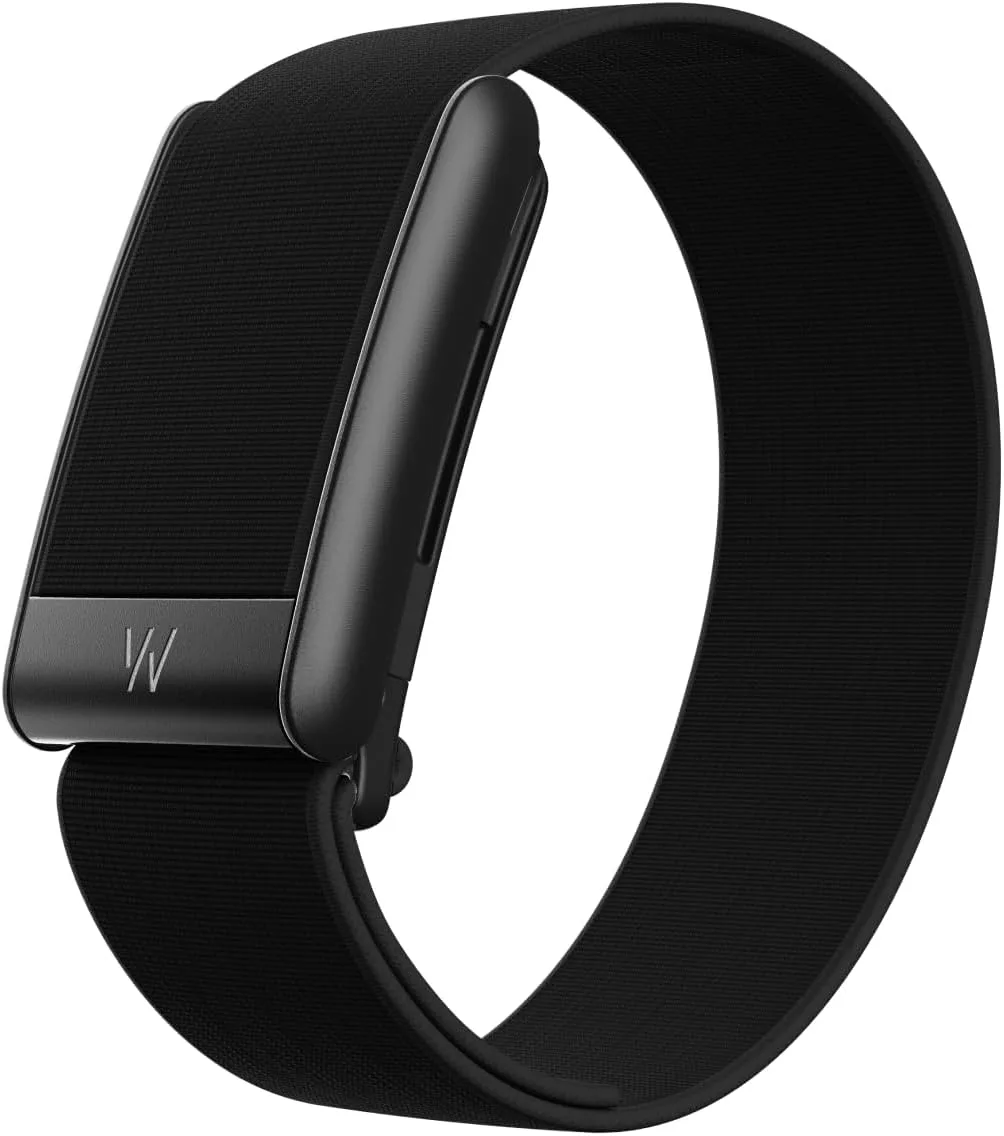
| Long-battery tracker | Huawei Band 10, Amazfit | Light and lasting |
Why Apple Watch for an iPhone
Seamless integration
An Apple Watch pairs with your iPhone in minutes and shares notifications, calls, messages, health data and many apps. You can answer calls from the wrist, reply to messages, control music, use maps and unlock certain features with your phone.
The Health and Fitness ecosystem
Apple Watch feeds activity rings, workouts, heart rate, sleep and other data into Apple's Health app on the iPhone. Over time this builds trends you can review. Health readings from consumer watches are wellbeing estimates, not medical diagnoses, unless a feature is specifically cleared in your region; if you have health concerns, see a doctor.
Polish and app ecosystem
Apple Watch has a large selection of apps and a consistent interface. It also works with Apple's other products such as AirPods. Read our AirPods 4 vs AirPods 4 with ANC guide if you are building an Apple set.
Reliability and resale value
Apple Watches generally hold value better than many rivals, and spare parts, straps and repair options are widely available. When you upgrade, you can sell your old devices to us.
The Apple Watch models we stock
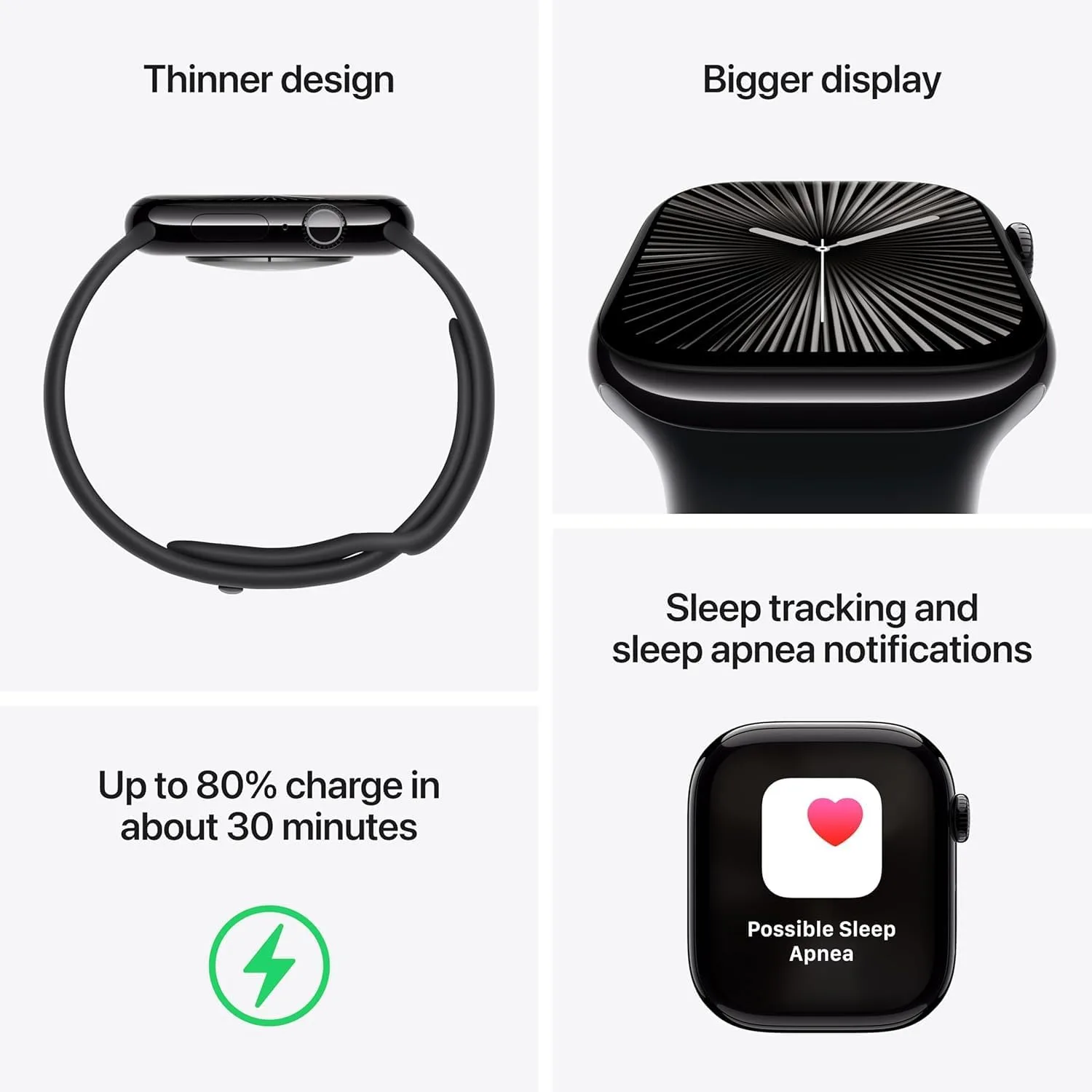
Apple Watch Series 10 (42mm and 46mm)
The Series 10 is Apple's main watch design of its generation, notable for a thin, light case and a larger display area for its size than earlier watches. It handles notifications, calls, workouts, sleep tracking and health features with the smooth iPhone integration Apple Watch is known for. The 42mm suits smaller wrists and buyers who prefer a discreet watch; the 46mm has a larger display that makes messages, workout stats and maps easier to read.
Best for: iPhone users who want a full-featured Apple Watch. If the Series 11 is not needed, the Series 10 may offer good value while stock lasts.
Apple Watch Series 11 (42mm and 46mm)
The Series 11 is the newer generation of the mainstream watch. Apple's Series watches improve gradually each year, with updated health features, chip efficiency and battery refinements over the previous generation. If you want the newest Apple Watch, choose the Series 11. The sizes follow the same logic as the Series 10.
Best for: buyers who want the newest and are ready to pay for it.
Apple Watch SE 3 (40mm and 44mm)
The newer generation of Apple's value-focused watch. The SE line keeps the core experience, including notifications, calls, fitness tracking and iPhone integration, while leaving out some premium features found on Series watches. The SE 3 brings newer-generation improvements over the SE 2. Ask us for a comparison on the features that matter to you, such as display, battery and health features.
Best for: first-time Apple Watch buyers, students and anyone who wants the essentials.
Apple Watch SE 2 (40mm)
The older value watch, usually lower in price. It is an older-generation design and leaves out certain premium health sensors and display features found on Series models. Available in GPS and cellular versions; cellular depends on carrier support in Kenya.
Best for: buyers on a strict budget who want a genuine Apple Watch.
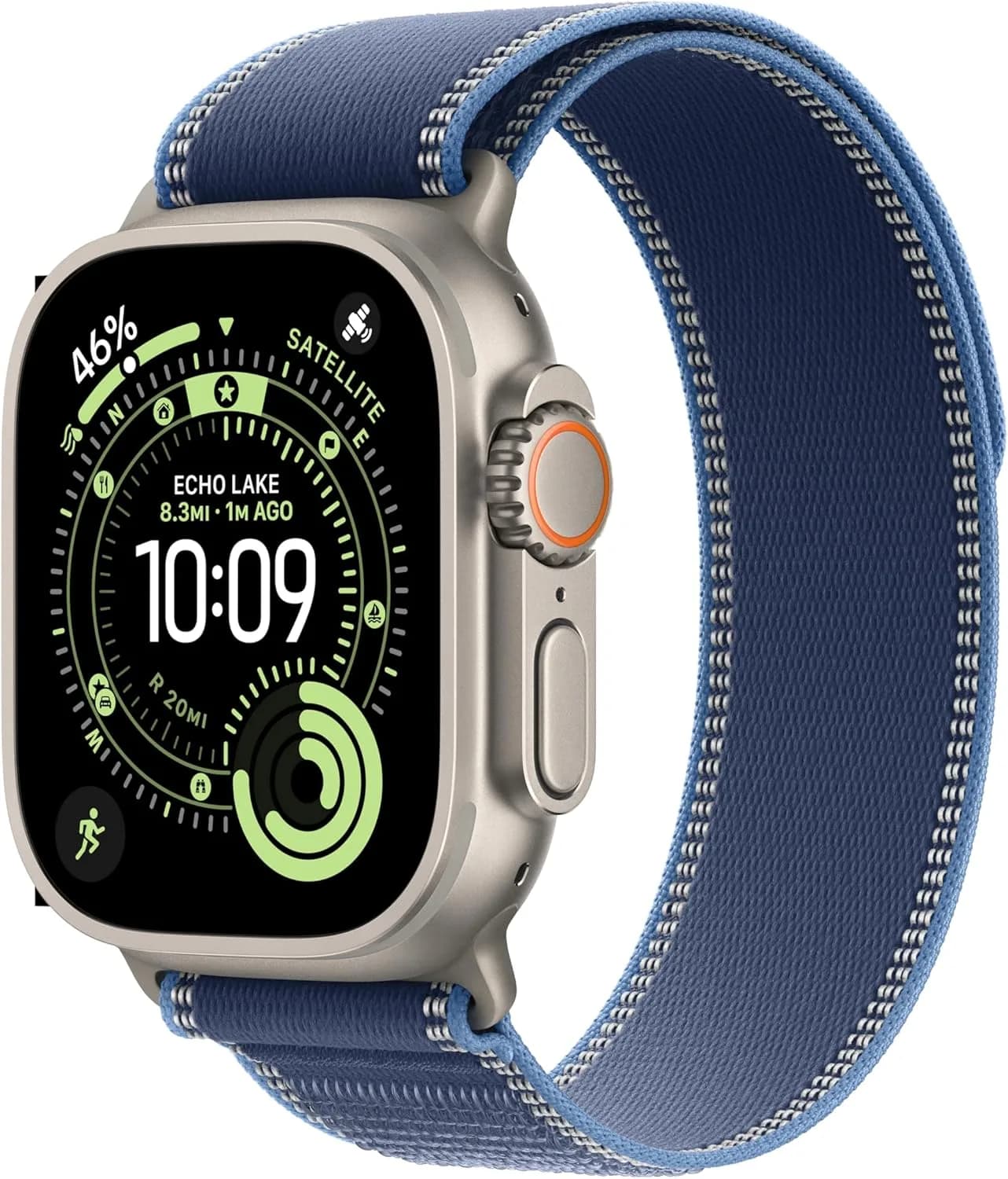
Apple Watch Ultra 3 (49mm, Black Ocean Band)
Apple's most rugged and capable smartwatch, with a larger, tougher case, a bigger battery aimed at longer activity sessions and features designed for sport and outdoor use. This version comes with the Black Ocean Band, a strap designed for water use and secure fit during sport. It suits hiking, running, cycling, swimming and water sports. Battery life depends on GPS, brightness and cellular use; treat published figures as best-case and ask us about typical use.
Best for: endurance athletes, divers, hikers and anyone who wants the toughest Apple Watch.
Browse more in our phones category and accessories. Message us for today's price on any model.
Which Apple Watch should you buy?
| Factor | SE 2 | SE 3 | Series 10 | Series 11 | Ultra 3 |
|---|---|---|---|---|---|
| Position | Older value | Newer value | Mainstream | Newest mainstream | Rugged flagship |
| Sizes | 40mm (others, ask) | 40mm, 44mm | 42mm, 46mm | 42mm, 46mm | 49mm |
| Premium health sensors | Fewer | Fewer than Series; we confirm | Yes | Yes, newer refinements | Yes |
| Display | Older | Newer | Large for its size | Newer generation | Largest and brightest line; we confirm |
| Battery | We confirm | We confirm | We confirm | We confirm | Longest of the line |
| Best for | Strict budget | Value buyers | Full features | Newest | Sport and outdoors |
Exact differences in display, battery and sensors vary by generation, and Apple's published figures change, so we confirm the details of the unit you order.
A simple way to decide:
- Do you want the essentials? Choose an SE.
- Do you want premium health features and a display that is more advanced? Choose a Series.
- Do you need the newest? Choose the Series 11.
- Do you want to save a little but keep full features? Look at the Series 10.
- Do you do endurance sport, diving or serious outdoor activity? Choose the Ultra 3.
Choosing a size
Size is a comfort and readability decision. Features are the same across sizes of one model.
- Small wrists or a discreet look: 40mm (SE) or 42mm (Series).
- Medium wrists: 44mm (SE 3) or 46mm (Series) depending on preference.
- Large wrists or best readability: 46mm or the 49mm Ultra.
- Sleeve friendliness: thinner and smaller watches slide under cuffs more easily.
- Wearing in sleep: a lighter watch is more comfortable overnight.
Measure your wrist and try on if you can. Visit our shop on Accra Road and we will fit a few sizes on you.
GPS or cellular?
GPS-only models rely on your iPhone for connectivity. They work with notifications, calls (via the phone) and apps when your iPhone is nearby or on the same Wi-Fi.
Cellular models can make calls, send messages and stream data without your iPhone, using an eSIM on a supported carrier. They cost more and need a plan with a carrier that supports Apple Watch.
In Kenya, cellular support depends on carrier availability. Please confirm with your network and with us before buying a cellular version. If you rarely leave your phone behind, GPS-only is simpler and cheaper. If you run or swim without your phone and want to be reachable, cellular may be worth it, as long as your carrier supports it.
What Apple Watch does day to day
Notifications and calls
Read and reply to messages, see who is calling and answer from your wrist. This is the feature most people use all day.
Fitness and activity
Track workouts, close activity rings, count steps and monitor heart rate. Automatic workout detection catches walking, running and more.
Sleep tracking
Wear the watch at night to see time asleep and sleep stages. Charge it at another time of day, such as while you shower.
Health features
Heart rate and other health features vary by model and region. They are wellbeing tools, not medical diagnoses.
Music and podcasts
Control playback on your iPhone, or store music on the watch for phone-free workouts.
Payments and keys
Where supported, pay with the watch or use it with certain systems. Check what works in Kenya for your bank and apps.
Find My and safety
Locate your iPhone from your watch. Some models support fall detection and emergency features; check availability.
Family Setup
Apple's Family Setup can let a family member without their own iPhone use an Apple Watch managed from yours, usually on cellular models. Availability depends on carrier support. Ask us before buying.
Apple Watch battery in everyday life
Apple Watches are typically charged daily or every other day depending on model and use. Series watches generally cover a full day, and the Ultra is built for more. Battery life falls with GPS workouts, always-on display and cellular use. Build a charging habit, such as charging during morning routines, and avoid overnight charging if you use sleep tracking. For general battery habits, read our lithium-ion battery care guide.
Use a certified charger and cable. See fast charging and battery health myths.
Non-Apple smartwatches that work with iPhone
Apple Watch is the most integrated, but not the only option. Some iPhone owners prefer a longer battery, a different look or a lower price.
Huawei Watch 6 and Watch 6 Pro
Premium watches with sapphire-glass LTPO displays, dual-band GPS, 5 ATM water resistance, and quoted battery of up to about 3 days on the 42mm and 4.5 days on the 46mm per Huawei's launch information. They support Android and iOS. Integration with iPhone is through Huawei Health and has limits compared with Apple Watch; for example, replying to iPhone messages is more limited. Tell us what features you rely on.
Huawei Watch Fit 5 and Band 10
Good tracking and long battery at a lower tier, supporting Android and iOS. Notifications on iPhone are display-only in many cases.
CMF Watch Pro 2
A stylish, affordable smartwatch that works with Android and iPhone through its companion app. Features can differ by platform.
Amazfit
GPS watches with long battery life, working with iPhone via the Zepp app. See our Amazfit smartwatch guide.
Samsung Galaxy Watch
Galaxy Watches are designed for Android and do not pair with iPhone. If you own an iPhone, choose from the options above.
The honest trade-off
On an iPhone, third-party watches cannot do everything an Apple Watch can, such as replying to messages or deep integration with iOS features. In return, you may gain battery life or save money. Choose according to what you value.
Apple Watch accessories
- Straps and bands: sport, leather, metal and fabric options. Choose by activity and style.
- Chargers: the supplied charger is best; quality third-party chargers can work.
- Screen protectors and cases: useful for active users.
- Stands and travel cases: keep things tidy.
Browse accessories.
Setting up your Apple Watch
- Update your iPhone to a supported iOS version. Check that your iPhone model supports the watch you choose.
- Charge the watch and turn it on.
- Bring the iPhone close and follow the on-screen pairing steps.
- Restore from backup if you are upgrading from an older watch.
- Choose notifications, apps and watch face.
- Set up health profile, passcode and emergency features.
- Configure cellular if you have a cellular model and a supported plan.
- Test calls and messages.
- Install the apps you want on the watch.
- Charge daily in a routine that suits you.
If setup feels daunting, visit us and we will help.
Common mistakes when buying an Apple Watch
Most disappointments with a smartwatch come from a mismatch between expectations and the product, not from a faulty watch. These are the mistakes we see most often when people shop for the best smartwatch for iPhone in Nairobi.
Buying an Ultra when a Series would do. The Apple Watch Ultra 3 is a superb device for divers, runners, hikers and people who simply want the toughest case and the biggest screen. If you work in an office and walk to matatus, a Series 10 or Series 11 does the same daily job at a lower cost. Message us for today's price on each and compare.
Buying cellular and never activating it. A cellular Apple Watch is only useful if your mobile plan supports it. Kenyan carrier support for Apple Watch cellular varies, and we confirm per unit what works before you pay extra for the hardware. If you always carry your iPhone, a GPS-only model is perfectly fine.
Ignoring the iPhone requirement. An Apple Watch needs a compatible iPhone running a supported iOS version. If your iPhone is old, check compatibility first. Bring it to the shop and we will check it with you in a minute.
Choosing the wrong size. A 41mm watch on a large wrist looks small and a 45mm watch on a thin wrist can feel heavy at night. Try both on in the shop if you can.
Forgetting the charger and ecosystem. Apple Watch uses its own magnetic charger. A USB-C power adapter, and ideally a good cable, completes the setup. Our accessories category lists chargers, cables and bands.
Buying a Samsung Galaxy Watch for an iPhone. Galaxy Watch models pair with Android phones, not iPhones. If you are on iPhone, stay with Apple Watch or choose an iPhone-compatible brand. Our Android smartwatch guide covers the Android side.
Expecting a multi-day battery. Apple Watch is generally a daily-charge device. Exact hours vary by model and use, and we confirm per unit. If you want a week of battery, look at the Huawei, CMF or Amazfit options in this guide instead.
Buying from a seller with no after-sales support. A watch bought from a random online page with no shop address is hard to fix if something goes wrong. We are at New Alnoor Exhibition, Second Floor, Shop C7, Accra Road, and you can walk in with questions.
Apple Watch vs other smartwatches for iPhone users
| Question | Apple Watch | Huawei / CMF / Amazfit |
|---|---|---|
| Notifications from iPhone | Full, with replies and actions | Notifications mostly, limited replies |
| Apps on the wrist | Large App Store selection | Limited, brand-specific |
| Apple Pay-style features | Supported where available | Not available |
| Battery | Daily to a few days depending on model | Often a week or more |
| Fitness tracking | Excellent, deeply integrated | Very good, own app |
| Cost | Higher | Lower |
| Best for | Deep iPhone integration | Long battery and budget |
If your iPhone is central to your life and you reply to messages, take calls and use health features, Apple Watch is the natural choice. If you mainly want step counts, sleep tracking and notifications for a lower outlay, one of the alternatives can be a sensible buy. We would rather you pick what fits than oversell.
Health and fitness features to know about
Apple Watch is widely used for heart rate, activity rings, workouts, sleep tracking and fall detection. Exact sensor lists and features differ by model and by software version, and some health features are region-dependent. We confirm per unit which features are available on the watch in your hand rather than quote a list that may change.
A few practical points:
- Heart rate and workouts work well for general fitness. They are not medical devices to replace a doctor.
- Sleep tracking needs the watch to be worn overnight, which means charging at another time, such as while you shower in the morning.
- Fall detection and emergency features depend on settings and, in some cases, on cellular or a connected iPhone.
- Water resistance is rated, but it is not permanent. Seals age. Avoid hot showers and saunas, and rinse after salt water.
- Always-on display is convenient and affects battery life.
Caring for your Apple Watch
- Update watchOS and iOS when updates are released.
- Rinse and dry the band if you sweat a lot or swim.
- Clean the back sensor gently with a soft, dry cloth.
- Charge from a good adapter, not a damaged cable.
- Use a screen protector if you are rough on your devices.
- If the watch gets wet, dry it before charging.
- Back up your iPhone regularly because the watch restores from it.
If something goes wrong, our repair service can advise.
How to spot a fake Apple Watch
Fake and clone Apple Watches exist, and counterfeit bands and chargers are even more common. Here are ten checks. No single check is conclusive, so use several together.
- Check the pairing process. A genuine Apple Watch pairs through the iPhone Watch app with the Apple pairing animation. A clone usually asks you to scan a QR code for a third-party app instead.
- Look at the operating system. A genuine watch runs watchOS. If the interface looks like a generic Android-style or fitness-band menu, it is not an Apple Watch.
- Check the serial number. The serial number is shown in Settings on the watch and on the watch's back or box. It should match on the watch, the box and Apple's own coverage check. If the serial is missing or does not match, be careful.
- Inspect the box and label. Genuine packaging is precise, with clean printing, accurate model labelling and no spelling errors. Poor printing or mismatched labels are warning signs.
- Inspect the back sensor plate. The back of a genuine Apple Watch is cleanly finished with sensor windows and engravings. Clones often have rough edges, shallow printing and missing sensor detail.
- Check the crown and button feel. A genuine Digital Crown rotates smoothly with haptic feedback on supported models. A clone's crown may be stiff, wobbly or purely decorative.
- Test the screen quality. Genuine displays are bright, sharp and consistent. Clones often have low resolution, weak brightness and a poor viewing angle.
- Check the charger. The genuine charger is magnetic and aligns the watch precisely. A cheap clone charger may be loose, overheat or not charge reliably.
- Check the bands and accessories. Fake bands are very common. They may feel stiff, fray, smell strongly or cause skin irritation.
- Check the seller. If the price is unrealistically low, there is no shop address, no receipt and no after-sales support, treat it as a warning. A genuine Apple Watch is not sold for a fraction of its normal value.
When in doubt, visit us at New Alnoor Exhibition, Second Floor, Shop C7, Accra Road, and we will help you check a watch before you pay.
Why buy your Apple Watch from City Gadgets Kenya
- Genuine products, checked before they reach you.
- A real shop at New Alnoor Exhibition, Second Floor, Shop C7, Accra Road, Nairobi CBD.
- Same-day delivery in Nairobi and next-day delivery outside Nairobi.
- M-Pesa payment and clear receipts.
- Lipa Mdogo Mdogo available on iPhones, which many customers pair with a new Apple Watch. Ask us for details.
- Honest advice, including when a cheaper watch will suit you better.
- Trade-in and selling: if you want to upgrade, see our sell page.
- Support and repairs through our repair service.
- WhatsApp help on +254745575931 before you buy.
Browse our phones category and accessories category to complete your iPhone setup.
Who should buy which: example scenarios
These scenarios are illustrative, not customer records. They show how we think through the choice.
The office professional in Nairobi. You commute, attend meetings and want notifications without pulling out your phone every few minutes. A Series 11 or Series 10 in a size that suits your wrist fits well. Add a spare band for formal days and a good charger for your desk. A GPS model is enough because your iPhone is almost always nearby.
The runner or gym regular. You want accurate workout tracking, heart rate and a bright screen outdoors. A Series model works well, and the Ultra 3 is worth considering if you run long distances, hike or want the largest display and the toughest case. Message us for today's price so you can see whether the step up is worth it for you.
The first-time smartwatch buyer on a careful budget. The SE 3 is designed for this person. It covers notifications, calls, fitness tracking and the basics of Apple Watch at a lower cost than the Series line. If you do not need the newest sensors or the biggest screen, it is often the sensible buy. We confirm per unit which features are included.
The parent who wants peace of mind. If you want to reach your child or an older relative easily, a cellular model may help, but only after we confirm carrier support and plan options. Without it, a GPS model that stays near the iPhone is simpler and cheaper.
The person who forgets to charge. If you know you will not charge a watch every day, an Apple Watch may frustrate you. A Huawei, CMF or Amazfit watch with a longer battery can suit you better, even if it has fewer apps. We would rather tell you that before you buy than after.
The upgrader. If you already own an older Apple Watch, think about what you actually miss: battery, screen size, speed or a specific feature. If the answer is "nothing much", keeping your current watch for another year is a perfectly good decision. If you do upgrade, see our sell page for your old device.
Bands, straps and style
Apple Watch bands are one of the easiest ways to make the watch feel like yours. Sport bands suit workouts and daily wear. Leather and metal styles suit the office. Nylon and woven bands are comfortable and breathable in Nairobi's warm weather. Third-party bands are widely available, but quality varies, so buy from a seller you trust. Cheap bands can irritate skin, fray quickly or fit poorly, and a loose band affects heart-rate accuracy.
Keep these tips in mind:
- Match the band size to the case size (small cases and large cases use different band families).
- Keep a spare sport band for workouts so your leather band stays clean.
- Clean bands regularly, particularly if you sweat.
- Avoid wearing the band too tight overnight.
Privacy and security on your wrist
A smartwatch holds health data, messages and sometimes payment cards. Set a passcode, enable wrist detection and use the Find My feature in case you lose the watch. If you ever sell or give away your watch, unpair it from the iPhone first so activation lock is removed. This protects you and the next owner. If you buy a second-hand Apple Watch, always confirm it is not locked to another account. That is one more reason to buy from a shop with real after-sales support.
Quick checklist before you buy
- My iPhone supports the watch I am choosing.
- I picked the right size for my wrist.
- I decided on GPS or cellular, and confirmed carrier support.
- I know the charging routine I will use.
- I have a charger and, if needed, spare bands.
- I checked the serial number and packaging.
- I have a receipt and know where to go for support.
Frequently asked questions
Which is the best smartwatch for iPhone in Kenya? For deep integration, Apple Watch is the natural choice. Series 11 is the current mainstream model, Series 10 is a strong alternative, SE 3 is the value pick, and Ultra 3 is for rugged use. Message us for today's price.
Does a Samsung Galaxy Watch work with iPhone? No. Galaxy Watch models pair with Android phones.
Can I use an Apple Watch without an iPhone? No. Setup and ongoing use require a paired iPhone.
Do I need the cellular model? Only if you want calls and data without your phone nearby and your carrier supports it. We confirm per unit.
How long does the battery last? Typically a day of general use, depending on model and settings. We confirm per unit.
Is Series 10 still worth it? If available, it can be a good buy for people who do not need the newest features.
Can I swim with it? Apple Watch is water-resistant, but check the rating on your model and avoid hot water and soaps.
How do I know it is genuine? Use the ten checks above or bring it to our shop.
Can I pay in instalments? Lipa Mdogo Mdogo is available on iPhones, and you can ask us about options for accessories.
Can I trade in my old watch? Please see our sell page or message us.
Ready to choose?
Message us on WhatsApp with your iPhone model, wrist size and what you want the watch to do, and we will recommend the right one. Or come to Shop C7, Second Floor, New Alnoor Exhibition, Accra Road.
Related reading: Apple Watch Series 10 vs 11 vs SE 3 · Best smartwatch for Android · Lithium-ion battery care guide · Fast charging and battery health myths