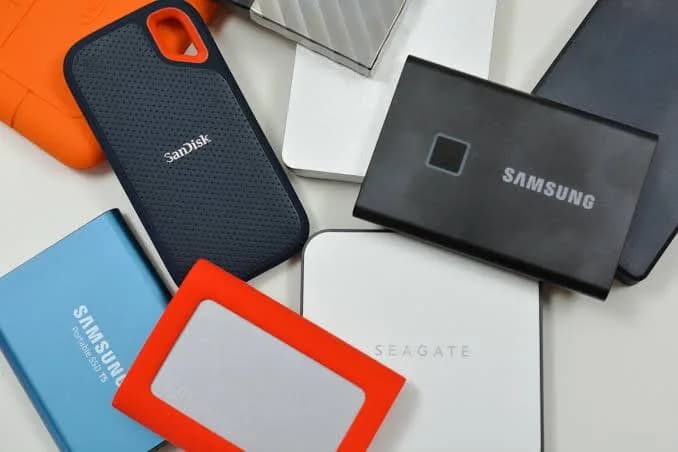
If you are searching for the best portable SSD in Kenya, you have probably already felt the pain that sends people looking: a laptop that is nearly full, a phone that keeps saying "storage almost full", a folder of wedding footage that will not fit anywhere, or an old hard drive that has started to click. A portable SSD (solid-state drive) fixes all of those problems in a device that fits in a shirt pocket, survives being dropped in a bag, and copies a 50 GB folder in the time it takes to make tea. This guide explains how to choose between the SanDisk Extreme PRO Portable SSD (E81), the SanDisk Extreme Portable SSD (E61), the SanDisk Portable SSD (E10) and the SanDisk Creator Phone SSD, how they compare with a cheaper portable hard drive, and, importantly, how to avoid the fake SSDs that circulate in Nairobi's market.
We sell these drives at City Gadgets Kenya, at New Alnoor Exhibition, Second Floor, Shop C7, Accra Road, Nairobi CBD, so everything below is written from the point of view of what customers actually ask us across the counter. We do not publish prices inside guides because they move with the exchange rate; message us on WhatsApp for today's price on any drive.
The short answer: which portable SSD should you buy?
Before the detail, here is the quick version. Most people can stop reading after this table, then come back for the sections that matter to them.
| If you are... | Best pick | Why |
|---|---|---|
| A student or office worker backing up documents and photos | SanDisk Portable SSD E10 or Extreme E61 | Far faster and tougher than a hard drive, without paying for speed you will never use |
| A photographer or wedding shooter | SanDisk Extreme E61, or Extreme PRO E81 for heavy RAW and video | Rugged, fast offloading from cards, good capacity range |
| A video editor working with 4K footage | SanDisk Extreme PRO E81 | Up to about 2,000 MB/s on a USB 3.2 Gen 2x2 port, built to sustain speed |
| An iPhone or Android creator shooting video | SanDisk Creator Phone SSD | Magnetic, pocketable, made to sit on the back of your phone |
| Someone with 3-5 years of family photos to protect | Extreme E61 plus a second copy elsewhere | Reliable, simple, and you should always keep two copies |
| Someone on a very tight budget who needs bulk storage | A portable hard drive (see our comparison below) | More terabytes per shilling, but slower and more fragile |
Keep reading for the reasoning, the traps, and the checks that stop you buying a fake.
What a portable SSD actually is (and why it beats a hard drive)
A portable SSD is a small box containing flash memory chips, a controller chip that manages them, and a USB connector. There are no spinning discs and no moving read head, which is why it is quiet, light, resistant to knocks, and fast. A traditional portable hard drive, like the WD, Seagate, Toshiba and Transcend drives we also stock, stores data on a spinning platter. That design is cheap per terabyte, but slower and more vulnerable to shock, especially if the drive is on and moving when it is dropped.
In day-to-day use the difference looks like this:
- Copying a 20 GB folder: a portable hard drive typically manages roughly 100-130 MB/s on a good day, so that folder takes around three minutes or more. A portable SSD at 1,000 MB/s takes closer to twenty seconds.
- Opening a project directly from the drive: an editing project on an SSD behaves almost like it is on your laptop. On a hard drive, scrubbing a timeline can stutter.
- Bag and pocket survival: portable SSDs are built to tolerate drops that would kill an operating hard drive. SanDisk quotes drop protection of about two to three metres for its Extreme range, depending on model.
- Noise, heat and weight: an SSD is silent and light. A hard drive hums, vibrates and weighs more.
The trade-off is cost per terabyte, and we will be honest about it later in this guide: if you want to park 8 TB of old footage and rarely touch it, a hard drive may genuinely be the sensible choice.
Understanding the numbers on the box
Portable SSD marketing is full of numbers. Four of them matter.
Speed (MB/s)
This is the maximum read and sometimes write speed. SanDisk lists "up to" figures, and real-world speed depends on three things: the drive, the cable, and the port on your computer. A drive rated at 2,000 MB/s will only reach that on a USB 3.2 Gen 2x2 port, which many laptops in Kenya do not have. On an ordinary USB-C port at 10 Gbps (USB 3.2 Gen 2) you get roughly 1,000 MB/s; on a basic USB 3.0 port at 5 Gbps, around 400-450 MB/s. The drive still works, just slower. If you are not sure what your laptop supports, send us the model and we will tell you.
Interface (the connector standard)
The names are confusing on purpose, or at least by accident. USB 3.2 Gen 1 is the old 5 Gbps standard. USB 3.2 Gen 2 is 10 Gbps. USB 3.2 Gen 2x2 is 20 Gbps. A physical USB-C plug can carry any of them, so the shape of the plug tells you nothing about speed. We cover this properly in our tech blog on USB naming; the practical rule is to check your computer's spec sheet, not the connector.
Capacity
Portable SSDs are commonly sold at 500 GB, 1 TB, 2 TB and 4 TB, with 8 TB at the premium end. A "1 TB" drive shows up as roughly 931 GB in Windows because manufacturers count in decimal and Windows counts in binary. That is normal and not a sign of a fake. A drive that shows 128 GB when the label says 1 TB, or shows the full capacity but fails when you fill it past a certain point, is a fake, and we explain how to catch it below.
Durability ratings (IP and drop)
An IP65 or IP55 rating tells you about dust and water resistance: the first digit is dust protection, the second is water. IP65 means dust-tight and protected against water jets; IP55 is a notch lower. Neither means you should take the drive swimming. A drop rating of "up to 3 m" means it survived SanDisk's test drops onto a hard surface, not that you should throw it. Ratings vary by model version, so ask us to confirm the exact rating on the unit you are ordering.
The four SanDisk drives we recommend, one by one
SanDisk Extreme PRO Portable SSD (E81): the fast, professional drive
The E81 is the one for people who actually feel the difference. It uses a USB 3.2 Gen 2x2 interface and is rated at up to 2,000 MB/s read and write, roughly twice the speed of the Extreme E61. SanDisk builds it in a forged aluminium chassis that doubles as a heatsink, which matters because SSDs slow down when they overheat; a metal body that sheds heat helps the drive hold its speed during a long copy. It carries 256-bit AES hardware encryption with password protection, drop protection quoted at up to about three metres, and dust and water resistance in the IP55-IP65 range depending on version. Capacities start at 1 TB and go up to 4 TB.
Who should buy it: video editors working with 4K or higher footage; photographers who offload hundreds of RAW files after each shoot; anyone who runs projects or virtual machines directly from an external drive; and anyone who simply hates waiting.
Who should not: if your computer has no USB 3.2 Gen 2x2 port, you will not see the 2,000 MB/s headline. On a 10 Gbps port it still performs at around 1,000 MB/s, which is excellent, but at that point the cheaper E61 gives you similar real-world speed for less. Buy the PRO because your hardware can use it.
SanDisk Extreme Portable SSD (E61): the best all-rounder
The E61 is what we recommend to most people. It runs over USB 3.2 at up to about 1,050 MB/s read and 1,000 MB/s write, is compact, and is rated dust and water resistant (IP55 or IP65 depending on version) with a carry loop on many versions so it can clip to a bag. It comes in capacities from 1 TB up to 8 TB, so you can buy it now and not outgrow it quickly.
Who should buy it: students, office workers, photographers on a normal workload, parents backing up family photos, and small business owners backing up accounts and customer files. Its real-world speed is more than enough for everything except heavy 4K editing straight off the drive.
Honest note: it is not the cheapest SSD. If you only need to move Word files, a smaller, cheaper drive such as the E10 is plenty. If you are buying one drive to last years across several jobs, the E61 is where we send people.
SanDisk Portable SSD (E10): the sensible entry point
The E10 is rated at around 600 MB/s, which is still several times faster than any portable hard drive. It is compact and light and suits backups, photos, documents and moving files between a laptop and a desktop. Because the finer details of this model (interface generation, protection rating, encryption and warranty period) vary between listings, we always confirm them for the exact unit before you buy rather than assume. If you are comparing it against the Extreme E61, think of the E61 as the tougher, faster, longer-lasting step up.
Who should buy it: first-time SSD buyers, students, and anyone whose real aim is "stop losing my files" rather than "edit video on the road".
SanDisk Creator Phone SSD: the one built for phones
This is a different animal. The Creator Phone SSD is a MagSafe-compatible USB-C SSD, around 54 g, with speeds up to roughly 1,000 MB/s read and 950 MB/s write. It snaps magnetically onto the back of a compatible iPhone and connects by USB-C, so you can record video straight to the drive instead of your phone's internal storage. That matters because modern phone video, especially high-quality formats on recent iPhones and Android flagships, eats storage at a staggering rate. It also works with Android phones that support USB-C external storage, plus Mac and Windows, and listings quote a five-year limited warranty (we confirm the warranty that applies to your unit).
Who should buy it: vloggers, wedding videographers who shoot on phones, content creators, and parents who film everything. If you shoot a lot of video on an iPhone Pro, this single device can save you from constantly deleting memories.
Compatibility caution: not every phone and mode supports recording directly to an external drive. Tell us your exact phone model and we will confirm before you buy.
Side-by-side comparison
| Feature | Creator Phone SSD | SanDisk E10 | SanDisk Extreme E61 | SanDisk Extreme PRO E81 |
|---|---|---|---|---|
| Typical top speed | About 1,000 MB/s | About 600 MB/s | About 1,050 MB/s | About 2,000 MB/s |
| Interface | USB-C, USB 3.2 Gen 2 | Confirm per unit | USB 3.2 (USB-C) | USB 3.2 Gen 2x2 |
| Best for | Phone video, creators | Everyday backups | Photos, work, travel | Pro video, big projects |
| Rugged build | Dust and water resistant | Confirm per unit | IP55-IP65 depending on version, drop-tested | Aluminium, IP55-IP65 depending on version, drop-tested to about 3 m |
| Hardware encryption | Confirm per unit | Confirm per unit | Software password options | 256-bit AES with password |
| Capacity range | 1 TB (2 TB also exists) | 1 TB (confirm others) | 1-8 TB | 1-4 TB |
| Unique strength | Magnetic phone mount | Simple and light | Best balance | Fastest and best cooled |
| Unique weakness | Not for desktop-only users | Slower than the Extreme range | Not the fastest | Needs a fast port to shine |
Specifications come from SanDisk and retailer listings. We confirm the exact version, rating and cable set of the unit you order, because the same product name can ship in slightly different revisions.
Portable SSD vs portable hard drive: an honest comparison
We sell portable hard drives too (WD, Seagate, Toshiba and Transcend), so we have no reason to push you toward SSDs if a hard drive suits you better. Here is the fair comparison.
Choose an SSD if you move data often, travel with the drive, edit from it, store irreplaceable work on it, or simply hate waiting. Your time and the risk of dropped-drive data loss are worth more than the extra spent per terabyte.
Choose a portable hard drive if you need a large archive (4 TB or more) at the lowest cost, you will leave the drive at home or in a drawer, and you rarely copy things on or off. A 4 TB hard drive in a desk drawer as a second backup is a perfectly sensible purchase.
Choose both if you are serious. A common arrangement among our customers is a fast SSD for current projects and a large hard drive that receives a monthly copy of everything. We explain why in our guide on the 3-2-1 backup rule.
For a deeper comparison, read our dedicated guide to portable hard drive vs SSD.
How much capacity do you actually need?
Capacity is where people overspend or, more often, underbuy. Use this as a starting point.
| Your use | Typical need | Suggested capacity |
|---|---|---|
| Documents, school work, a few photos | Under 100 GB | 500 GB-1 TB |
| Family photos and videos from a phone | 200-600 GB over several years | 1-2 TB |
| Wedding or event photographer | 50-150 GB per event, adding up fast | 2-4 TB, plus a second drive |
| 4K video editor | 100 GB-1 TB per project | 2-4 TB |
| Phone video creator | 30-60 GB per hour of high-quality video, depending on settings | 1-2 TB |
| Small business backups | Accounts, customer files, scanned documents | 1-2 TB, plus a copy offsite |
The rule we give customers: buy twice what you think you need. Data grows faster than anyone expects, and the price gap between 1 TB and 2 TB is almost always smaller than the cost of buying a second drive in a year.
Using a portable SSD in Kenya: practical advice
Heat, dust and the Nairobi bag
Kenyan conditions are rougher on electronics than a showroom. Dust gets into everything, a bag on a matatu seat gets squashed and shaken, and cars heat up in the sun. Choose a drive with a proper ratings sheet (IP-rated) if you travel with it, and do not leave it in a parked car. High temperatures shorten flash memory life and can make the drive throttle its speed.
Power cuts and unsafe removal
The commonest way people lose data from an external drive is unplugging it mid-write, or the laptop dying during a copy because of a power cut. Always use the system's Eject or Safely Remove Hardware option, and when you are moving something important, a UPS on a desktop buys you time to finish properly. Laptops, with their batteries, are naturally safer.
Formatting for the computers you use
New drives are normally formatted exFAT, which works on both Windows and macOS (and most Android phones and cameras). If you only use Windows, NTFS is a reasonable choice; if you only use a Mac, APFS is best. Our blog on exFAT, FAT32 and NTFS explains which to pick. Do not reformat a brand-new drive before checking it, because the fake-checking steps below work best on the drive in its original state.
Encryption and passwords
If your drive holds client data, accounts, scanned IDs or anything you would not want a stranger to open, enable encryption. The Extreme PRO E81 includes 256-bit AES hardware encryption with password protection. On any drive you can also use BitLocker on Windows or FileVault and disk encryption on a Mac. Remember that a forgotten encryption password usually means lost data; write it down somewhere safe.
Backups are about copies, not drives
An external SSD is a copy, not a backup strategy. If the only place your wedding photos live is one portable SSD, you have one point of failure. Keep one more copy elsewhere, whether a second drive, a computer, or a cloud service. We cover the logic in cloud vs external drive backups.
Which portable SSD for which person?
The student. A first-year student carries assignments, past papers, software installers and a few films. The E10, or an E61 if the budget allows, is plenty. Add a flash drive for quick printing at the cyber café.
The photographer. Offloading a 128 GB memory card over a slow link wastes your evening. Pair the E61 with a good SD card and a card reader. If you shoot video as well, step up to the E81.
The video editor. Choose the E81 if your computer has a Gen 2x2 port or Thunderbolt. Keep active projects on it and move finished work to a large hard drive for archive.
The phone creator. The Creator Phone SSD removes the "storage full" anxiety during a shoot. Confirm your phone supports external recording first.
The small business owner. An accountant, shop owner or clinic manager wants reliability, encryption and an easy routine. An E61 or E81 with password protection, plus a weekly copy to a second location, is a solid arrangement.
The family archivist. If your parents' photos were scanned or your wedding album is on a laptop that is five years old, buy an E61, copy everything once, and store a second copy of it somewhere else.
How to spot a fake SanDisk portable SSD
Counterfeit storage is one of the most common problems in the electronics market, and fake SSDs and memory devices are specifically designed to look right and test wrong. The most dangerous type shows the full advertised capacity on screen but is actually a much smaller chip with the capacity falsified in firmware. It saves your files happily until you pass the real limit, and then it silently corrupts or loses data, often after you have already deleted the originals. Learn these checks.
1. Check where and how it is sold
Be suspicious of anything sold through a roadside table, an unverifiable social-media seller, or at a price dramatically lower than every established shop. A genuine 2 TB Extreme PRO does not cost half of what authorised sellers charge. If the price looks too good, the product usually is.
2. Inspect the packaging and the product
- Print quality: genuine retail packaging has crisp text, accurate colour, and consistent fonts. Blurry logos, spelling mistakes, or flimsy cardboard are warning signs.
- Seals and labels: the packaging should be sealed, not re-taped. Check the product label on the box and the label on the drive: the model number (for example SDSSDE81 for the Extreme PRO E81 or SDSSDE61 for the E61) should match, and serial and part numbers should be present on both.
- Weight and build: the Extreme PRO E81 has a forged aluminium chassis. If it feels light, hollow or plasticky when the listing says aluminium, something is wrong.
- In the box: a genuine drive normally includes the cables described in the listing. Missing or mismatched cables are not proof of a fake but are a reason to ask questions.
3. Check the drive's reported identity
Plug the drive in and look at how the computer describes it. On Windows, open Device Manager or Disk Management; on Mac, open System Information. A genuine SanDisk Extreme SSD identifies as a SanDisk or similar NVMe/SSD device with a believable capacity. If it shows a generic name, a bizarre capacity such as 16 GB when the label says 1 TB, or a name that changes, do not use it.
4. Test the real capacity (this is the important one)
This test catches the most damaging fakes. Do it before you trust the drive with anything.
- On Windows, use H2testw (a free tool). Select the drive, choose to test all available space, and let it write and verify test files across the full capacity. It takes time on a large drive, but if the drive is fake, it will report errors or a much smaller usable size.
- On Mac or Linux, use F3 (Fight Flash Fraud) for the same purpose.
- Quick check: copy a large amount of data, close to the stated capacity, then compare the files after copying. A fake often corrupts only at the point it runs out of real memory.
If a test fails, stop using the drive, keep the receipt, and return it immediately.
5. Check the speed matches the claim
Run a speed test such as CrystalDiskMark (Windows) or Blackmagic Disk Speed Test (Mac) on a suitable port with the supplied cable. A genuine E61 should land in the high hundreds of MB/s on a 10 Gbps port. A drive that crawls at 30 MB/s when it should be roughly 1,000 is either fake, mislabelled, or plugged into a slow cable or port. Try a different cable and port before drawing conclusions.
6. Register the product and check warranty
Genuine products have a manufacturer warranty that you can check with the manufacturer using the serial number on the product. If the seller cannot give you a receipt, a warranty statement or any way to verify the serial number, treat that as a red flag.
7. Beware "refurbished as new"
Some dishonest sellers resell used drives as new. A drive that arrives already containing files, showing high power-on hours in a SMART tool, or with scuffs under the box is not new. Ask for the drive to be tested in front of you.
What we do about it
At City Gadgets Kenya we sell genuine, sealed stock, and we will open and demonstrate a drive's identity in the shop if you want to see it before you pay. We are glad when customers run H2testw or F3 themselves. Our reputation depends on it, and a genuine drive passes.
Why buy your portable SSD from City Gadgets Kenya
- Genuine, sealed stock. We sell authentic SanDisk products and will confirm the model, capacity and what is in the box before you order.
- A real shop you can visit. We are at New Alnoor Exhibition, Second Floor, Shop C7, Accra Road, Nairobi CBD. You can see the drive, ask questions and check it before you leave.
- Honest advice, including "you don't need that". If a cheaper drive suits you, we say so. If a hard drive makes more sense for archive use, we tell you.
- Same-day delivery in Nairobi, next-day outside Nairobi through reputable courier companies, so you do not have to travel into town.
- Easy payment with M-Pesa.
- After-sales help. If something odd happens, message us on WhatsApp and we will help you work out whether it is the drive, the cable or the port.
Browse more storage in our accessories category.
Frequently asked questions
What is the best portable SSD in Kenya for most people? The SanDisk Extreme Portable SSD (E61) is the best all-rounder: fast, rugged, widely available in useful capacities, and priced below the PRO. Choose the E81 only if you do heavy video or large-file work and have a port that can use its speed.
Is a portable SSD better than a portable hard drive? For speed, durability and portability, yes. For cheap bulk storage you rarely touch, a hard drive can still be the sensible choice. Many people use both.
Why does my 1 TB SSD show only about 931 GB? Manufacturers count a terabyte as 1,000,000,000,000 bytes, while Windows reports in binary units, so 1 TB shows as around 931 GB. That is normal.
Will the E81 work on my laptop? Yes, if it has a USB-C or compatible USB port. It will run at the speed your port allows, up to 2,000 MB/s only on USB 3.2 Gen 2x2 or compatible Thunderbolt hosts.
Can I use a portable SSD with my phone? Yes, if your phone supports USB-C external storage. The Creator Phone SSD is designed for it and is MagSafe-compatible for iPhones. Tell us your phone model and we will confirm.
Will it work with a PS5 or Xbox? Many portable SSDs can be used to store or play certain games, but support and speed requirements vary by console and generation. Ask us about your console before buying.
Do I need to format a new SanDisk SSD? No. It ships formatted (normally exFAT) and works on Windows and Mac. You may reformat later for your own needs.
How long will a portable SSD last? Flash memory has a finite number of write cycles, but for normal use, a quality portable SSD lasts years. Treat it as a working tool and keep a second copy of anything important.
What if the drive is not recognised? Try another cable and port first. If it still fails, message us. We can help diagnose whether it is the drive or the connection.
Is it safe to buy a cheap unbranded SSD? We do not recommend it. Unbranded drives are the main source of fake-capacity problems. Buy from a seller who stands behind the product.
Can you confirm the exact model before I order? Yes. Message us the capacity you want and we will confirm the version, cable set and warranty of the unit.
Ready to buy?
Tell us what you will use the drive for, which computer or phone you will connect it to, and roughly how much you want to store, and we will recommend the right SanDisk portable SSD, with no pressure.
Message us on WhatsApp: wa.me/254745575931 Or visit: New Alnoor Exhibition, Second Floor, Shop C7, Accra Road, Nairobi CBD. Same-day delivery within Nairobi, next-day outside Nairobi.
Related reading on City Gadgets Kenya: best microSD cards, best flash drives, SSD vs HDD for laptops, refurbished laptops.