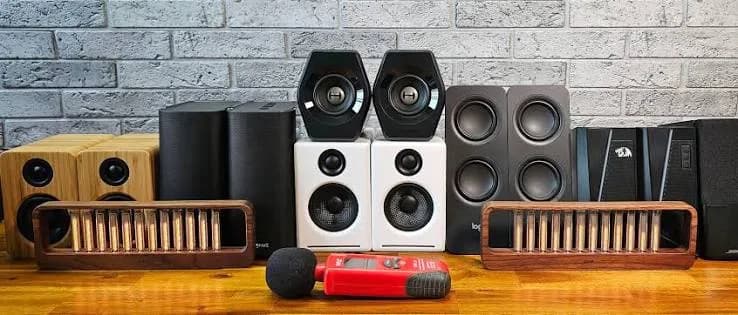
Laptop and monitor speakers are thin, tinny and quiet. They are fine for a quick video call, but not for music, films, gaming or a study session with a good soundtrack. A pair of proper PC speakers, or a 2.1 or 5.1 multimedia system, changes the experience completely. This guide to the best PC speakers in Kenya explains the choices between desktop 2.1 systems, tall-boy multimedia systems and full 5.1 home theatre sets, compares the Logitech Z906, JBL 2.1 MK2 and Nobel NB2040, NB2070 and NB1211 Plus that we stock, and shows how to avoid fakes and misleading wattage claims.
We are City Gadgets Kenya, at New Alnoor Exhibition, Second Floor, Shop C7, Accra Road, Nairobi CBD. We sell speakers, soundbars, laptops, monitors and accessories. Specification figures on speakers vary between sellers, so where details matter we say "we confirm per unit."
The short version
- Pick by space and use: a desk (2.1 compact), a living room (tall-boy multimedia), or a media room (5.1 like the Z906).
- Ignore giant PMPO numbers. A "55,000 W PMPO" label is a marketing peak figure, not everyday loudness. Look for RMS and real driver sizes.
- A subwoofer adds bass that small satellite speakers cannot. Plan floor space and a power socket.
- Check connections first: 3.5 mm AUX, RCA, optical, USB, SD, FM and Bluetooth vary by system.
- Budget multimedia systems (Nobel) offer lots of volume, bass and inputs for a low price, but they are not hi-fi.
- The Logitech Z906 is a serious 5.1 home theatre system for movies, gaming and music.
- Buy from a seller with a warranty. Fake or misrepresented speakers are common.
| Your need | Look at | Why |
|---|---|---|
| Better desk sound, compact | JBL 2.1 MK2 | Two speakers plus subwoofer, simple setup |
| Loud, bass-heavy living room system on a budget | Nobel NB1211 Plus, NB2040, NB2070 | Subwoofer, Bluetooth, USB, SD, FM |
| Tall floor-standing look with a 3.1 layout | Nobel NB2070 | Tall-boy speakers with subwoofer |
| Movies, gaming and surround | Logitech Z906 | Full 5.1 with THX certification |
| TV upgrade without many boxes | Soundbar | See best soundbar in Kenya |
| Private listening | Headset | See best gaming headset in Kenya |
Why upgrade from built-in speakers?
Laptop and monitor speakers have three problems. They are small, so they cannot move much air and produce almost no bass. They are poorly placed, firing downward or backward, so sound bounces around the desk. And they are cheap, with limited amplification and tuning. As a result, voices lack body, music sounds flat and films lack impact.
Dedicated PC speakers solve these with larger drivers, better cabinets, proper amplification and sometimes a subwoofer. Even an inexpensive 2.1 set is a big step up for music and films.
Types of speaker systems
Stereo (2.0) desktop speakers
Two speakers, no subwoofer. Compact and tidy, good for dialogue, music and general use at moderate volume. Bass is limited.
2.1 systems
Two satellite speakers plus a subwoofer. The "2" refers to the two main speakers, and the ".1" to the separate subwoofer for low bass. Splitting bass off to its own speaker usually gives noticeably deeper, fuller sound than small stereo speakers. The JBL 2.1 MK2 is a compact 2.1 system with a dedicated subwoofer for TV, gaming and music, simpler to set up than a five-speaker system.
3.1 tall-boy systems
Tall floor-standing speakers and a subwoofer, with a centre channel in some layouts. The Nobel NB2070 is described as a 3.1-channel multimedia system with tall-boy floor-standing speakers and a subwoofer. They project sound upward and outward, giving a bigger soundstage than small bookshelf speakers, but they need floor space.
5.1 systems
Five speakers (centre, front left and right, rear left and right) plus a subwoofer. This is a proper surround system. The Logitech Z906 is a 5.1 set rated at 1000 watts. Surround needs space and cable planning, but it delivers real immersion for movies and games.
Multimedia systems with built-in inputs
Many budget multimedia systems, like the Nobel NB series, add Bluetooth, USB, SD card and FM radio in the control unit or subwoofer, so you can play music without a computer. These are popular in Kenya for home use, small shops and gatherings.
Read our what does 5.1 and 2.1 mean article for a longer explanation of channel numbers.
PMPO versus RMS: the watt trap
Multimedia speakers are often advertised with eye-catching figures such as 22,000 W or 55,000 W PMPO. PMPO means peak music power output, a peak figure used in marketing that has no real link to everyday loudness. It is the theoretical peak the speaker might handle for a split second, measured under generous conditions.
A far more useful number is RMS power, the power the system can deliver continuously. RMS figures are much lower, often in the tens or low hundreds of watts. For example, one retailer lists the Nobel NB2070 at about 200 to 220 W RMS against its 55,000 W PMPO headline, which shows how different the two numbers are.
So when comparing systems:
- Look for RMS first.
- Compare driver sizes (a 12-inch subwoofer moves more air than a 5-inch one).
- Compare the number of channels and speakers.
- Listen if possible.
- Be suspicious of enormous watt figures on small boxes.
Read more in watts RMS vs peak speaker power explained.
The speakers we stock
All details come from catalogue notes and retailer listings and we confirm each per unit.
Logitech Z906: the 5.1 home theatre
The Z906 is a full 5.1 surround sound speaker system rated at 1000 watts, THX-certified, built to turn a living room or dedicated media room into a home theatre setup. The system includes five speakers, a centre, two front and two rear, plus a subwoofer for deep bass. The 1000-watt figure reflects the combined peak output across the six speakers, giving headroom to fill a large living room with clear, undistorted sound at realistic cinema volumes. For music, it is capable, with the subwoofer adding depth to bass-heavy tracks. Setup is more involved than a soundbar: you need to position five speakers around the room, ideally with the rear speakers behind or beside the seating position, and run cables.
Best for: film lovers, gamers with consoles or PCs, medium to large rooms, buyers who want serious power and are happy to set it up properly. Ask us: which cables are in the box, input options, and how to connect it to your PC, console or TV.
JBL 2.1 MK2: compact deep bass
A compact speaker system built around two main speakers and a dedicated subwoofer, designed to give noticeably deeper, fuller bass than a TV's built-in speakers or a basic stereo pair. It connects to your TV, PC or phone and improves dialogue clarity, music and movie sound. It is simpler to set up than a full surround system, a sensible middle ground.
Best for: desks, bedrooms, small living rooms, gamers who want a simple upgrade.
Nobel NB2040: multimedia system with subwoofer
A multimedia speaker system from Nobel's NB series, a range of tall-boy speaker systems with a subwoofer, made for TVs, music and gaming. Features of the series include Bluetooth, USB and SD card playback, AUX input, FM radio, LED display and remote control. Less published detail is available for the NB2040 than for its siblings, so we confirm the channel layout (3.1 or 5.1), speakers in the box and what is included.
Best for: value-minded buyers wanting bass, volume and many inputs.
Nobel NB2070: 3.1 tall-boy system
A 3.1-channel multimedia system with tall-boy floor-standing speakers and a subwoofer for music, movies and gaming. Connections: Bluetooth, USB, SD card and AUX, with FM radio, LED display and remote control. It is advertised at 55,000 W PMPO, with one retailer listing about 200 to 220 W RMS and a 20 Hz to 20 kHz frequency response. Our catalogue describes it as a budget home speaker system, bass-heavy and aimed at volume and value, not hi-fi, and bulky, so check floor space.
Best for: living rooms, gatherings and music lovers on a budget who want a big presence.
Nobel NB1211 Plus: 12-inch subwoofer
A home multimedia speaker system with a 12-inch driver, built for deep bass in music, movies and gaming. It is listed at 22,000 W PMPO (a peak marketing figure), with Bluetooth, USB, SD card and 3.5 mm AUX, plus FM. The 12-inch driver is the main reason to choose it for heavy, deep bass. Retailers describe the channel layout differently, so we confirm the layout and speakers in the box.
Best for: bass lovers, music at home, gatherings, buyers who value volume.
Comparison table
| Feature | JBL 2.1 MK2 | Nobel NB1211 Plus | Nobel NB2040 | Nobel NB2070 | Logitech Z906 |
|---|---|---|---|---|---|
| Layout | 2.1 | We confirm | We confirm (3.1 or 5.1) | 3.1 tall-boy | 5.1 |
| Subwoofer | Dedicated | 12-inch driver | Yes | Yes | Yes |
| Listed power | We confirm | 22,000 W PMPO (peak) | We confirm | 55,000 W PMPO; about 200 to 220 W RMS per a retailer | 1000 W rated |
| Bluetooth | We confirm | Yes | Yes (series) | Yes | We confirm |
| USB / SD | We confirm | Yes | Yes (series) | Yes | We confirm |
| FM radio | We confirm | Yes | Yes (series) | Yes | We confirm |
| Best for | Desk, small room | Deep bass, music | Value multimedia | Living room | Home theatre |
| Setup | Easy | Easy | Easy | Moderate (tall-boys) | Involved (five speakers) |
Message us for today's price on any of these.
Connections: how to hook speakers to your gadgets
3.5 mm AUX
The headphone-style jack. Works with laptops, phones and TVs that have a headphone out. Simple, universal, analogue.
RCA (red and white)
Found on TVs, DVD players and many amplifiers. Common on multimedia systems for TV connection. Use an RCA-to-3.5 mm cable if you need to connect a laptop.
Optical (TOSLINK) and coaxial
Digital audio connections. Useful for TVs and consoles when supported by the speaker system. If you need optical, check the system has it before buying.
USB
Some systems play music from a USB drive. Some accept audio from a computer through USB. Check which.
SD card
Used on multimedia systems to play music files without a computer.
Bluetooth
Wireless music from phones and laptops. Convenient but may add slight delay for video and gaming. Read Bluetooth codecs explained.
FM radio
A feature of multimedia systems, popular for news and music without data.
Multi-channel analogue inputs
5.1 systems like the Z906 accept several analogue channels or digital surround streams to feed rear speakers. Sound cards and consoles must support these outputs, which we cover in setup.
Connecting speakers to your devices
Laptop
Use the 3.5 mm headphone jack with an AUX cable, or Bluetooth if the speakers support it. Many modern laptops have one combined headphone and microphone jack, which works fine for speakers if you use a standard stereo cable.
Desktop PC
Use the green line-out jack with a 3.5 mm cable. For 5.1 on a desktop, your motherboard or sound card needs multiple outputs, or you use a digital output.
Phone and tablet
Bluetooth or a 3.5 mm cable (with an adapter if the phone lacks a jack). For Bluetooth, keep the phone within range.
TV
Use RCA, AUX, optical or Bluetooth depending on what your TV and speakers support. If you want one-remote control, a soundbar with HDMI ARC may be easier; see HDMI ARC and eARC explained.
Console
Often via the TV, or optical/analogue outputs on some models. For gaming audio, a headset is often better for chat.
Keyboard, DJ and music gear
Check inputs and avoid overdriving budget speakers. For serious music production, studio monitors are a better choice than multimedia speakers.
Placement and setup
Desktop and bedroom
- Put satellites at ear height, about arm's length apart, angled slightly toward you.
- Keep them away from the wall to reduce boom.
- Put the subwoofer on the floor, near a wall or corner for more bass, but not so close that it booms.
Living room with tall-boy speakers
- Place tall-boys either side of the TV, ideally at ear height.
- Keep them clear of the TV so sound is not blocked.
- Put the subwoofer on the floor nearby with space around it.
- Level the bass and treble to your room.
5.1 set-up (Z906)
- Centre speaker above or below the TV, facing you.
- Front left and right at ear height, angled toward the seating position.
- Rear left and right behind or beside the seating area, slightly above ear height.
- Subwoofer on the floor at the front, with space around it.
- Run cables neatly; use cable covers, clips or trunking.
- Run the setup or test tones from the control console, and adjust levels so the speakers blend.
Safety and electrical tips
- Plug speakers into a surge-protected socket. Subwoofers draw power in bursts.
- Keep subwoofers away from damp floors.
- Do not block vents on powered subwoofers.
- Do not run cables across walkways.
Read power surges and AVR in Kenya for protection advice, and earthing and wiring for UPS in Kenya for wiring good practice.
Choosing by use
Music
For music, balance matters. A smaller 2.1 system like the JBL 2.1 MK2 or a tall-boy system with good tuning is enough for casual listening. Heavy-bass budget systems can sound boomy; reduce the subwoofer level. For critical listening, stereo speakers or headphones are better.
Movies and series
A subwoofer and surround help. The Z906 delivers cinema-style immersion. A 2.1 or 3.1 system is fine for everyday TV. If you want a tidy solution without many speakers, consider a soundbar.
Gaming
Consoles and PCs benefit from surround and bass. The Z906 is popular for gaming because of the 5.1 layout. For competitive play, a headset gives better positional accuracy; see best gaming headset in Kenya.
Study and office
Moderate volume, clear sound. A compact 2.1 system is enough. Avoid blasting bass in shared spaces.
Gatherings, small shops and hangouts
Budget tall-boy systems with Bluetooth, USB, SD and FM are popular because they play from many sources. For events, a party speaker with a mic input may suit better; read best Bluetooth party speaker in Kenya.
Content creators and video editors
Accurate sound matters. Multimedia speakers colour the sound with extra bass. Use studio monitors or headphones for editing and speakers for casual listening.
Common mistakes when buying PC speakers
- Trusting PMPO figures.
- Buying too large for the room.
- Ignoring floor space for tall-boys.
- Forgetting power sockets and cables.
- Not checking inputs. Wrong connection means no sound.
- Placing the subwoofer in a cupboard or corner without testing.
- Expecting hi-fi from a budget system.
- Buying a fake or grey-import unit with no warranty.
Getting the best sound from budget multimedia speakers
Budget multimedia systems can sound surprisingly good if you set them up with care.
- Turn the subwoofer down first. The factory level is often too high. Start low and raise slowly until bass supports the music without drowning vocals.
- Adjust treble to taste. Hard surfaces can make treble harsh; soft furnishings absorb it.
- Place the speakers away from walls if you can, to reduce boomy bass.
- Do not run at maximum volume. At the limit, budget amplifiers distort and can be damaged. Keep the master volume at about 70 to 80 percent and use the source volume to adjust.
- Use a good source. A poor-quality file will sound poor on any speakers.
- Use the right cable. A damaged AUX cable adds noise and hum.
- Keep the system ventilated. Heat shortens electronics life.
- Test with several tracks. Voices, acoustic music and bass-heavy songs reveal problems.
Troubleshooting
No sound. Check power, volume, input selection, cable connection and the source's output setting.
Hum or buzz. Often caused by ground loops or a poor cable. Try another socket, another cable or move power cables away from signal cables. A surge-protected socket can help.
Crackling. A dirty jack or damaged cable. Clean gently or replace the cable.
Bass too boomy. Lower subwoofer level, move it away from walls, or place it elsewhere.
One speaker silent. Check speaker wire, balance setting and connectors.
Bluetooth drops. Move closer, remove obstacles, and disconnect other devices.
Audio delay with video. Use a wired connection for movies or games.
Rear speakers silent in 5.1. Check the source is outputting multi-channel and that the system is in the right mode.
If a fault persists, WhatsApp us or visit the shop on Accra Road.
Understanding the specs on a speaker box
Speaker boxes are crowded with numbers and symbols. Here is what each means in practice.
Frequency response (for example 20 Hz to 20 kHz). The range of sound the system claims to reproduce. Almost every system quotes the full human hearing range, so the number alone does not differentiate products. Real bass extension depends on subwoofer size and cabinet.
RMS power. The continuous power the amplifier can deliver. This is the number to trust, if it is quoted honestly. A system with a modest RMS rating can still sound loud in a small room.
PMPO. Peak music power output, a marketing figure. It is not the same as RMS and not comparable between brands.
Signal-to-noise ratio. How much background hiss the system has relative to the signal. Higher is better, though budget systems rarely quote it.
Impedance. Usually 4 or 8 ohms, relevant only if you replace speakers.
Subwoofer size. Measured in inches. A 12-inch subwoofer moves more air than a 6.5-inch one and generally goes deeper and louder, though cabinet design matters too.
Drivers. Tweeters handle high frequencies, mid-range drivers handle voices, and woofers handle bass. Satellite speakers may have just one full-range driver.
THX certification. A standard for home theatre performance, as on the Logitech Z906. It indicates the system was tested to meet certain criteria for cinema-style playback.
Dolby Digital and DTS decoding. Some 5.1 systems decode surround formats directly from digital connections. We confirm what the unit supports.
Control console. Many 5.1 systems have a wired console on the desk with volume and input controls, plus a remote.
Living with a subwoofer in Kenya
Subwoofers are powerful, and in shared housing, bass travels through floors and walls more than treble. Practical tips:
- Place the subwoofer on a firm surface. A soft carpet or foam pad can reduce vibrations to the floor below.
- Keep the level moderate in apartments. A deep bass note can be heard through several walls even when the rest of the sound is quiet.
- Respect neighbours and local rules, particularly at night.
- Use night mode or lower the subwoofer level late in the evening.
- If the subwoofer is on tiles, add a rubber mat to prevent rattling.
- Keep subwoofers away from damp areas and from places where they could be kicked or knocked over.
Sharing speakers between a PC and a TV
A common request is a single speaker system for both a TV and a computer. Options include:
- Use a switch. An audio switch or a selector box lets you choose which source feeds the speakers.
- Use Bluetooth for one and AUX for the other. For example, connect the PC by cable and let phones connect by Bluetooth.
- Use a system with several inputs. Some multimedia systems have multiple inputs and a remote to switch between them.
- Use the TV as the hub. Connect the PC to the TV via HDMI so that the speakers are on the TV.
Ask us about your layout and we will suggest the simplest approach.
Which one should you buy? A plain answer
If you want one sentence per system, here it is.
- JBL 2.1 MK2: the tidy, simple upgrade for a desk or small room, with real subwoofer bass and easy setup.
- Nobel NB1211 Plus: the pick for deep, heavy bass and lots of inputs on a budget, as long as you accept it is a value system.
- Nobel NB2040: a value multimedia system in the same family; we confirm layout and box contents before you buy.
- Nobel NB2070: the tall-boy 3.1 choice for a living room that wants presence and volume, provided you have the floor space.
- Logitech Z906: the serious one, for movies and gaming in a room where you can place five speakers properly.
Be honest about your room and habits. A big system in a tiny room is wasted, and a small one in a big hall is frustrating. If in doubt, message us with a photo of your space and we will suggest a size. We would rather you buy the right system once than upgrade twice.
One last point on care: dust is the quiet enemy of speakers. Wipe grilles with a soft dry cloth, keep drinks away from the subwoofer, and never clean the cones with liquids. A system looked after gently will serve you for years.
How to spot a fake or misrepresented speaker system
Speaker systems are especially prone to misleading claims because the numbers on the box are easy to inflate. Use these ten checks.
- Absurd watt claims. If a small system claims tens of thousands of watts, treat it as marketing PMPO. Ask for the RMS rating.
- Price against the market. A branded system far below the usual price is suspect. Ask why.
- Model number. Check the box, unit and manual match. Mismatches suggest repackaging.
- Packaging. Genuine packaging has sharp print, correct logos and consistent specification panels. Blurry printing, misspelt words and generic boxes are warnings.
- Weight. The subwoofer's weight tells you about its magnet and cabinet. A feather-light subwoofer usually has a tiny magnet. Heavy speakers usually mean more substantial drivers.
- Driver size. Check that the stated driver size matches what you see through the grille.
- Contents. Count speakers, cables, remote and manual. Missing items suggest a repack.
- Build quality. Wiggle connectors. Poor terminals, rough edges and thin cables are bad signs.
- Sound test. Play a deep bass track and a vocal track. A fake system distorts early, rattles and sounds hollow.
- Seller and warranty. A seller with no shop, no receipt and no warranty is a risk.
For the Logitech Z906, which is widely copied in name and look, check the box, the control console, the THX marking, the weight of the subwoofer and the quality of the wiring, and buy from a seller who gives a warranty. At City Gadgets Kenya, you buy from a real shop at New Alnoor Exhibition, Second Floor, Shop C7, Accra Road, Nairobi CBD, and we confirm per unit.
Why buy your speakers from City Gadgets Kenya
- Genuine Logitech and JBL, and Nobel systems with honest descriptions. We say plainly what each system is.
- Honest advice. We tell you when PMPO is marketing and when a soundbar or headset would suit you better.
- Compatibility help. Tell us your PC, laptop, TV or console and we will confirm the cable and connection.
- Room advice. Tell us your space and we will suggest size and layout.
- Visit and hear. Come to our shop and listen.
- Delivery. Same-day within Nairobi and next-day outside Nairobi.
- Payment. M-Pesa accepted.
- Support. WhatsApp us for setup help.
- Complete your desk. Pair speakers with a laptop, accessories or console.
Message us for today's price.
PC speaker buying checklist
- I know the space and where speakers and subwoofer will go.
- I have decided between 2.1, 3.1 and 5.1.
- I have checked connections: AUX, RCA, optical, USB, SD, FM, Bluetooth.
- I have ignored PMPO and checked RMS or driver sizes.
- I have a surge-protected socket for the subwoofer.
- I know what is in the box.
- I have checked for signs of a fake.
- I am buying from a seller with a warranty.
Frequently asked questions
What are the best PC speakers in Kenya? It depends on your space and use. The JBL 2.1 MK2 suits desks and small rooms. Nobel NB1211 Plus, NB2040 and NB2070 suit bass-heavy budget living-room use. The Logitech Z906 suits home theatre. We confirm per unit.
What does PMPO mean? Peak music power output, a peak marketing figure with no real link to everyday loudness. RMS is more useful.
Is the Logitech Z906 worth it? For movies and gaming in a room with space for five speakers, yes. It is a serious 5.1 system. For small desks, a 2.1 system is more suitable.
Do Nobel speakers have Bluetooth? The NB series is described with Bluetooth, USB, SD, AUX and FM. We confirm per unit.
Can I connect speakers to my TV? Usually through RCA, AUX, optical or Bluetooth. Tell us your TV model.
Is a soundbar better than speakers? A soundbar is tidier and easier. Speakers with a subwoofer give more power and bass for the price. Choose by space and taste.
Can speakers be used with a laptop? Yes, through AUX or Bluetooth.
Why is my subwoofer humming? Often a ground loop, a poor cable or unstable power. Try another socket and cable, and use a surge-protected supply.
How do I spot a fake speaker system? Check watt claims, price, model, weight, contents, build, sound and warranty.
Ready to choose?
Tell us your space, your devices and your budget, and we will recommend the right speaker system and confirm the connections. WhatsApp us: https://wa.me/254745575931. Or visit New Alnoor Exhibition, Second Floor, Shop C7, Accra Road, Nairobi CBD. Message us for today's price. Same-day Nairobi delivery, next-day outside Nairobi, M-Pesa accepted.
Related reading: Watts RMS vs peak speaker power explained, home theatre system guide, best soundbar in Kenya, what does 5.1 and 2.1 mean.