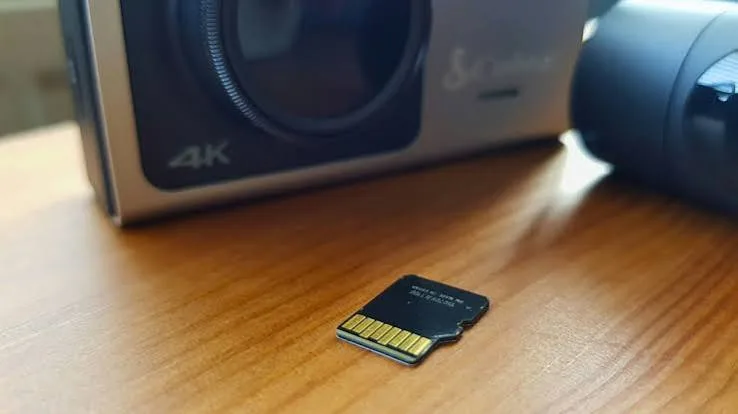
A dashcam that stops recording the day you need the footage is worse than no dashcam at all. The same is true of a home security camera that quietly corrupts its card in the third month. In almost every case the camera is fine and the memory card is the weak link. This guide explains how to choose the best memory card for CCTV and dashcam use in Kenya: why ordinary cards fail, what "high endurance" really means, how much capacity you need, how heat and power cuts affect cards, and how to avoid fake cards that report a size they do not have.
If you already know the camera you own, message City Gadgets Kenya on WhatsApp with the model and we will tell you the card type and capacity it supports before you pay.
The short version
- Cameras that record all the time need endurance cards. The SanDisk High Endurance and Max Endurance microSD lines are built for continuous writing. Ordinary phone cards are built for occasional writing.
- Pick U3/V30 and a camera-approved capacity. Look for UHS-I, U3, V30 and Class 10 on the label, and check the largest card your camera accepts.
- Capacity is a maths problem, not a guess. A camera recording at 4 to 8 megabits per second writes roughly 1.8 to 3.6 GB per hour, so a 64 GB card holds a day or two of footage, not a month.
- Heat kills cards. A dashcam on a Nairobi windscreen can reach temperatures that wear out a cheap card quickly. Endurance cards are rated for a wider temperature range.
- Format the card in the camera and check it monthly. Many "dead card" stories are corruption that a format and a quick check would have caught.
- Fake cards are common. A card that claims 256 GB but holds 8 GB will quietly overwrite your footage. Buy from a seller who can show you the genuine product and test it.
| Use | Recommended card type | Why |
|---|---|---|
| Dashcam, 1080p, loop recording | High Endurance microSD, 64 GB or 128 GB | Continuous writing and heat |
| Home or shop security camera, 24/7 | Max Endurance microSD, 32 GB to 128 GB | Rated in hours of recording and temperature |
| 4K dashcam or high-bitrate camera | Max Endurance or A-rated V30 card, 128 GB | Higher write rate and capacity |
| Motion-triggered camera (records only on activity) | Ultra or Extreme microSD may be enough | Far fewer writes |
| Phone or action camera | Ultra, Extreme or Extreme PRO microSD | Different workload |
Why ordinary memory cards fail in cameras
Flash memory wears out. Every time a cell is rewritten it degrades slightly, and eventually cells stop holding data reliably. Card makers deal with this by spreading writes across the card (wear levelling) and holding spare capacity in reserve. A card made for a phone expects photos, apps and the occasional video. A dashcam or CCTV camera does something very different: it records continuously, deletes the oldest footage and records again, over and over, for months.
Imagine a 64 GB card in a dashcam that writes about 2.5 GB per hour. Over a year of two hours' driving a day that is roughly 1,800 GB written, or the entire card overwritten around 28 times. For a 24/7 security camera running at the same bitrate the number grows to more than 20 terabytes a year, or over 300 full overwrites. An ordinary card is not engineered for that workload, and its failure is usually sudden: the camera shows "card error", or worse, appears to record while the file system is corrupt.
Endurance cards are tuned for this pattern. They use flash and firmware designed for sustained writes, and they are specified in hours of continuous recording rather than only in megabytes per second. That specification is a far better guide than the headline read speed on the packet.
High Endurance vs Max Endurance vs ordinary microSD
SanDisk sells three families that people often confuse. Here is how they differ, in plain terms.
Ordinary Ultra and Class 10 cards. Great for phones, tablets and Full HD cameras that record occasionally. They give good value but are not designed for 24/7 recording. A Class 10, UHS-I card such as those in our SanDisk microSD Class 10 range is a sensible choice for a phone, not a security camera.
High Endurance microSD. Built for dashcams and cameras that write video constantly. The cards we stock are UHS-I, U3, V30 and Class 10 with listed speeds of up to roughly 100 MB/s read and 40 MB/s write, and are specified for a wide temperature range and shock, water and X-ray resistance. The rated life is expressed in hours of recording and rises with capacity, so we confirm the figure for the exact card in front of you.
Max Endurance microSD. The top of the endurance range, intended for cameras that record around the clock, such as home and shop security cameras and dashcams that record in parking mode. It shares the U3/V30 speed classes but is built with a much higher rated recording life, which is why it costs more per gigabyte than an ordinary card. For a camera that never stops, this is usually the right choice.
Extreme and Extreme PRO. These cards are optimised for speed, for example 4K video, burst photos and phones. They are excellent in an action camera or a phone, but speed is not the same as endurance. Do not assume a fast card is a durable one.
The practical rule: match the card to the write pattern. Constant recording means endurance. Occasional recording means ordinary. High-speed capture means Extreme.
Understanding the labels: U3, V30, A1, Class 10
Cards carry a thicket of symbols. For cameras only a few matter.
- Class 10 guarantees a minimum sustained write speed of 10 MB/s. It is the baseline for Full HD video.
- U1 and U3 are UHS speed classes guaranteeing minimum sustained writes of 10 MB/s (U1) and 30 MB/s (U3). U3 is the right choice for 4K or high-bitrate cameras.
- V30 is a video speed class guaranteeing 30 MB/s. In practice U3 and V30 are the same promise for most cameras.
- A1 and A2 are application classes for running apps from a card on a phone. They are irrelevant for cameras.
- microSDHC vs microSDXC. SDHC covers 4 to 32 GB; SDXC covers 64 GB to 2 TB. Your camera must support the format. Older cameras that only support SDHC will not read a 128 GB SDXC card.
Do not overbuy speed. Most dashcams and CCTV cameras write at a few megabits per second; a card that guarantees 30 MB/s is already vastly faster than the camera needs. Spend the difference on endurance and capacity instead.
How much capacity do you need?
The quickest way to size a card is to find the camera's bitrate. Many cameras publish it in the manual or the app. If not, use these rough figures for H.264 video:
| Resolution and quality | Approx. bitrate | Approx. data per hour |
|---|---|---|
| 720p, low quality | 2 Mbps | about 0.9 GB |
| 1080p, standard | 4 Mbps | about 1.8 GB |
| 1080p, high | 8 Mbps | about 3.6 GB |
| 2K (1440p) | 8 to 12 Mbps | about 3.6 to 5.4 GB |
| 4K | 16 to 25 Mbps | about 7 to 11 GB |
To estimate days of footage: card capacity ÷ data per hour ÷ hours recorded per day. A 128 GB card, a camera writing 3.6 GB per hour and 24 hours a day gives 128 ÷ 3.6 ÷ 24 ≈ 1.5 days. The same card in a dashcam recording two hours a day lasts about 17 days before it loops over the oldest file.
Three things change the picture:
- Modern codecs (H.265). Cameras that use H.265 write roughly half the data of H.264 at the same quality, doubling the recording time.
- Motion recording. A camera that only records when it sees movement may use a fraction of the capacity.
- Loop recording. Almost every dashcam overwrites the oldest footage when the card is full. This is good, because it means the card never runs out; it also means you must copy important clips off quickly after an incident.
Bigger is not always better. A 512 GB card in a camera that only needs a day of footage means you pay for capacity you will never use, and some cameras do not accept very large cards. Check the maximum supported capacity in the manual, then choose the sensible size below it.
Heat, cold and the Nairobi windscreen
Most dashcams are mounted on the inside of the windscreen. A car parked in the sun can heat that glass far above the outside temperature, and the camera, its battery or supercapacitor and the card all suffer. Standard cards are often specified up to 85 degrees Celsius for operation, but long exposure to heat shortens life. The endurance cards we stock are listed for -40 to 85 degrees Celsius, which is why they are the sensible choice for vehicles.
Practical tips for Kenyan drivers:
- Park in shade where you can and use a windscreen sunshade. A cooler cabin means a longer-lasting camera and card.
- Choose a dashcam with a supercapacitor rather than a lithium battery if you leave it in a hot car; capacitors tolerate heat far better.
- If your camera offers a parking mode that records while the car is off, make sure the hardwiring kit protects your car battery.
- Allow the cabin to cool before starting a long recording session on a very hot day.
For outdoor CCTV, direct sun and humidity are the enemy. Place the camera's card slot facing down or under a hood, and seal the cable entry.
Power cuts, corruption and why you should format monthly
The most common reason cards "die" is not wear but corruption caused by power loss during a write. A dashcam that loses power when you turn the car off, a CCTV camera on an unstable supply or a card removed while recording can all leave the file system in a bad state. Typical signs are the camera reporting "card error", footage that will not play and files that appear with zero size.
Protect yourself with a few habits:
- Format the card in the camera, not on a computer. The camera sets up the file system the way it wants.
- Format monthly, after copying any footage you need. This clears accumulated errors and keeps the card healthy.
- Test playback. Once a month, take the card out and play a recent clip on a computer. Never assume footage exists because the red light was on.
- Use a stable power source. For CCTV, a good adapter or a small UPS prevents sudden cuts. Our UPS range is worth considering for cameras and recorders you rely on.
- Do not remove the card while the camera is recording. Stop recording or power down first.
- Replace cards on a schedule. Even endurance cards wear. Replace a dashcam card every one to two years and a 24/7 CCTV card every year or two, depending on the rated life.
Our endurance and camera-friendly cards
All of the cards below are genuine SanDisk products. We do not print prices in guides because they change; message us for today's price.
SanDisk Max Endurance microSD (32 GB and 128 GB)
Built for cameras that record all day, such as home and shop security cameras and dashcams with parking mode. UHS-I, U3, V30 and Class 10, listed speeds up to about 100 MB/s read and 40 MB/s write, and specified for -40 to 85 degrees Celsius, with shock, temperature, water and X-ray protection. The recording life is rated in hours and rises with capacity, so ask us for the figure for the capacity you choose. Best for: 24/7 CCTV and parking-mode dashcams. The 32 GB suits a single camera that overwrites every day or two; the 128 GB suits a camera that records at a higher bitrate or where you want several days of history.
SanDisk High Endurance microSD (64 GB)
Built for dashcams and any camera that writes constantly. Same U3/V30/Class 10 class and temperature range as the Max Endurance line, with a rated life in hours that varies by capacity. Best for: daily dashcam use where the camera records only while the car is running. The 64 GB size is the sweet spot for 1080p dashcams.
SanDisk Class 10 and Ultra microSD (16 GB to 256 GB)
General-purpose cards for phones, tablets and Full HD cameras that record occasionally. Best for: phones, handheld consoles and motion-triggered cameras. Not our first choice for 24/7 CCTV, and we say so plainly.
SanDisk Extreme and Extreme PRO microSD (64 GB to 512 GB)
Fast cards for action cameras, drones and 4K recording. Excellent where speed matters; not specifically built for round-the-clock recording. Our guide to the best microSD card in Kenya compares them in detail.
Comparison: which card for which camera
| Camera type | Card | Capacity | Notes |
|---|---|---|---|
| Entry dashcam, 1080p, front only | High Endurance | 64 GB | Loop recording, check max supported size |
| Dual-channel dashcam (front and rear) | High Endurance or Max Endurance | 128 GB | Two streams double the writes |
| Dashcam with parking mode | Max Endurance | 128 GB | Records while parked |
| Wi-Fi home camera (single) | Max Endurance | 32 GB to 128 GB | Check bitrate and retention days |
| Shop CCTV with onboard slot | Max Endurance | 128 GB | Heavy 24/7 duty |
| Bodycam or action camera | Extreme | 128 GB or more | Speed over endurance |
| Drone | Extreme or Extreme PRO | 128 GB or more | High bitrate, shock |
Dashcam vs CCTV: the card requirements are different
A dashcam and a CCTV camera look similar on paper (a small camera, a microSD slot) but behave differently.
A dashcam records while the engine runs, handles high vibration and temperature swings and must save a protected "event" clip when it senses an impact. The card must cope with abrupt power loss every time you switch off the car. For this reason dashcams are the harshest environment for a card, and why High Endurance is the standard recommendation.
A CCTV camera is a steady writer. It runs on mains power, usually in a protected location, but never stops. Retention (how many days of video you need) drives capacity. A shop that wants seven days of video from a camera at 3.6 GB per hour needs over 600 GB in total, which is more than a single microSD card, so businesses often pair cameras with a network video recorder (NVR) and a surveillance hard drive or use cloud storage. If you need weeks of history, a microSD card alone is the wrong tool.
Buying checklist for CCTV and dashcam cards
- Check the camera's maximum card size and format (SDHC/SDXC, exFAT support) in the manual.
- Choose High Endurance for dashcams and Max Endurance for 24/7 cameras.
- Look for U3 and V30 printed on the card.
- Pick capacity from the bitrate maths, not from "bigger is better".
- Buy a genuine card from a seller who can warranty it.
- Keep a spare card so you can swap quickly after an incident.
- Format in the camera and test monthly.
- Copy important footage immediately after an accident, theft or dispute.
Common mistakes to avoid
- Using a phone card in a 24/7 camera. It will work for weeks, then fail without warning.
- Buying the fastest card instead of the toughest. Speed does not equal endurance.
- Using a card larger than the camera supports. The camera may refuse to format it or show the wrong capacity.
- Never checking footage. Many people discover their camera was not recording only when they need the clip.
- Cheap marketplace cards. If a 256 GB card costs a fraction of the genuine price, it is almost certainly fake.
- Leaving the card in a hot, unventilated housing. Heat shortens life.
- Formatting on a computer with the wrong file system. Let the camera format it.
- Ignoring warranty. An endurance card with no proof of purchase is hard to claim on.
Parking mode, hardwiring and what they do to your card
Parking mode keeps a dashcam recording, or at least watching, after you switch the engine off. It is useful against hit-and-run damage and break-ins, but it changes the workload on the card in three ways. First, the camera wakes and writes short clips whenever it senses movement or an impact, so the card sees many more start-stop cycles. Second, the camera runs on a hardwire kit or a separate battery, and any voltage dip can cut the write in mid-file. Third, the camera sits in a hot, closed car for hours with nobody driving to cool the cabin.
For these reasons we recommend a Max Endurance card for any dashcam used with parking mode, and a hardwire kit with a low-voltage cut-off so your car battery is protected and the camera shuts down cleanly rather than abruptly. If you are unsure which kit suits your vehicle, ask us before you buy the card; the card is only as reliable as the power supply behind it.
Saving and backing up footage
A memory card is a buffer, not an archive. Loop recording means your footage is overwritten, and a card in a stolen car or a burgled shop disappears with the camera. Build a simple routine:
- After any incident, stop the camera and remove the card so the clip cannot be overwritten. Copy the files to a computer or phone immediately.
- Keep two copies of anything that matters, for example one on your laptop and one on a flash drive or external hard drive.
- Label and date the files so you can find them for an insurer, a police report or a dispute.
- For shops and offices, consider cloud or NVR backup so footage survives theft of the camera itself.
How to spot a fake or counterfeit memory card
Counterfeit memory cards are among the most common fake electronics in the world. A typical fake is a small, slow card reprogrammed to report a much larger capacity. It works until you fill the real capacity, then silently overwrites or discards data. In a dashcam or CCTV camera that means the footage you need is simply not there. Protect yourself with these checks.
1. Be suspicious of the price. A 256 GB or 512 GB card at a fraction of the market price is a counterfeit until proved otherwise. Endurance cards in particular cost more than ordinary ones; a "Max Endurance" priced like a budget card is a red flag.
2. Inspect the printing. Genuine SanDisk cards have sharp, evenly printed text and logos. Look for blurry print, uneven fonts, misaligned symbols or text that rubs off. Compare the card against the manufacturer's images and against a card you know is genuine.
3. Check the packaging. Genuine retail packs are sealed with good quality printing and a proper hang-tab. Spelling errors, low-resolution logos and mismatched capacity text are warning signs. Be careful with loose cards sold without packaging.
4. Check the model name. The card face should say High Endurance or Max Endurance, with the capacity, speed class symbols (U3, V30, Class 10) and the correct logo. A card sold as "Max Endurance" without the matching marking is suspect.
5. Test the real capacity. This is the most reliable test. On a computer, use a free tool such as H2testw (Windows) or F3 (macOS and Linux) to write data to the full advertised capacity and read it back. A fake will show errors or a much smaller usable size. This takes some time but is worth it for any card you will trust with important footage.
6. Check the speed. Run a simple speed test with a tool such as CrystalDiskMark or the card's own benchmark in a camera app. A card marked U3/V30 that writes at a few MB/s is not genuine or is damaged.
7. Look at the reported capacity. A card claiming 512 GB that formats to an odd size, or whose "used" figure jumps strangely, is a red flag.
8. Buy from a seller who can answer questions. A reputable shop knows the product, shows you the packaging, and gives a receipt and warranty. Anonymous online sellers do not.
9. Keep the packaging and receipt. If a card fails early, the packaging, batch number and receipt are your claim.
10. Test in the camera. Record for a while, then play back the end of the recording, not just the start. Check that the newest footage is actually there.
If you are unsure, bring the card to us, or send clear photos of the card and packaging on WhatsApp, and we will help you check.
Why buy your CCTV and dashcam memory card from City Gadgets Kenya
- Genuine SanDisk cards across the Max Endurance, High Endurance, Ultra, Extreme and Extreme PRO ranges. We do not stock unbranded cards.
- We match the card to your camera. Tell us the model and how it records, and we confirm the type, format support and sensible capacity before you pay.
- Honest advice. If a cheaper card is enough for a motion-triggered camera, we say so. If a business needs an NVR instead of a microSD, we say that too.
- Test it before you leave. Visit us at New Alnoor Exhibition, Second Floor, Shop C7, Accra Road, Nairobi CBD, and we can check the card with you.
- Same-day delivery in Nairobi and next-day outside Nairobi, with M-Pesa payment.
- After-sales help with formatting, setup and replacing worn cards.
- Message us for today's price. Prices move with the exchange rate, so we quote the current price on WhatsApp.
Browse the full accessories category, or read our related guides on the best microSD card and the best SD card for cameras.
A realistic example
A taxi driver in Nairobi runs a front-and-rear dashcam for about ten hours a day. Each channel writes roughly 1.8 GB per hour at 1080p, so the card sees around 36 GB a day. A 128 GB High Endurance card gives about three and a half days of footage before looping, which is plenty for settling a dispute, provided the driver copies clips after any incident. The same driver using an ordinary phone card would be overwriting the whole card every three days, and would probably see errors within a few months.
Setting up a new card in your camera
- Insert the card with the camera switched off.
- Power on and choose Format in the camera's settings. Do not skip this step even if the card is new.
- Set the date and time so footage is stamped correctly. This matters for insurance and police reports.
- Choose resolution and bitrate sensibly. Higher quality fills the card faster.
- Enable loop recording and set the clip length (one to three minutes is common).
- Test a short recording, then play it back on a computer to confirm quality and the timestamp.
- Note the date you installed the card so you can plan its replacement.
Frequently asked questions
What is the best memory card for a dashcam in Kenya? A High Endurance microSD in 64 GB or 128 GB, U3/V30, from a trusted brand. It is built for constant writing and heat.
What is the best memory card for CCTV? A Max Endurance microSD for cameras that record around the clock, in a capacity matched to the camera's bitrate and retention needs.
What is the difference between High Endurance and Max Endurance? Both are built for continuous recording. Max Endurance is rated for a longer recording life and is aimed at 24/7 cameras; High Endurance is aimed at dashcams and general continuous use.
Can I use a normal microSD card in a dashcam? You can, but it is likely to fail sooner, especially in heat. An endurance card costs more but is far more reliable.
How much storage do I need for a dashcam? For a front-facing 1080p dashcam, 64 GB is usually enough for loop recording. For dual cameras or 4K, 128 GB is more comfortable.
How many days of footage will a 128 GB card hold? At about 3.6 GB per hour, roughly a day and a half of 24/7 recording, or around two weeks of two hours a day of driving.
Do I need U3 or V30? For 1080p cameras, Class 10 is the minimum, but U3/V30 gives safety margin. For 4K, U3/V30 is the right choice.
Why does my dashcam say "card error"? Common causes are a worn or corrupt card, a card that is too large or in the wrong format, and a poor connection. Format in the camera or replace the card.
How often should I format my camera's memory card? Monthly is a good habit, after copying anything you need.
How long does an endurance card last? It depends on capacity, bitrate and temperature. The card is rated in hours of recording; we confirm the figure for each capacity. Plan to replace cards every one to two years for heavy use.
Can microSD cards survive heat in a car? Endurance cards are rated up to 85 degrees Celsius, but extreme heat still shortens life. Use shade and a sunshade.
How do I know if my memory card is fake? Check the price and printing, test the real capacity with H2testw or F3, and buy from a seller who can support you.
Can I record CCTV to a USB flash drive? Some recorders accept USB drives, but a flash drive is not designed for constant writing. A surveillance hard drive or an endurance microSD card is better.
Is a bigger card always better? No. Pick the size your camera supports and your retention needs justify.
Do you sell genuine SanDisk Max Endurance and High Endurance cards? Yes. Message us for today's price and availability.
Ready to choose?
Tell us your camera model, how many hours a day it records and how many days of history you want. We will recommend the card and capacity, confirm it works with your camera, and deliver it the same day in Nairobi.
WhatsApp: wa.me/254745575931 Visit: New Alnoor Exhibition, Second Floor, Shop C7, Accra Road, Nairobi CBD. Same-day delivery in Nairobi; next-day outside Nairobi.
Related reading: best microSD card in Kenya, best flash drive in Kenya, best backup drive for home and office.