A mechanical keyboard is one of those upgrades people resist until they try one. The first day feels different: the keys register with a clear, decisive press, the sound has character, and long typing sessions or gaming marathons feel more precise. Then going back to a mushy membrane keyboard feels like typing on a sponge. Mechanical keyboards also last far longer than cheap membrane ones, which makes them better value than the sticker price suggests. This guide to the best mechanical keyboard Kenya buyers can choose from compares the Logitech G models we stock, explains the jargon (switches, layouts, rollover, actuation), and helps you decide between a full-size, a compact tenkeyless and a low-profile wireless board, and when a good membrane keyboard is the smarter buy.
We hedge where specifications vary and say "we confirm per unit" for details that should be checked on the actual item, such as the exact switch type fitted to the unit you order. Prices change, so message us on WhatsApp for today's price.
City Gadgets Kenya is at New Alnoor Exhibition, Second Floor, Shop C7, Accra Road, Nairobi CBD, with same-day Nairobi delivery and next-day delivery outside Nairobi.
The short version
- Best value genuine mechanical keyboard with a number pad: Logitech G413 SE.
- Best compact mechanical keyboard: Logitech G413 TKL SE, a tenkeyless layout that frees desk space for mouse movement.
- Best wireless, low-profile mechanical keyboard: Logitech G915 X Lightspeed TKL, the flagship.
- Best budget gaming keyboard (not mechanical): Logitech G213 Prodigy, a membrane keyboard with RGB lighting.
- Best premium typing keyboard (not mechanical): Logitech MX Keys S, covered in our MX and Pebble guide.
- Choose by what you do: gaming and fast typing favour mechanical. Quiet offices and tablets may favour slim, quiet boards.
| Keyboard | Type | Layout | Connection | Best for |
|---|---|---|---|---|
| Logitech G413 SE | Mechanical | Full-size, number pad | Wired | Gamers and typists wanting a number pad |
| Logitech G413 TKL SE | Mechanical | Tenkeyless (no number pad) | Wired | Compact desks, gaming, mouse room |
| Logitech G915 X Lightspeed TKL | Low-profile mechanical | Tenkeyless | Lightspeed wireless | Premium wireless gaming and typing |
| Logitech G213 Prodigy | Membrane | Full-size gaming layout | Wired | Budget RGB gaming, spill resistance |
Ask us for today's price on any model. For mice to pair with these, read our best gaming mouse guide.
What makes a keyboard "mechanical"?
Under every key on a normal keyboard, a thin rubber dome and a membrane sheet register your press. That is a membrane keyboard, and it is what most office and budget boards use. A mechanical keyboard puts an individual switch under every key, with its own spring and moving parts. Each switch registers the press at a definite point and returns the key with a consistent feel.
What you notice:
- Precise, consistent keypresses. Every key feels the same.
- A defined feel. Some switches have a tactile bump, some are smooth, and some click.
- Durability. Mechanical switches are typically rated for tens of millions of keystrokes per the makers, far beyond typical membrane boards. We confirm per unit.
- Repairability. On many mechanical keyboards, you can replace keycaps and sometimes switches.
- Weight and sound. They are usually heavier and often louder than membrane boards.
The honest trade-off is that mechanical keyboards cost more, are louder and are bulkier. For many people the improvement in feel and lifespan justifies it, but not everyone.
The jargon, explained simply
Switch. The mechanism under each key. Switch types are usually grouped as linear, tactile and clicky.
Linear switch. Smooth press with no bump or click. Quick and quiet-ish, popular for gaming.
Tactile switch. A small bump you feel when the key registers. Good for typing accuracy.
Clicky switch. A tactile bump plus an audible click. Satisfying but loud, a poor choice for shared offices.
Actuation point. How far you press before the key registers.
Key travel. How far the key moves in total.
Rollover (N-key rollover). How many keys can be pressed at once and still register correctly. Important in gaming.
Anti-ghosting. Prevents missed or wrong keys when you press many at once.
Keycaps. The plastic tops of the keys. Quality varies, and printing can wear.
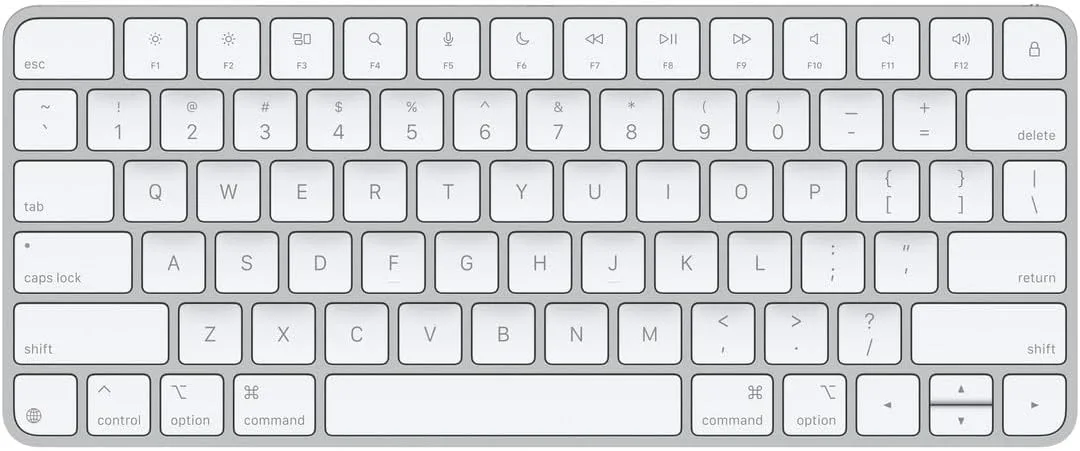
Tenkeyless (TKL). A keyboard without the number pad, giving a narrower body.
Full-size. A keyboard with a number pad.
Low-profile. Shorter switches and keys, closer to a laptop feel but with mechanical action.
Hot-swappable. Switches that can be pulled out and replaced without soldering. Not a feature of every board here, so we confirm per unit.
Polling rate and latency. How quickly the keyboard reports presses to the computer. Wired and good wireless are fast enough for nearly everyone.
Lightspeed. Logitech's low-latency wireless technology, built to feel close to wired.
Linear, tactile or clicky? Choosing a switch feel
If you can try the keyboards in the shop, do. Switch feel is personal. As a guide:
Gamers often like linear or lightly tactile switches for quick, smooth repeated presses.
Typists often prefer tactile switches because the bump confirms each press.
Open-plan office and shared home users should avoid clicky switches, because the noise irritates others.
Mixed use suits a tactile switch, which is a good all-rounder.
We confirm per unit which switch type is fitted to a given model, because Logitech offers more than one switch type across its range. Tell us how you work and we will point you to the right one.
Layouts: full-size, tenkeyless or compact?
Full-size (with number pad). The G413 SE. Best for people who enter numbers frequently, such as accountants, cashiers and data-entry staff, and for gamers who use the number pad for binds. It takes more desk space.
Tenkeyless (TKL). The G413 TKL SE and G915 X TKL. No number pad. The keyboard is narrower, so your mouse sits closer to your body and has more room to move. That is a real comfort and aiming benefit for gamers and a more natural posture for everyone.
Compact (60 or 75 percent). Smaller boards that drop more keys. We do not stock these at the moment, and they take adjustment.
If you rarely use the number pad, a TKL is usually the better choice. If you do use it daily, stay full-size.
The keyboards in detail
Logitech G413 SE
The G413 SE is a full-size mechanical keyboard with a number pad, built with genuine mechanical switches and a solid construction. It is wired, which means no battery or pairing and consistent response. It suits gamers and typists who want a number pad and are upgrading from a membrane keyboard for the first time. It is a strong value route into mechanical typing.
Pros: genuine mechanical switches, number pad, wired reliability, sturdy build. Cons: wired, full-size takes desk space, mechanical noise.
Logitech G413 TKL SE
The G413 TKL SE is the compact version, with genuine mechanical switches and a tenkeyless layout. Without the number pad, it takes less space and leaves more room for mouse movement. It is wired, so there is no battery to manage. It suits gamers and typists who do not need numeric entry and want a tighter desk setup.
Pros: genuine mechanical switches, compact, wired, solid build. Cons: no number pad, wired.
Logitech G915 X Lightspeed TKL
The G915 X is Logitech's flagship wireless mechanical keyboard in a tenkeyless, low-profile design. Lightspeed wireless is designed to give wired-like responsiveness without a cable, and the low-profile mechanical switches give a shorter key travel than traditional mechanical keys. It has RGB lighting and customisation through Logitech software, and a rechargeable battery designed to last between charges, with the exact life depending on lighting and use per the maker. It is aimed at serious and competitive gamers and at buyers who specifically want a low-profile mechanical feel with premium build.
Pros: wireless, low-profile mechanical, premium build, customisable lighting. Cons: costs the most, low-profile feel is different from traditional mechanical, battery to charge.
Logitech G213 Prodigy (membrane)
The G213 Prodigy is not mechanical. It is a membrane gaming keyboard with RGB lighting, dedicated media controls and a spill-resistant design, wired for consistency. It is a sensible choice for gamers who want a gaming layout and lighting without mechanical pricing, for buyers new to gaming keyboards who want a familiar feel, and for anyone who wants durability near drinks.
Pros: budget-friendly, RGB, spill-resistant, media controls. Cons: membrane feel, not mechanical.
Head-to-head comparisons
G413 SE vs G413 TKL SE
The same family and the same mechanical feel. The G413 SE has a number pad, and the TKL does not. Choose by number pad use and desk space.
G413 TKL SE vs G915 X TKL
Both are tenkeyless. The G413 TKL SE is wired with a traditional mechanical feel. The G915 X is wireless, low-profile and premium. If you want the best, choose the G915 X. If you want solid mechanical value, choose the G413 TKL SE.
G413 SE vs G213 Prodigy
The G413 SE is mechanical, and the G213 is membrane. If you want the precise, durable feel of mechanical switches, choose the G413. If budget and spill resistance matter most, the G213 is a good value.
G915 X TKL vs a regular wireless keyboard
A wireless office keyboard such as the MK270 is far cheaper and fine for work. The G915 X is built for low-latency gaming and a premium low-profile mechanical feel. For general office use, you do not need it.
Mechanical keyboards for different people
Gamers. Choose a wired G413 for value or a G915 X for wireless performance. Pair with a good mouse and headset. See our gaming headset guide.
Programmers and writers. A tactile mechanical keyboard improves accuracy and comfort over long sessions. A TKL gives more room for the mouse.
Accountants and data entry. A full-size G413 SE keeps the number pad with a more precise feel.
Students. A mechanical keyboard is a durable investment, but it is loud in libraries and shared hostels, so consider that.
Office workers. If you share a quiet space, choose a quiet keyboard rather than a clicky mechanical one. See our MX and Pebble guide.
Streamers and content creators. Mechanical keys can be picked up by microphones, so consider quieter switches and a good microphone setup.
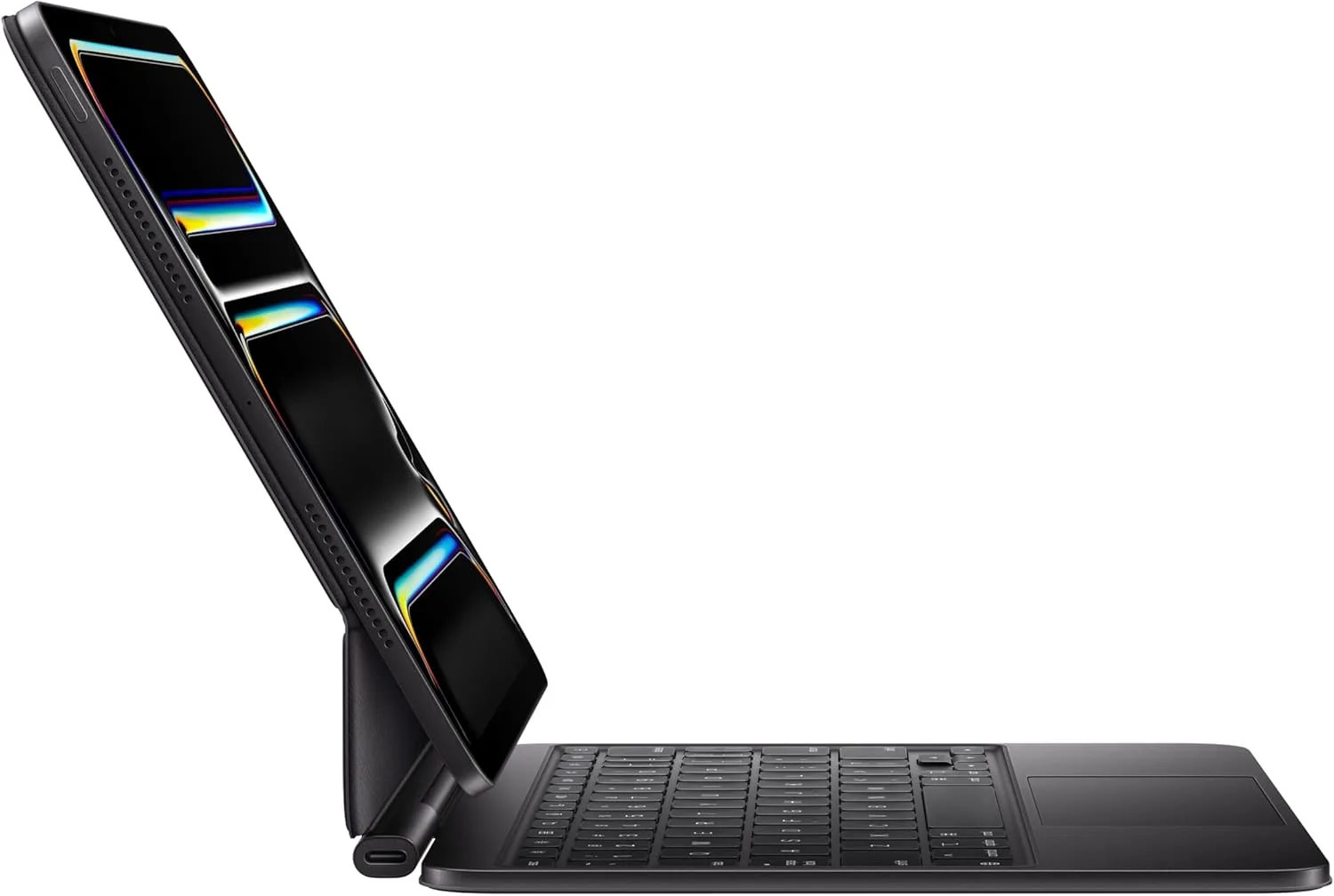
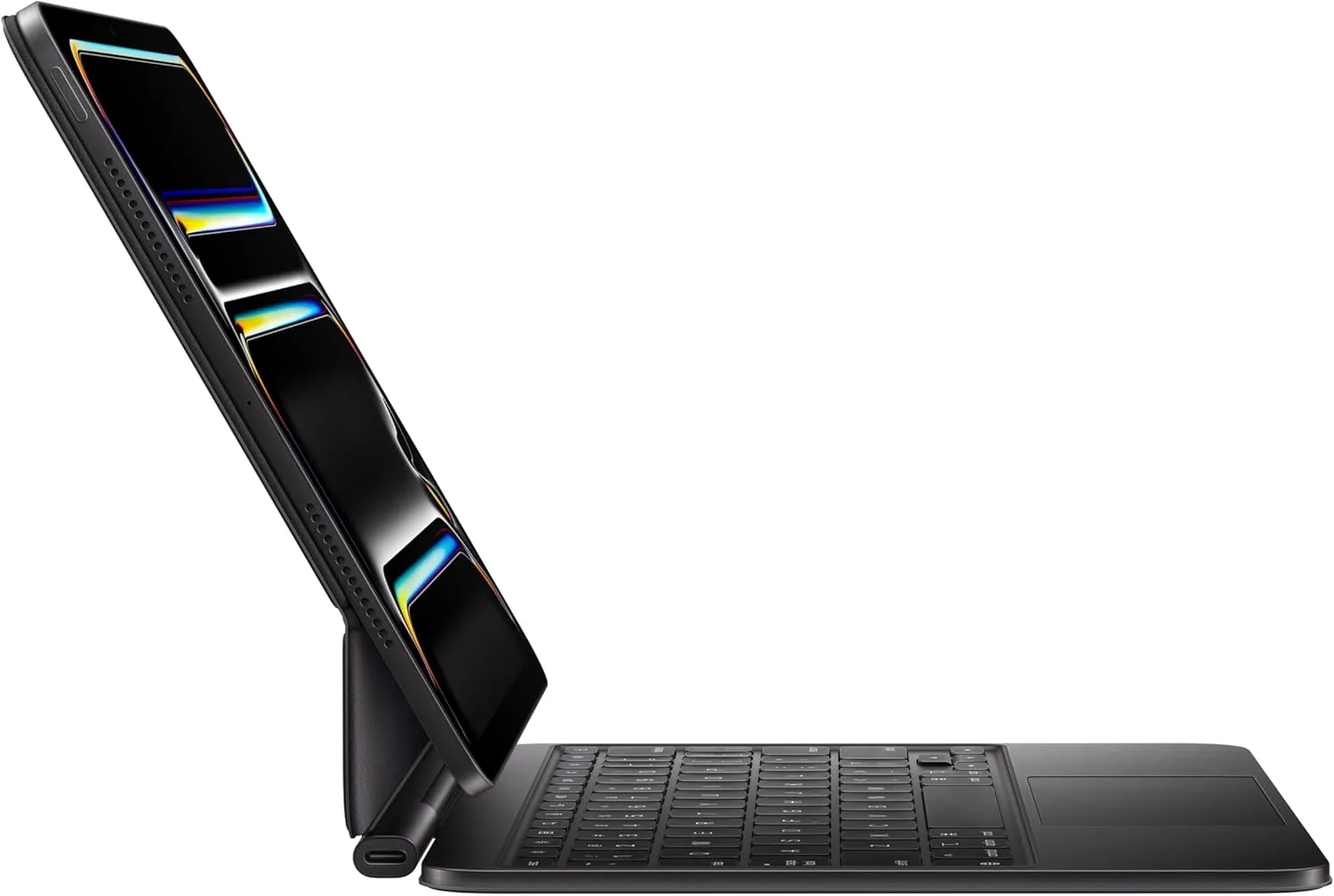
Tablet users. Slim Bluetooth keyboards fit better. See our tablet keyboard guide.
Wired or wireless mechanical?
Wired (G413 SE, G413 TKL SE). No battery, no pairing, no latency worries. You plug it in and it works. For most desk setups, wired is perfectly fine, and it is the more affordable route.
Wireless (G915 X Lightspeed). A cleaner desk and freedom to position the keyboard, with Lightspeed designed to keep latency low. You must charge it, and wireless boards cost more.
If you rarely move your keyboard, wired is hard to fault. If you game from a couch, share one keyboard between a PC and a TV, or hate cables, wireless is worth the extra.
Noise: the honest truth about mechanical keyboards
Mechanical keyboards are louder than membrane ones. Even non-clicky switches make a clack as the key bottoms out. In a quiet office, a library, a shared bedroom or on a video call, that can annoy people.
Ways to reduce noise:
- Choose linear or tactile switches rather than clicky ones.
- Type with a lighter touch rather than slamming keys.
- Use a desk mat under the keyboard to dampen sound.
- Consider a low-profile board, which tends to be quieter.
- Use a headset microphone with noise suppression on calls.
- If silence is essential, a slim membrane or Pebble-style keyboard may be a better choice.
Typing and gaming performance: what really matters
Typing. Accuracy comes from consistent key feel, a good layout and correct posture. Mechanical switches help consistency. A TKL helps posture. Keep your wrists straight and don't bottom out every key forcefully.
Gaming. Rollover and anti-ghosting ensure that multiple keys register. Low latency matters for competitive play. A TKL gives more mouse room. Programmable keys and lighting profiles are conveniences.
Both. The best keyboard is the one you enjoy using. If you can, test before you buy.
Backlighting and RGB
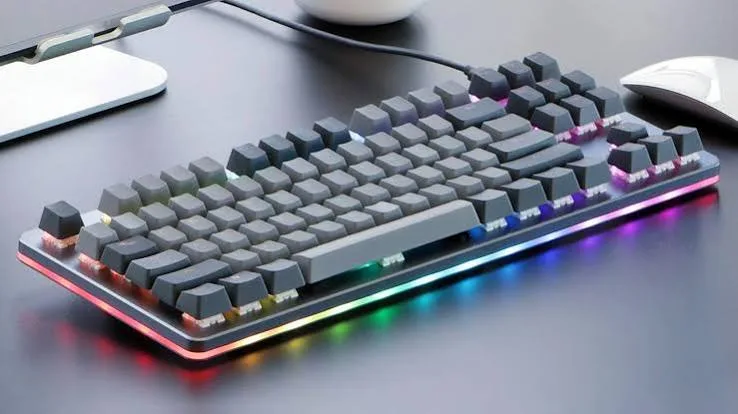
RGB lighting looks good and helps you see keys in the dark. The G915 X includes RGB with customisation through Logitech software, and the G213 includes RGB lighting. Lighting uses extra battery on wireless boards, so turning it down extends battery life. If you prefer a discreet look, switch it off.
Software and customisation
Logitech's G HUB software lets you set lighting, assign macros and save profiles on supported keyboards. Download it only from Logitech's official website. Check which features your exact model supports, and we confirm per unit. Remember that some games and servers restrict macros.
Keycaps, wear and maintenance
Over years of use, keycaps can become shiny where fingers rest, and legends may fade on cheaper printing. Mechanical keyboards allow you to pull off keycaps for cleaning, and in many cases to replace them. To clean a mechanical keyboard:
- Unplug it, or switch it off if wireless.
- Turn it upside down and shake gently to remove crumbs.
- Use a soft brush or compressed air between the keys.
- Wipe the keycaps with a slightly damp cloth, avoiding liquid between the keys.
- If you remove keycaps, use a keycap puller and take a photo of the layout first.
- Let everything dry fully before reconnecting.
Never pour liquid on a keyboard. If you spill a drink, unplug it immediately, turn it upside down and let it drain, then dry it thoroughly. Spill resistance, where claimed, covers small splashes only.
Compatibility
Windows and Mac. Most keyboards work with both, though some labelled keys differ on a Mac, and software features may be limited. We confirm per unit.
Chromebook and Linux. Basic typing usually works.
Consoles and TVs. Support varies by device and game.
Tablets and phones. Wired boards need adapters. Wireless Lightspeed boards need their receiver and a USB port. For tablets, Bluetooth boards are simpler. See our tablet keyboard guide.
USB-C laptops. Wired keyboards and Lightspeed receivers need USB-A, so you may need a hub or adapter. See our USB-C hub guide.
Setting up your mechanical keyboard
- Unbox and inspect for damage and check the model matches your order.
- Connect it. For wired boards, plug into a USB port. For the G915 X, connect the receiver and charge the keyboard if needed.
- Install software from the official website if you want to customise lighting or keys.
- Test every key using an online key tester or a text editor.
- Adjust your posture. Place the keyboard at elbow height, with wrists straight.
- Give yourself a week to adapt to the new feel before judging it.
How to get the most from a TKL layout
If you are moving from a full-size board to a TKL, you lose the number pad. The navigation keys and arrows are still there, but they are grouped differently. Here is how to adapt:
- Use the number row for numbers. Most people adjust within days.
- Learn shortcuts for calculator and spreadsheet tasks, or keep a small separate number pad if needed.
- Enjoy the extra mouse room. Move your mouse closer to your body and reduce shoulder strain.
- Check the function layer for media and lighting controls.
Common mistakes when buying a mechanical keyboard
- Buying clicky switches for a shared space.
- Choosing full-size when you never use the number pad, or TKL when you do.
- Assuming "gaming" means "mechanical". The G213 Prodigy is a membrane board with RGB lighting.
- Chasing features you will not use such as heavy macro programming.
- Skipping the feel test. Switch feel is personal.
- Ignoring noise.
- Buying a cheap unbranded "mechanical" keyboard. Many use poor switches that fail or chatter, or are not mechanical at all.
- Forgetting the desk. A heavy board needs a stable surface.
- Not charging a wireless board before a long session.
- Using the wrong software source. Download only from the official site.
Mechanical keyboard and posture
A thick keyboard raises your wrists, which can strain them over long sessions. Consider a wrist rest for use during pauses, not while typing. Keep your elbows at about a right angle and your wrists straight. Read our ergonomic mouse guide and home office setup guide for more on comfort. If you feel pain, tingling or numbness, see a health professional.
Example scenarios
These are illustrative, not customer records.
Scenario 1: The first-time upgrader. A student plays games and types essays on a worn-out membrane keyboard. He buys a G413 SE for the genuine mechanical feel and the number pad, and finds typing more accurate.
Scenario 2: The desk-space gamer. A player with a small desk and a low-sensitivity mouse setup chooses a G413 TKL SE to free up room for large mouse swipes.
Scenario 3: The wireless gamer. A streamer wants a clean desk and low latency. The G915 X Lightspeed TKL gives wireless mechanical performance, and she charges it overnight.
Scenario 4: The budget gamer. A player who wants RGB and a gaming layout but is not ready for mechanical pricing chooses the G213 Prodigy and upgrades later.
Scenario 5: The shared-office worker. An accountant tries a loud mechanical board and annoys colleagues. He switches to a quiet slim keyboard from our MX and Pebble range.
Is a mechanical keyboard worth it?
If you type or game for hours every day, yes. The feel, accuracy and lifespan are noticeable and often outlast several cheap membrane keyboards. If you type lightly, share a quiet space or prioritise a slim, portable keyboard, a good membrane or slim keyboard is more sensible.
Questions to ask any seller before you pay
- Is the keyboard brand new and sealed?
- Which exact model and switch type is it?
- Is it wired or wireless, and what does it include?
- Does it work with my computer and ports?
- What is the exchange policy?
- Will I get a receipt?
- Where is your shop if something goes wrong?
Warranty and care
Keep your receipt and box. If a key chatters, stops registering or double-types, contact us. A genuine keyboard from a seller with a real address is easier to support. Warranty terms are confirmed per unit at purchase.
Understanding rollover, ghosting and why gamers care
When you hold several keys at once, as in a fast game, a cheap keyboard can fail to register some of them. This is called ghosting or jamming. It happens because of how the key matrix is wired. Gaming keyboards solve it with anti-ghosting or full rollover, which means the keyboard can report many simultaneous presses accurately. For ordinary typing, you rarely press more than a few keys together, so it matters little. For gaming, where you may hold movement keys, a jump, a crouch and an ability, it matters a lot. Check the rollover claim for your model, and we confirm per unit.
Actuation, travel and the low-profile difference
Traditional mechanical switches have long travel, and the key registers partway down, so a quick tap is enough. Low-profile switches such as those in the G915 X have shorter travel overall, so your fingers move less and the keyboard sits lower, which suits people coming from laptop keyboards. Some people love the shorter travel, and others find it less satisfying than a traditional mechanical feel. Neither is better, and it is worth trying both if you can. If you type for hours, a lower keyboard can also be easier on your wrists because it raises them less.
Gaming keyboards and your internet and PC
A fast keyboard cannot fix a slow connection or an overloaded PC. For online games, a stable internet connection and a PC that holds a steady frame rate matter more than keyboard latency. If your games stutter, look at your computer first. Our refresh rate explained post shows how a monitor's refresh rate affects how smooth games feel, and our home office setup guide covers the desk around it.
Lifespan, resale and trade-in
Mechanical keyboards hold value better than most keyboards because they last. A well-kept G413 or G915 X can be traded in through our sell page when you want to move up. Keep the box and accessories, clean the keys and reset the keyboard before you hand it over.
Typing speed and accuracy: will a mechanical keyboard make you faster?
Be sceptical of promises that a keyboard will transform your typing speed. Speed comes mostly from practice and technique. What a good mechanical keyboard can do is make errors less frequent, because consistent key feel and clear feedback help your fingers learn. Many people find they make fewer mistakes and feel less fatigue, but results vary. If you want to type faster, practise with an online typing trainer for ten minutes a day, learn to touch type without looking at the keys, and keep a steady rhythm instead of rushing.
Customising the feel: keycaps, switches and desk mats
One reason enthusiasts love mechanical keyboards is that they can be personalised. Replacement keycaps change the look and sound, a desk mat changes the acoustics and a wrist rest changes comfort. Not every model supports every change, and some features such as hot-swappable switches are found on specific boards only, so we confirm per unit what your chosen model allows. For most buyers, the stock keyboard is all they need, and personalisation is a hobby that can wait.
Buying for a gaming café or training lab
Gaming cafés and training labs put keyboards through punishing use. A wired mechanical keyboard such as the G413 SE offers durability and consistent feel without batteries to manage. Consider a cheaper, spill-resistant keyboard for general stations and mechanical boards for premium seats. Keep spare units, label them by station and clean them on a schedule. Message us on WhatsApp for quantity arrangements, and we will confirm availability honestly.
A final note on choosing
If you are torn between two models, think about the one thing you will notice every day. For most people that is either the number pad, the noise or the cable. Decide those three, and the choice usually makes itself. Message us if you would like help, and we will tell you honestly if a cheaper keyboard serves you just as well.
How to spot a fake mechanical keyboard
Counterfeit keyboards copy popular Logitech G designs. Some fakes claim to be mechanical but use cheap membrane or "mech-feel" mechanisms. Others use poor switches that fail early. Use these ten checks together.
- Check the model name and print. Genuine Logitech G models show the correct model name on the box and underside. Spelling errors and blurry printing are warning signs.
- Inspect the packaging. Genuine boxes are sturdy with sharp printing and correct details. Flimsy boxes are suspicious.
- Check the logo and finish. The Logitech G logo should be crisp and evenly applied. Peeling or crooked logos suggest a fake.
- Check the switches. A genuine mechanical keyboard has clear individual switches under removable keycaps, and the feel of every key is consistent. A fake feels mushy, or keys feel different from each other.
- Check the weight and build. Genuine mechanical boards feel solid and heavy for their size. A suspiciously light, creaky board is a red flag.
- Test every key. Use a key tester. Missing or double-typing keys suggest a fake.
- Check the software. Install Logitech G HUB from the official website. A genuine board is recognised and shows its features. A fake is not recognised.
- Inspect the cable or receiver. Genuine cables are neat and sturdy. A genuine G915 X uses a Lightspeed receiver.
- Check the lighting. Genuine RGB is even and bright. Patchy or flickering lighting is a warning sign.
- Check the seller. An unrealistically low price, no shop address and no receipt are red flags.
If you are unsure, bring the keyboard to New Alnoor Exhibition, Second Floor, Shop C7, Accra Road, and we will help you check it.
Why buy your mechanical keyboard from City Gadgets Kenya
- Genuine products, checked before they reach you.
- A real shop at New Alnoor Exhibition, Second Floor, Shop C7, Accra Road, Nairobi CBD.
- Same-day delivery in Nairobi and next-day delivery outside Nairobi.
- M-Pesa payment and clear receipts.
- Honest advice, including telling you when a membrane keyboard is enough.
- Mice, headsets and accessories in our accessories category.
- Support and repairs through our repair service.
- Trade-ins through our sell page.
- WhatsApp help on +254745575931.
Quick checklist
- I decided between full-size, TKL and low-profile.
- I decided between wired and wireless.
- I considered switch feel and noise.
- I checked my computer's ports.
- I have a mouse and desk space that suit the layout.
- I checked the model name, packaging and switches.
- I have a receipt and know where to get support.
Frequently asked questions
What is the best mechanical keyboard in Kenya? For value, the Logitech G413 SE or G413 TKL SE. For wireless premium, the G915 X Lightspeed TKL.
Is the G213 Prodigy mechanical? No, it is a membrane gaming keyboard with RGB.
What does TKL mean? Tenkeyless, a keyboard without the number pad.
Are mechanical keyboards loud? Louder than membrane boards. Choose linear or tactile switches and a desk mat for quieter use.
Is wireless good enough for gaming? Lightspeed is designed to feel close to wired.
Do I need software? Not to type, but G HUB customises lighting and keys.
How long do mechanical keyboards last? Much longer than cheap membrane ones per the makers, often years of heavy use. We confirm per unit.
Can I use it with a Mac or tablet? Basic typing often works. We confirm per unit.
How do I know it is genuine? Use the ten checks above.
Where can I buy a mechanical keyboard in Nairobi? At City Gadgets Kenya, Shop C7, Second Floor, New Alnoor Exhibition, Accra Road.
Ready to choose?
Message us on WhatsApp with how you type or game, your desk space and your budget, and we will recommend the right keyboard.
Related reading: Best gaming mouse · Best keyboard and mouse combo · Best gaming headset · Logitech MX and Pebble guide