
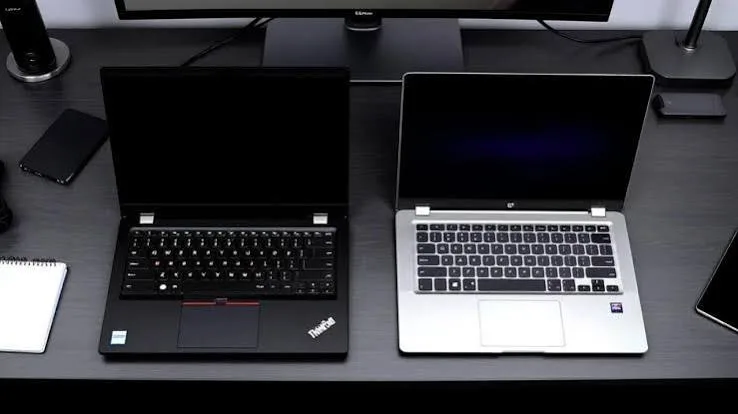
Remote work has moved from a pandemic-era exception to a genuine, permanent feature of how a significant share of Kenyans earn a living — whether that's working for an international company from Nairobi, freelancing on global platforms, or running a location-independent business. The laptop at the centre of this arrangement carries a genuinely different set of demands than an office-bound machine, because it has to perform reliably outside the predictable environment of a corporate office: unreliable WiFi, occasional power interruptions, video calls that reveal every performance stutter to a client or employer abroad, and long working days without the safety net of an IT department down the hall.
This guide walks through exactly what genuinely matters for remote work, and which specific configurations at City Gadgets Kenya are worth considering at different budgets.
What Genuinely Changes When You Work Remotely
It's worth being precise about how remote work's demands differ from a typical office laptop's requirements, because a lot of generic laptop advice doesn't account for these specifics.
Video calls are now a daily, often hours-long, activity. Video conferencing (Zoom, Google Meet, Microsoft Teams) is genuinely more demanding on a laptop's processor and webcam than most people expect, particularly when running alongside screen-sharing, a browser, and note-taking software simultaneously. A laptop that stutters or drops frames during calls creates a real, visible impression problem with international clients or employers who can't see the effort behind the screen — only the result.
Battery life becomes a genuine daily constraint, not an occasional inconvenience. Working from a café, a co-working space, or during a power interruption at home means your laptop's actual battery performance — not the manufacturer's optimistic marketing figure — determines whether you can complete your workday without scrambling for a socket.
You are your own IT department. Without a company technician to call, hardware reliability and getting genuine, honest information about a laptop's condition before you buy matters enormously more for remote workers than for someone whose employer replaces broken equipment without a second thought.
Time zone flexibility often means working outside standard hours. Many Kenyan remote workers serve clients or employers in the US, UK, or Europe, which means working early mornings or late evenings — often exactly when Kenya's power grid experiences its own fluctuations. A laptop's genuine battery health is a direct, practical safeguard against missing a client call because the power went out.
The Core Specification Priorities for Remote Work
Based on the realities above, here's how to prioritise, in order of genuine importance for remote work specifically:
- Webcam and microphone quality — often overlooked, but directly shapes how professional you appear on every single video call.
- Battery life and battery health — the single most remote-work-specific consideration on this list.
- WiFi connectivity strength — a laptop's WiFi antenna quality genuinely varies and affects your ability to maintain a stable video call.
- Processor and RAM sufficient for simultaneous video calls, screen sharing, and browser-based work tools — this is a genuinely higher bar than simple document editing.
- Portability, if you move between home, co-working spaces, or client sites regularly.
Video Call Performance: What Actually Matters
Most remote work software — Zoom, Teams, Google Meet, Slack huddles — runs comfortably on genuine Core i5 processors with 8GB RAM. Where laptops genuinely struggle is when video calls run alongside other demanding tasks: screen sharing a large spreadsheet, having a browser with fifteen tabs open, and a note-taking app running simultaneously. This is precisely the scenario where 16GB RAM configurations earn their price premium — not because video calling itself is demanding, but because remote work rarely happens with just one application open.
Webcam quality is worth checking specifically. Many older business laptops (particularly ThinkPads and EliteBooks from before 2018) have noticeably weaker built-in webcams than more recent models. If your remote work involves frequent client-facing video calls, it's worth prioritising a slightly newer configuration, or budgeting for an external USB webcam if you find an otherwise excellent laptop with a dated camera.
Battery Life: The Single Most Important Remote Work Consideration
This deserves its own dedicated section because it's genuinely the specification remote workers in Kenya most commonly underestimate. A laptop's advertised battery life (often "up to 10 hours" or similar) is measured under optimal, low-brightness, minimal-multitasking conditions that rarely match real remote work usage — video calls, screen brightness at a usable level, and multiple applications running simultaneously will reduce real-world battery life meaningfully below the marketing figure.
For refurbished laptops specifically, battery health is an additional variable beyond the original specification — a laptop's battery degrades with age and charge cycles regardless of how good it was when new. This is precisely why it's worth asking any refurbished seller directly about battery health before purchasing, rather than assuming the original specification still applies fully.
Business-grade laptops (ThinkPad, EliteBook, Latitude) often have a genuine advantage here over consumer laptops of the same era, because business laptop battery replacement is typically simpler and more standardised — a genuine practical benefit if your battery does eventually need replacing during your laptop's working life.
WiFi Connectivity: A Genuinely Underrated Factor
Not all laptops' WiFi hardware performs equally, even at the same advertised WiFi standard. Business laptops with more recent WiFi chipsets (WiFi 6 or WiFi 6E, found in many 10th generation Intel processor laptops and newer) genuinely handle weaker or more congested WiFi signals — common in Kenyan co-working spaces and shared apartment buildings — better than older WiFi 5 hardware. If your remote work is entirely dependent on video call stability, this is worth checking specifically rather than assuming all laptops perform equally on the same WiFi network.
Budget Tier Breakdown for Remote Work
Under KES 30,000: Functional Remote Work Basics
At this budget, a genuine Core i5 (6th-8th generation) with 8GB RAM and an SSD handles standard remote work — video calls, document editing, browser-based collaboration tools (Google Workspace, Slack, Notion) — comfortably. Battery health becomes a more important differentiator at this price point than raw specification, since you're often choosing between similar-generation processors.
Recommended: HP EliteBook 840 G3/G4 or Lenovo ThinkPad T460/T470.
KES 30,000–50,000: The Comfortable Remote Work Tier
This range genuinely opens up 16GB RAM configurations and 8th-10th generation processors, giving you comfortable headroom for the realistic multitasking that remote work demands — video calls alongside screen sharing, multiple browser tabs, and collaboration software running simultaneously.
Recommended: Lenovo ThinkPad T490s, Dell Latitude 7390, or HP EliteBook 830 G7.
KES 50,000–75,000: Premium Remote Work Configurations
At this tier, genuinely newer processor generations (10th-12th generation Intel), premium build quality, and often improved webcam and speaker quality become realistic — meaningful if your remote work involves frequent, high-stakes video calls with international clients or employers where presentation quality genuinely matters.
Recommended: Lenovo ThinkPad X1 Carbon, Dell XPS 13, or a refurbished MacBook Air/Pro.
Above KES 75,000: Maximum Remote Work Capability
This tier is genuinely worthwhile if your remote work involves demanding creative software alongside standard remote collaboration — video editing, design work, or software development requiring significant local processing power. Apple silicon MacBooks and top-tier Dell XPS or ThinkPad X1 configurations sit at this level.
Comparison Table: Remote Work Priorities by Laptop Type
| Laptop Type | Video Call Quality | Battery Life | Portability | Best For |
|---|---|---|---|---|
| Business ThinkPad/EliteBook (i5, 8GB) | Good | Good-to-excellent | Good | Standard remote admin/support roles |
| Business ThinkPad/EliteBook (i7, 16GB) | Very good | Good | Good | Multi-application remote work, project management |
| Lenovo ThinkPad X1 Carbon | Very good | Excellent | Excellent | Client-facing consultants, frequent travellers |
| Dell XPS 13 | Excellent | Very good | Excellent | Premium presentation-conscious remote workers |
| MacBook Air/Pro (Apple silicon) | Excellent | Excellent | Excellent | Creative remote work, cross-platform teams |
| HP Spectre X360 | Very good | Good | Very good | Remote workers who also present/annotate via touchscreen |
Working From Co-Working Spaces and Cafés in Kenya
If your remote work regularly happens outside your home — Nairobi's co-working spaces, cafés with WiFi, or shared workspaces in other Kenyan towns — a few additional considerations genuinely matter beyond the standard specification checklist:
Physical security matters more in shared spaces. A laptop with a Kensington lock slot (standard on most business laptops) lets you physically secure your device if you need to step away briefly — a genuine, low-cost protection many remote workers overlook until it's too late.
Screen privacy becomes relevant if you handle sensitive client information. If your remote work involves confidential documents or financial data, working in public spaces means considering a privacy screen filter — an inexpensive accessory that prevents onlookers from viewing your screen at an angle.
Charging flexibility matters when power outlets are scarce. Many co-working spaces have limited outlets during busy hours. A laptop with genuinely strong battery life reduces your dependency on finding a free socket, and USB-C charging (available on many newer business laptops) means you can potentially share a power bank or charger with other devices.
Internet Connectivity Realities for Kenyan Remote Workers
It's worth being honest about a factor that's genuinely outside your laptop's control but directly affects your remote work experience: Kenya's internet infrastructure, while genuinely strong in major urban centres, can still be inconsistent depending on your specific location and provider. A few practical considerations that pair with your laptop choice:
- Consider a laptop with an Ethernet port if you frequently work from a location with a wired connection option, since a direct cable connection is almost always more stable than WiFi for critical video calls.
- A mobile WiFi router or dongle as backup is worth budgeting for alongside your laptop purchase, so a home internet outage doesn't cost you a client meeting.
- Test your laptop's WiFi performance specifically in your usual working location before assuming a new laptop will perform identically to your previous one — building materials and router placement can affect signal strength differently between laptop models.
Comparing Windows, macOS, and ChromeOS for Remote Work
Most remote work laptops in Kenya's refurbished market run Windows, and for good reason — it offers the broadest compatibility with client-mandated software, corporate VPN tools, and industry-standard business applications. macOS, available through refurbished MacBooks, offers genuine advantages in battery efficiency and a smoother experience for creative software, but can introduce friction if your clients or employer specifically require Windows-only tools. ChromeOS laptops, while inexpensive, are genuinely more limited for remote work that requires offline access to full desktop software, local file management, or compatibility with anything beyond browser-based tools — worth avoiding unless your entire workflow is confirmed to run through a browser with reliable internet access at all times, which is a genuinely risky assumption given Kenya's occasional connectivity gaps.
Managing International Client Expectations with the Right Hardware
Remote workers serving clients or employers abroad — a genuinely large and growing segment of Kenya's remote workforce — face an additional, less obvious consideration: your hardware is part of how international clients assess your professionalism, even when they never explicitly comment on it. A laptop that visibly struggles during a screen share, that has a grainy or poorly-lit webcam feed, or that drops off a call due to overheating creates a subtle but real impression gap compared to a colleague working from more capable hardware elsewhere in the world. This isn't about needing the most expensive laptop available — it's about ensuring your hardware doesn't become an invisible tax on how your work is perceived, regardless of how good that work actually is.
Freelancing Platforms and Software Compatibility
If your remote work runs through freelancing platforms (Upwork, Fiverr, Toptal) or requires specific software your client mandates, it's worth confirming compatibility before purchasing:
- Adobe Creative Cloud software (Photoshop, Premiere, Illustrator) genuinely benefits from dedicated graphics and 16GB RAM if your freelance work involves design or video editing.
- Development environments and IDEs for software engineering freelancers benefit from the same 16GB RAM recommendation covered in our student and business guides, particularly if you run local servers or containers.
- Client-mandated software (some companies require specific VPN clients, security software, or remote desktop tools) should be checked for compatibility with your intended operating system before purchase, particularly if you're considering a Mac and your client's tools are Windows-specific.
Case Studies: Matching Real Kenyan Remote Work Profiles to Real Configurations
The customer support/virtual assistant remote worker. Typically handling email, chat support software, ticketing systems, and occasional video calls, this profile's software demands are genuinely modest. A HP EliteBook 840 G4/G5 or Lenovo ThinkPad T470 with 8GB RAM handles this workload comfortably, and the priority should be battery health and a comfortable keyboard for long typing sessions rather than raw processing power.
The remote software developer. This profile genuinely benefits from the 16GB RAM configurations discussed throughout our student and business guides, since running local development environments, containers, and multiple browser tabs simultaneously is a genuinely heavier daily load than most remote roles. A Lenovo ThinkPad T490s or X1 Carbon with a strong keyboard is worth prioritising given the hours of typing involved.
The remote content writer or researcher. Document-heavy work, extensive browser research, and reference management define this workflow. Screen quality genuinely matters more here than raw processing power, since hours of reading and editing text daily benefits from a comfortable, sharp display. A Dell Latitude 7390 or similar mid-tier premium configuration handles this well.
The remote digital marketer or social media manager. Juggling content creation tools, scheduling platforms, analytics dashboards, and light photo/video editing, this profile benefits from dedicated graphics and generous RAM. A HP Spectre X360 or refurbished MacBook Air suits this workload genuinely well.
The remote project manager or team lead. Constant video calls, screen sharing, project management software (Asana, Trello, Monday.com), and frequent context-switching between tools define this role. This is precisely the profile where 16GB RAM and a genuinely strong webcam matter most, since you're often the person leading calls rather than simply attending them. A Lenovo ThinkPad X1 Yoga or Dell XPS 13 configuration handles this comfortably.
Setting Up a Genuine Home Office Environment in Kenya
Your laptop is only one part of a genuinely productive remote work setup. A few complementary considerations that Kenyan remote workers frequently discover matter more than expected:
Lighting for video calls is worth genuine attention — a laptop's webcam, however good, cannot compensate for poor lighting. Position yourself facing a window or a light source rather than backlit against one, and consider a small, inexpensive ring light if your workspace lacks good natural light.
A dedicated, quiet workspace matters enormously for both call quality and your own focus. Background noise (traffic, generators, household activity) is picked up by even the best laptop microphone, and investing in a separate USB microphone or noise-cancelling headset is often a better solution than assuming a more expensive laptop will magically filter out ambient noise.
Backup power solutions are worth budgeting for alongside your laptop, given Kenya's occasional power interruptions. A UPS (uninterruptible power supply) unit or a reliable power bank capable of charging a laptop via USB-C can be the difference between finishing a client call gracefully and disappearing mid-sentence.
Internet redundancy — as mentioned earlier, a mobile data backup (a affordable data-only SIM or portable router) for when your primary connection fails is genuinely worth the modest monthly cost for anyone whose income depends on consistent connectivity.
Time Zone Considerations and Hardware Reliability
Many Kenyan remote workers serving international clients work during hours that don't align with Kenya's standard daytime — early mornings for US East Coast clients, or late evenings for US West Coast and Pacific clients. This has a genuine, often overlooked hardware implication: you're more likely to be working during hours when technical support (from your laptop seller, from your internet provider) isn't readily available if something goes wrong. This makes the reliability track record of business-grade laptops (ThinkPad, EliteBook, Latitude) genuinely more valuable for this specific working pattern than it might be for someone working conventional daytime hours with easy access to same-day support.
Tax and Business Registration Considerations for Kenyan Remote Workers
While not directly a laptop specification question, it's worth noting for remote workers new to freelancing or international remote employment: your laptop purchase may be a legitimate business expense depending on your tax registration status in Kenya. Keeping your purchase receipt and understanding your obligations under KRA's requirements for freelance or business income is worth a brief consultation with a tax professional, particularly if you're investing in a higher-tier configuration specifically to support your remote income.
A Note on MacBooks for Remote Work
Apple silicon MacBooks (M1 and later) have earned a genuinely strong reputation among remote workers specifically because of exceptional battery life and efficiency — a MacBook Air on Apple silicon can realistically deliver a genuine full working day of video calls and browser-based work on a single charge, which is a meaningful practical advantage for remote workers dealing with Kenya's occasional power interruptions. The trade-off is compatibility: if your employer or clients mandate Windows-specific software, or if you need to run certain business tools that don't have a genuine Mac equivalent, a Mac may introduce friction despite its hardware advantages. Weigh this honestly against your specific client requirements before choosing based on battery life alone.
How to Test a Laptop's Video Call Readiness Before Buying
If you're able to inspect a laptop in person, or via video call with the seller, before committing to purchase, a short practical test genuinely helps confirm it's suited to remote work:
- Open the webcam app and check image quality in typical indoor lighting, not perfect studio conditions — this reflects how you'll actually appear on calls from home.
- Test the built-in microphone by recording a short voice memo and playing it back, listening for clarity and background noise pickup.
- Run a real video call (even a test call to yourself on another device) while opening several browser tabs simultaneously, to see whether the laptop shows any lag or stuttering under realistic multitasking conditions.
- Check WiFi signal strength specifically in the room or space you'll typically work from, since laptop WiFi antenna quality genuinely varies and a laptop that struggles with your specific router setup will be a daily frustration.
- Ask about battery health directly, and if possible, watch the battery percentage drop over a short working session to get a rough sense of real-world endurance rather than relying solely on the original specification.
Red Flags Specific to Remote Work Laptop Purchases
Beyond the general red flags any laptop buyer should watch for, a few are particularly relevant for remote workers:
Vague or evasive answers about battery health. Since battery condition is arguably the single most important remote-work-specific factor, a seller who can't or won't discuss this directly is a genuine concern for this use case specifically, even if the rest of the listing looks reasonable.
No mention of webcam or microphone condition. These components are used constantly in remote work but rarely discussed in generic laptop listings written for general buyers. If you're specifically buying for remote work, it's worth asking directly rather than assuming these components are in good condition.
Unclear WiFi chipset generation. Given how much video call stability depends on WiFi hardware, a listing that doesn't specify or can't answer questions about WiFi generation (WiFi 5 vs WiFi 6) leaves you guessing on a genuinely important remote-work factor.
Frequently Asked Questions
What's the single most important laptop feature for remote work? Genuine, honestly-assessed battery health — more than any single specification, this determines whether you can complete a working day without anxiety about finding a power source, particularly during Kenya's occasional power interruptions.
Is 8GB RAM genuinely enough for remote work? For standard remote work — video calls, document editing, browser-based collaboration tools — yes, comfortably. If your work regularly involves screen sharing alongside multiple other applications, 16GB provides meaningfully more comfortable headroom.
Should I prioritise webcam quality when buying a laptop for remote work? It's worth checking, particularly if your role involves frequent client-facing video calls. Many older business laptops have noticeably weaker webcams than more recent models, though an external USB webcam is a low-cost fix if you find an otherwise excellent laptop with a dated camera.
Is a MacBook genuinely better than a Windows laptop for remote work? Not universally — MacBooks offer genuinely excellent battery life and efficiency, but compatibility with client-mandated software matters more for many Kenyan remote workers than the platform itself. Choose based on your specific client and software requirements.
Do I need a laptop with WiFi 6 for reliable video calls? It genuinely helps in congested or weaker WiFi environments (shared buildings, busy co-working spaces), though it's not strictly necessary if your usual working environment has strong, uncongested WiFi.
How do I check a refurbished laptop's battery health before buying? Ask your seller directly — reputable sellers, including City Gadgets Kenya, can confirm battery condition and are willing to discuss this openly before you commit to a purchase.
Is it worth buying a laptop with a longer battery life even if it costs more? For remote workers specifically, yes — the daily practical value of not worrying about power access is genuinely significant, and it's one of the clearest cases where a moderate price premium translates directly into daily quality of life.
Should I buy a separate webcam and microphone instead of relying on my laptop's built-in hardware? If your remote work involves frequent, high-stakes client calls, a modest investment in an external webcam and headset can genuinely improve your presentation quality more cost-effectively than upgrading to a significantly more expensive laptop purely for better built-in components.
Does screen size matter for remote work? A 13-14 inch screen is genuinely comfortable for most remote work and offers better portability if you move between locations; a 15-inch screen benefits those doing extensive spreadsheet or document comparison work but adds weight and reduces battery efficiency slightly.
Can I use a refurbished laptop for a corporate remote job that requires specific security software? Generally yes, provided the laptop meets your employer's minimum specification requirements (often stated in onboarding documentation) and has enough storage and RAM headroom to run mandated security or VPN software alongside your regular workload — confirm your employer's exact requirements before purchasing.
How often should I expect to replace a remote work laptop? A well-specified, business-grade refurbished laptop can realistically serve 3-4 years of consistent remote work use, provided battery health was genuine at purchase and the unit is looked after with the basic maintenance habits covered in our small business guide.
Is it worth buying two devices — a laptop and a tablet — instead of one higher-end laptop? For most remote workers, a single well-specified laptop covers the full range of remote work tasks more efficiently than splitting the budget across two devices. A tablet becomes a genuinely useful addition later, once your core laptop needs are already met, rather than a substitute for one.
Does the country my client or employer is based in affect what laptop I should buy? Not directly in terms of hardware specification, but it's worth considering time zone overlap when thinking about your working hours and, by extension, how much you'll depend on your laptop functioning reliably outside conventional Kenyan business hours when support may be less immediately available.
Balancing Cost Against Income: A Framework for Remote Workers
Because remote work income can vary — particularly for freelancers paid per project or per hour — it's worth thinking about your laptop budget in relation to your actual earning capacity rather than a fixed number pulled from a generic guide. A practical framework: if your laptop is the primary tool generating your income (as it is for virtually all remote work), treat the purchase as a genuine business investment rather than a personal expense to minimise. A laptop that reliably handles your workload without daily friction pays for itself many times over across a working year, simply through the hours of frustration and lost productivity it avoids. Conversely, there's genuinely no need to overspend on specifications your actual client work doesn't demand — the goal is matching the configuration to your real, current workload, with modest headroom for growth, not buying the most expensive option available as a hedge against uncertainty.
This is precisely why working through your actual software needs — video call frequency, whether you run local development tools, whether your work involves creative software — before setting a budget number produces a genuinely better outcome than starting from a price point and working backwards.
Find Your Remote Work Laptop at City Gadgets Kenya
Every laptop at City Gadgets Kenya is fully tested — including battery health — and backed by a genuine 6-month warranty. Browse the full laptops category or message us directly on WhatsApp and tell us about your remote work setup — video call frequency, software needs, and typical working environment — and we'll help you find a configuration that genuinely fits.








