
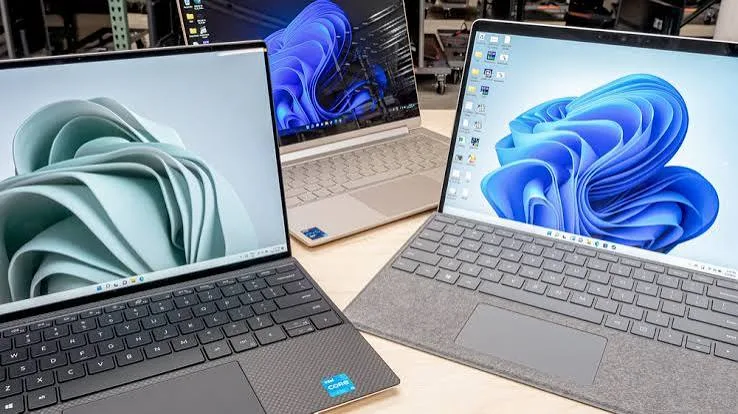
Graphic design is one of the few genuinely hardware-demanding professions covered across our buying guides — not because design software is inherently more complex than accounting or business software, but because it works with large image files, live-rendering effects, and multiple layers simultaneously, all of which place real, measurable demands on a laptop's processor, RAM, and graphics capability. This guide walks Kenyan graphic designers, whether freelance, agency-based, or running your own creative business, through exactly what genuinely matters, and which specific configurations at City Gadgets Kenya fit real design workflows.
Why Design Software Demands More From a Laptop
It's worth explaining precisely what makes design work genuinely different from typical office or business computing, because the specification gap between "adequate for browsing" and "adequate for design work" is larger than many first-time buyers expect.
Large, layered files consume significant RAM. A single Photoshop file with multiple layers, each potentially containing high-resolution image data, adjustment layers, and effects, can genuinely consume several gigabytes of RAM on its own — before you've even opened a second application. Working with multiple such files simultaneously, or alongside Illustrator and a browser for reference material, multiplies this demand quickly.
Live rendering and preview genuinely benefits from dedicated graphics. Applying filters, adjusting effects in real time, and working with video or animation elements in design software is processed meaningfully faster with a genuine dedicated graphics card than with integrated graphics alone — the difference shows up as visible lag versus smooth, instant feedback as you work.
Colour accuracy matters in a way it doesn't for other professions. A display that renders colours inaccurately means your design work may look different — sometimes significantly different — when viewed by a client on their own screen, or when printed. This is a genuine, practical concern that's largely irrelevant to accounting, business admin, or general student use.
Export and rendering times add up across a working day. Exporting high-resolution files, batch processing images, or rendering video content is a genuinely processor-intensive task where a stronger processor saves real, cumulative time across dozens of exports in a typical week.
The Core Specification Priorities for Graphic Design
Given these realities, here's the genuine priority order for design-focused laptop buying:
- RAM — 16GB should be treated as a realistic baseline, not an upgrade, given how quickly layered design files consume memory.
- Dedicated graphics (not integrated) — genuinely transforms the responsiveness of live effects, filters, and rendering compared to integrated graphics alone.
- Processor strength (Core i7 preferred) — matters for export speed and handling multiple large files simultaneously.
- Display quality and colour accuracy — a genuinely important, design-specific consideration covered in detail below.
- Storage capacity and speed — design files, especially with layered source files and exported assets, accumulate quickly; a fast SSD with generous capacity (512GB or more) is worth prioritising.
Understanding Dedicated vs Integrated Graphics for Design Work
This distinction is worth explaining clearly, since it's the single specification most likely to be misunderstood by design-focused buyers new to laptop shopping. Integrated graphics — built into the processor itself, found on most standard business and budget laptops — handle basic display output and light visual tasks adequately, but genuinely struggle with the live rendering, filters, and effects that design software applies constantly. Dedicated graphics — a separate graphics processor with its own memory, found on laptops like the HP ZBook, Dell Precision, HP Spectre X360, and Apple silicon MacBooks — genuinely transforms the responsiveness of design work, particularly in Photoshop, Illustrator, and any video or animation-adjacent design tasks.
Professional (Quadro/RTX A-series) vs consumer (GeForce/GTX) dedicated graphics is a further distinction worth understanding. Professional-grade graphics cards, found on workstation-class laptops like the ZBook and Precision lines, carry certified drivers specifically optimised for professional creative and technical software — genuinely beneficial if your design work extends into 3D rendering or technical illustration. For standard 2D graphic design work (Photoshop, Illustrator, InDesign), consumer-grade dedicated graphics (found on gaming-adjacent or premium consumer laptops) perform comparably well at a typically lower price point.
Budget Tier Breakdown for Graphic Designers
Under KES 35,000: Entry-Level Design Work
At this budget, dedicated graphics options are more limited, but a genuine Core i5 or i7 with 8-16GB RAM handles lighter design work — basic Photoshop editing, Canva-based design, and Illustrator work with modest file complexity — reasonably well on integrated graphics, provided you keep expectations realistic about live-rendering performance on complex files.
Recommended: HP EliteBook 840 G5/G6 with 16GB RAM if available, prioritising RAM capacity over graphics at this budget tier.
KES 35,000–55,000: Genuine Dedicated Graphics Territory
This range opens up real dedicated graphics options, which is where design work genuinely starts to feel notably smoother and more responsive.
Recommended: HP Spectre X360 with dedicated NVIDIA graphics, or entry-level HP ZBook configurations with Quadro graphics.
KES 55,000–90,000: Premium Design Configurations
At this tier, genuinely capable mobile workstation graphics (Quadro T1000 or similar) become realistic, alongside 16-32GB RAM configurations and newer processor generations — comfortable for serious daily professional design work, including light video editing.
Recommended: Dell Precision 5530/5540 or HP ZBook Studio/Power configurations.
Above KES 90,000: Professional and Apple Silicon Territory
This tier genuinely opens up the strongest available configurations in our catalog — top-tier Dell Precision workstations with RTX A-series graphics, or Apple silicon MacBooks, which have earned a particularly strong reputation among designers for their combination of colour-accurate displays and efficient creative software performance.
Recommended: Dell Precision 5570 (RTX A2000 configuration) or a refurbished Apple silicon MacBook Pro.
Comparison Table: Software vs Realistic Hardware Needs
| Design Software | Realistic RAM Need | Graphics Need | Notes |
|---|---|---|---|
| Canva, basic web-based design | 8GB | Integrated is fine | Genuinely lightweight, browser-based |
| Adobe Photoshop (moderate file sizes) | 16GB | Dedicated strongly recommended | Layered files are RAM-hungry |
| Adobe Illustrator | 8-16GB | Dedicated recommended | Vector work lighter than Photoshop, but complex files still benefit |
| Adobe InDesign (print layout) | 8-16GB | Integrated adequate for most work | Less graphics-intensive than Photoshop |
| Adobe Premiere Pro (video editing) | 16-32GB | Dedicated essential | Genuinely demanding; treat as a distinct category |
| 3D design/CAD-adjacent work | 16-32GB | Professional-grade (Quadro/RTX A) recommended | Certified drivers genuinely matter here |
Display Quality and Colour Accuracy: A Design-Specific Priority
This deserves detailed attention because it's genuinely unique to design work among the professions covered in our buying guides. A display's colour accuracy is typically described using colour gamut coverage (such as "100% sRGB" or "95% Adobe RGB") — figures that indicate how accurately and how broad a range of colours the screen can display compared to reference standards used in professional print and digital design.
Why this matters practically: if you design a logo or marketing material on a screen with poor colour accuracy, the colours may appear notably different when a client views the same file on their own, more accurate screen — or worse, when the design is printed. This can lead to genuine client dissatisfaction over what is, in reality, a display calibration issue rather than a design quality issue.
What to look for practically: premium consumer and workstation laptops (Dell Precision, HP ZBook, Dell XPS, MacBooks) generally offer meaningfully better colour accuracy than standard business laptops (EliteBook, ThinkPad, standard Latitude configurations), which are engineered primarily for text and document clarity rather than colour-critical work. If your design work is genuinely colour-critical — branding, print design, photography retouching — prioritising a laptop from these display-focused lines is worth the investment. If your design work is more layout and typography-focused (like basic social media graphics or document design), standard business laptop displays are often perfectly workable.
MacBooks and Graphic Design: An Honest Assessment
MacBooks have an genuinely strong, long-standing reputation in the design industry, and it's worth explaining why honestly rather than treating it as simply industry tradition. Apple's displays have historically offered strong colour accuracy out of the box, macOS has deep, longstanding integration with Adobe's Creative Cloud suite, and Apple silicon (M1 and later) delivers genuinely excellent performance-per-watt for creative software — meaning strong performance without the fan noise and heat that many Windows laptops generate under similar creative workloads.
That said, it's worth being balanced: modern Windows laptops with genuine dedicated graphics (the HP ZBook, Dell Precision, and Dell XPS lines covered throughout this guide) are entirely capable of professional design work, often at a more accessible price point in the refurbished market than an equivalent-generation MacBook. The choice between the two genuinely comes down to your existing software ecosystem, any client or agency requirements, and personal workflow preference rather than an objective performance gap in either direction for standard 2D design work.
Storage Considerations for Design Work
Design files accumulate quickly — source files with multiple layers, exported assets in various formats and resolutions, and often archived client work that you're expected to retain for months or years. A few practical storage considerations:
512GB should be treated as a comfortable minimum for active professional design work, with 1TB configurations worth considering if you retain extensive client archives locally rather than relying entirely on cloud or external storage.
SSD speed genuinely affects daily workflow, particularly when opening and saving large layered files repeatedly throughout a working day — this is one area where the difference between storage types is immediately, tangibly noticeable rather than a marginal specification difference.
External storage is a sensible complement, not a replacement, for archiving completed client projects — keeping your primary drive focused on active work while moving completed projects to external or cloud storage keeps your laptop responsive over its working life.
Recommended Models by Design Specialisation
Social Media and Digital Content Designers
If your work is primarily social media graphics, basic photo editing, and content creation for platforms like Instagram and TikTok, the HP Spectre X360 offers genuine dedicated graphics with the added flexibility of a convertible touchscreen for direct annotation and sketching.
Branding and Print Designers
For designers working on branding, packaging, and print-ready materials where colour accuracy genuinely matters for client deliverables, a Dell Precision 5530 or refurbished MacBook Pro offers the display quality this work demands.
Illustrators and Digital Artists
If your work involves extensive touchscreen or pen-based illustration, the genuine convertible touchscreen functionality of the HP EliteBook X360 or Lenovo ThinkPad Yoga lines provides a more natural drawing experience than a fixed-form laptop, though a dedicated drawing tablet remains the professional standard for serious illustration work.
Video Editors and Motion Graphics Designers
This is genuinely the most hardware-demanding design specialisation, benefiting from the strongest available graphics and RAM configurations in our catalog. A Dell Precision 5570 with RTX A2000 graphics, or a top-tier refurbished MacBook Pro with Apple silicon, handles video editing workloads meaningfully better than standard business or entry-level design configurations.
Case Studies: Matching Real Kenyan Design Profiles to Real Configurations
The freelance social media designer serving Nairobi small businesses. Producing Instagram graphics, WhatsApp status content, and basic promotional materials for multiple small business clients, this profile's software demands sit at the lighter end of the design spectrum — mostly Canva and moderate Photoshop or Illustrator work. A HP Spectre X360 with dedicated graphics handles this comfortably while offering the touchscreen flexibility useful for client presentations and quick sketched concepts.
The branding agency designer. Working on logo design, brand guidelines, and print-ready packaging materials where colour accuracy genuinely matters for client sign-off, this role benefits from the display quality discussion covered above. A Dell Precision 5530 or refurbished MacBook Pro serves this work well, since client-facing colour accuracy directly affects professional credibility.
The freelance YouTube and content creator video editor. Editing longer-form video content, often with multiple effects layers and higher resolution footage, this is genuinely the most demanding design-adjacent profile covered in this guide. A Dell Precision 5570 with RTX A2000 graphics, or a MacBook Pro with Apple silicon, provides the processing and graphics headroom this work genuinely requires.
The print shop layout designer. Working primarily in InDesign for brochures, business cards, and print materials, this role's graphics demands are genuinely lighter than Photoshop-heavy work, though large, image-rich print layouts still benefit from solid RAM. A HP EliteBook 840 with 16GB RAM handles this comfortably without needing dedicated graphics as a strict requirement.
The university design student. Balancing coursework across Photoshop, Illustrator, and occasionally basic 3D or motion graphics assignments, this profile benefits from a middle-tier configuration that won't need replacing partway through a degree programme. A HP ZBook entry configuration or a well-specified HP Spectre X360 offers genuine headroom for coursework that grows more demanding across a design programme.
Understanding GPU Memory (VRAM) and Why It Matters for Design Work
Beyond simply having "dedicated graphics," the amount of dedicated video memory (VRAM) on a graphics card genuinely affects how large and complex a file it can handle smoothly. A 2GB dedicated graphics card handles moderate design work adequately, but genuinely struggles with very large, high-resolution files or multiple simultaneous effects layers compared to a 4GB or 8GB configuration. For designers working primarily with web-resolution graphics and moderate file sizes, 2-4GB VRAM is generally sufficient. For those working with high-resolution print files, complex multi-layer compositions, or video editing, 4GB or more genuinely becomes worth prioritising — this is precisely why our Precision 5570 recommendation with its 8GB RTX A2000 configuration is flagged throughout this guide as the strongest available option for the most demanding creative work in our catalog.
Working From Home vs Studio/Agency Environments
Where you primarily work shapes a few practical considerations beyond the core specification discussion. Freelance designers working from home in Kenya should factor in the same battery and power-reliability considerations covered in our remote work guide, since creative software genuinely draws more power than typical office applications, meaning battery life estimates should be adjusted downward from manufacturer figures more aggressively than for lighter workloads. Agency-based designers working primarily from a fixed desk can prioritise raw performance over battery life and portability, since an external monitor and reliable mains power are typically available throughout the working day — this shifts the calculus toward prioritising the strongest available processor and graphics configuration within budget, since portability becomes a secondary consideration.
Client File Compatibility and Cross-Platform Considerations
A practical consideration Kenyan designers frequently encounter: clients and collaborators may use different software versions or platforms than you do, which can affect font rendering, colour profiles, and file compatibility regardless of your laptop's hardware specification. A few practical habits help here: always confirm which Adobe Creative Cloud version a client or collaborator uses, since significant version gaps can occasionally cause compatibility issues with certain file formats or features; and where possible, export final deliverables in widely compatible formats (PDF for print-ready work, PNG or JPEG for web graphics) rather than assuming a client has the same design software installed to open your native working files.
Full Comparison Table
| Model Family | Typical Budget Range | Best Suited For | Key Strength |
|---|---|---|---|
| HP EliteBook (16GB, integrated graphics) | KES 30,000–45,000 | Light design, Canva, Illustrator | Accessible entry point |
| HP Spectre X360 | KES 40,000–65,000 | Social media, digital content design | Dedicated graphics + touchscreen |
| HP ZBook / Dell Precision (entry) | KES 47,000–70,000 | Branding, moderate Photoshop work | Certified professional graphics |
| Dell Precision 5570 (RTX A2000) | KES 100,000+ | Video editing, heavy creative work | Flagship graphics performance |
| MacBook Air/Pro (Apple silicon) | KES 65,000–140,000+ | Cross-platform creative, Adobe-heavy work | Colour accuracy, efficiency |
Common Mistakes Design-Focused Buyers Make
Assuming any laptop with "good specs" handles design work well. As covered throughout this guide, dedicated graphics and RAM matter in ways that don't necessarily show up in generic "good laptop" advice focused on business or student use.
Ignoring display colour accuracy entirely. For colour-critical design work, this is a genuine, practical consideration that's easy to overlook when focusing purely on processor and RAM specifications.
Underestimating storage needs. Design files, especially layered source files retained for client revisions, accumulate faster than most buyers expect — running out of storage space mid-project is a genuinely avoidable frustration with better upfront planning.
Overspending on gaming-oriented graphics when professional-grade would serve better (or vice versa). Gaming laptops with strong consumer GPUs handle most 2D design work well and are often more affordable than professional workstation lines, but if your work extends into CAD-adjacent 3D or technical illustration, genuine Quadro/RTX A-series certified drivers offer real, specific benefits worth the price premium.
Red Flags Specific to Buying a Design-Focused Laptop
Beyond general refurbished laptop red flags, a few matter specifically for design-focused purchases:
Vague claims about "dedicated graphics" without specifying the actual GPU model. "Has graphics card" without naming the specific model (Quadro P1000, GeForce GTX 1650, RTX A2000, etc.) makes it impossible to genuinely assess whether the configuration suits your software needs — always ask for the exact GPU model.
No mention of display colour gamut or panel type for colour-critical work. If colour accuracy genuinely matters for your work, a seller who can't discuss display quality specifics beyond "good screen" leaves you unable to make an informed decision.
Unclear VRAM (graphics memory) specification. As covered above, the amount of dedicated video memory affects real-world performance on complex files — a listing that names a GPU without specifying VRAM capacity is missing a genuinely important detail.
How to Test a Laptop's Design Performance Before Buying
If you can test a unit in person or via video demonstration before purchase, a few practical checks help confirm genuine suitability for design work:
- Open a moderately complex layered file (or ask the seller to demonstrate) in Photoshop or a similar program, and observe how responsively the laptop handles zooming, panning, and applying a filter.
- Check the display at an angle, since colour and brightness consistency across viewing angles is a genuine indicator of display quality relevant to design work.
- Test export or render speed with a sample file, if possible, to get a realistic sense of how long routine exports will take in your actual daily workflow.
- Confirm the exact GPU model and VRAM directly with the seller, cross-referencing against the software-specific guidance covered throughout this guide.
Frequently Asked Questions
Do I genuinely need dedicated graphics for graphic design, or is integrated graphics enough? For basic, layout-focused design work (Canva, simple Illustrator projects), integrated graphics with sufficient RAM is workable. For serious Photoshop work, video editing, or any live-rendering-heavy workflow, dedicated graphics makes a genuine, noticeable difference in responsiveness.
Is a MacBook genuinely better than a Windows laptop for graphic design? Not objectively better for all design work — MacBooks offer strong colour accuracy and efficient performance, but well-specified Windows laptops with dedicated graphics (HP ZBook, Dell Precision, Dell XPS) are entirely capable of professional design work, often at a more accessible price in the refurbished market.
How much RAM do I genuinely need for Photoshop work? 16GB should be treated as a realistic baseline for comfortable Photoshop use with layered files; 8GB will work for lighter, less complex files but shows genuine strain as file complexity grows.
Is a workstation laptop (ZBook, Precision) overkill for basic graphic design? If your work is genuinely light — social media graphics, basic layout work — a workstation-class laptop is more specification than you strictly need, though the build quality and display options can still be worthwhile if your budget comfortably allows it.
Does screen size matter for graphic design work? Larger screens (15-16 inch) genuinely help for detailed design work, giving more visible canvas space for layered files and toolbars, though 13-14 inch configurations remain workable if portability is a higher priority for your specific workflow.
Should I buy a touchscreen laptop if I do illustration work? A touchscreen convertible offers a more natural sketching experience than a fixed-form laptop, though serious illustrators typically still prefer a dedicated drawing tablet with a pressure-sensitive pen for professional-quality digital illustration.
Can I do video editing on a standard business laptop? Basic, short-form video editing is workable on a well-specified business laptop with 16GB RAM, but genuinely demanding video work (4K footage, complex effects, longer projects) benefits substantially from dedicated graphics and the higher RAM configurations covered in the premium tiers of this guide.
How much does GPU memory (VRAM) genuinely matter compared to system RAM? Both matter for different reasons — system RAM affects how many applications and how large a file you can work with smoothly overall, while VRAM specifically affects how well the graphics card handles rendering complex visual effects and large image data. For serious design work, both deserve attention rather than focusing on just one.
Is it worth buying a refurbished workstation laptop (ZBook, Precision) versus a new consumer laptop with similar specs? Often yes — a refurbished workstation-class laptop typically offers stronger build quality, a better display, and certified professional graphics drivers at a similar or lower price than a new consumer laptop with comparable raw specifications, provided you're buying from a seller who genuinely tests units before sale.
Do I need a graphics tablet in addition to a touchscreen laptop for illustration work? For casual sketching and quick concept work, a touchscreen convertible's built-in pen support is genuinely useful. For serious, detailed digital illustration, most professional illustrators still prefer a dedicated pressure-sensitive graphics tablet for the finer control it offers over a touchscreen alone.
What's the realistic lifespan of a laptop used for professional design work? A well-specified workstation-class laptop can realistically serve 4-5 years of professional design use before genuinely needing replacement, though software demands in creative fields tend to grow faster than in accounting or general business use, meaning design professionals may want to reassess their hardware slightly more frequently than other professions covered in our guides.
Get the Right Design Laptop at City Gadgets Kenya
Every laptop at City Gadgets Kenya is fully tested — including dedicated graphics function where applicable — and backed by a genuine 6-month warranty. Browse the full laptops category or message us directly on WhatsApp, and tell us which design software you use most — we'll help you find a configuration with genuinely enough graphics power and RAM for your specific creative workflow.








