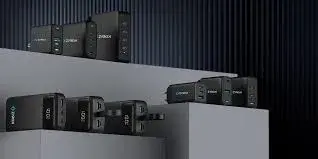
Look at charger listings today and you will see "GaN" everywhere: GaN 65W, GaN 100W, GaN III, GaNPrime. The word has become a marketing label, stuck on everything from reputable chargers to anonymous plastic boxes with no safety markings. Some of what the label promises is real: GaN chargers can be smaller, cooler and more efficient than older designs. Some of it is not: GaN does not make a charger faster by itself, and a cheap charger with a "GaN" sticker is not automatically good. This guide to the best GaN charger in Kenya explains the technology in plain language, shows how to pick the right wattage and ports for your phone, tablet and laptop, covers the CMF 100W GaN charger and the compact Anker options we stock, and shows how to avoid fakes.
We are City Gadgets Kenya, at New Alnoor Exhibition, Second Floor, Shop C7, Accra Road, Nairobi CBD, with same-day delivery in Nairobi and next-day delivery outside Nairobi. Specifications are per the makers or retailer listings, and we confirm details per unit. Prices change, so message us on WhatsApp for today's price.
The short version
- GaN (gallium nitride) is a semiconductor material that wastes less energy as heat than silicon in chargers, which lets makers build smaller, cooler high-power chargers.
- GaN does not make charging faster by itself. Speed comes from watts, standards and your device.
- A good GaN charger is mainly about convenience: one small adapter for a phone, tablet and laptop.
- Check the ports and power sharing. A "100W" multi-port charger shares its power across ports.
- Beware of fakes. Some cheap chargers carry a GaN label with silicon parts inside, inflated wattage and no safety protections.
| CMF Power 100W GaN | Anker Nano 45W | |
|---|---|---|
| Output | Up to 100W | Up to 45W PD, PPS |
| Best for | Laptops plus phones and tablets | Phones, tablets and light laptops |
| Ports | Multiple, power shared | One USB-C port, we confirm per unit |
| Size idea | Compact for 100W | Very compact |
Figures are per the makers or retailer listings, and we confirm the exact model, port layout and what is in the box per unit.
What is GaN?
Every charger converts mains electricity (240 V alternating current in Kenya) to the low, steady voltage your device needs. Inside, transistors switch the current on and off thousands of times per second. For decades, those transistors were made of silicon. Gallium nitride (GaN) is a different semiconductor material with properties that suit this job better.
Here is the idea in everyday language. Switching wastes a little energy each time, and it comes out as heat. GaN switches faster and with lower losses than silicon. That has three consequences:
- Less heat for the same power, so the charger runs cooler.
- Smaller parts. Faster switching allows smaller transformers and capacitors, so the whole charger can be smaller.
- Higher efficiency, which means a little less wasted electricity.
That is why a 65 W or 100 W GaN charger can be roughly the size of an older 20 W phone charger, depending on the design. Not every GaN charger is tiny, and not every small charger is GaN.
GaN versus silicon: an honest comparison
| Older silicon charger | GaN charger | |
|---|---|---|
| Size for high wattage | Larger | Smaller |
| Heat | Warmer | Often cooler |
| Efficiency | Good | Often better |
| Cost | Often lower | Often higher |
| Safety | Depends on design and quality | Depends on design and quality |
The last row is the important one. The material does not make a charger safe. Design, components, protection circuits and testing do. A badly built GaN charger can be worse than a well-built silicon one.
Generations: GaN I, II, III and marketing names
Makers talk about "generations" of GaN, such as GaN II or GaN III, and brand names such as GaNPrime. Newer generations generally mean further improvements in efficiency, size or thermal control, but the labels are not standardised across brands, so treat them as a clue, not a guarantee. Compare real specifications: output, ports, size, certifications and reviews.
Do you need GaN?
You do not need GaN to charge a phone. A basic 15 W or 25 W charger does the job. GaN earns its place when you want:
- A single charger for several devices, including a laptop.
- A small, light charger for travel or a work bag.
- A cooler charger left running on a desk or in a bag.
- High wattage without the brick.
If you only charge one phone at 15 or 25 W, a standard original charger is fine. If you carry a laptop, tablet and phone, a good GaN charger is a real convenience. Our fast charger guide explains the standards in more detail.
Choosing the wattage
Wattage should match your biggest device, plus a little spare if you charge several things at once.
| Biggest device | Suggested charger |
|---|---|
| Phones and earbuds only | 20 to 30 W |
| Phone and tablet | 30 to 45 W |
| Small ultrabook | 45 to 65 W |
| Standard thin laptop | 65 to 100 W |
| Powerful laptop | 100 W or more |
These are broad ranges. Your laptop's original charger label shows its rated power, often 45 W, 65 W or more. If your laptop charges over USB-C, a charger at or above that wattage is usually fine. If your laptop needs 140 W or more, a 100 W charger will charge it slowly or only while idle.
Do not buy more than you will use. A 100 W charger is a good all-rounder for a laptop user. For phones only, it is overkill.
Single-port and multi-port GaN chargers
Single-port
Simple, small and cheap. The Anker Nano 45W (model A2692, per retailer listings) offers up to 45 W through USB-C Power Delivery with PPS support, per a retailer listing. It is the sort of charger you drop into a bag.
Multi-port
Two or three ports let you charge a laptop, a phone and a tablet together. But power is shared. The CMF Power 100W GaN charger is designed to charge more than one device at once, with total power shared across ports, per the product page. When you plug in several devices, each may charge more slowly than it would alone.
What to ask: how is the total power divided when two ports are used? For example, some chargers deliver the full wattage to one port when it is the only one in use, and split it between ports otherwise, such as 65 W plus 30 W from a 100 W unit. The exact split varies by design. We confirm the layout per unit.
Ports: USB-C and USB-A
Modern devices mostly use USB-C. A USB-A port is useful for older cables and accessories, but USB-A ports generally charge more slowly. Most people prefer a charger with two USB-C ports or one USB-C and one USB-A.
CMF Power 100W GaN charger
The CMF Power 100W GaN charger is a compact, high-power wall charger from CMF by Nothing, built to charge phones, tablets and laptops, per the product page.
Good for:
- Students and professionals who travel with a laptop and phone.
- Owners of USB-C laptops that accept up to 100 W.
- Anyone who wants to replace several chargers with one.
- People who prefer a compact, cooler-running charger.
Things to know:
- Check your laptop's charging requirement. Many USB-C laptops charge at 65 W to 100 W, but some need a specific charger or a higher wattage, and some do not charge over USB-C.
- Power is shared across ports, so charging a laptop and a phone together may slow one or both.
- A suitable USB-C cable is needed for higher power. A cable rated for at least 60 W is needed for most laptops, and for more power a 100 W or 240 W rated cable. See our USB-C cable guide.
- We confirm the exact port layout and the power split per unit.
Anker Nano Charger 45W
Anker's Nano range is built to be small. The Nano 45 W (A2692) supports USB-C Power Delivery, with voltage steps of 5 V, 9 V, 12 V, 15 V up to 3 A and 20 V at 2.25 A, and PPS up to 45 W, per retailer listings of Anker's specifications. Some packages include a USB-C to USB-C cable. We confirm whether a cable is included, and details of the internal construction, per unit.
Good for:
- Samsung and Android users who want the fastest charging their phone supports.
- iPhone and iPad owners who want quick charging from a small adapter.
- Students and travellers with a light USB-C laptop.
Things to know:
- Heavier laptops needing 65 W or more will charge slowly or may not charge.
- It is a single-port design, and we confirm that per unit.
Samsung chargers, for comparison
Original Samsung 15 W, 25 W and 45 W adapters are excellent for Galaxy phones and tablets. They are not marketed as GaN, and for a phone you do not need GaN. If you only charge a Samsung phone, an original adapter may be all you need. See our Samsung charger guide.
Size, weight and heat: what to expect
A good GaN charger is noticeably smaller and lighter than the old silicon bricks of the same power, but it is not magic.
- Size. A 65 W GaN charger can be about the size of a small matchbox-style block, plus folding pins. A 100 W unit is larger, with a flatter shape in many designs. We confirm dimensions per unit.
- Weight. Lighter than old bricks, but do not expect a feather. A charger that feels almost weightless for its power is suspicious.
- Heat. GaN chargers run cooler for the same power, but at full load they still get warm. Warm is normal. Too hot to touch for more than a few seconds is not.
- Placement. Do not bury a charger under blankets, in a closed bag or under a laptop that is also hot. Let the air move.
GaN and the laptop: a worked example
Suppose you own a thin laptop whose original charger is rated 65 W, and a phone that fast-charges at 25 W. You want to carry only one charger.
- A 65 W single-port charger will charge the laptop at full speed, and the phone at its maximum when used alone.
- A 100 W multi-port charger will charge the laptop at full speed alone. With both connected, the power is shared, and each might get less than its maximum, but the total fits within 100 W. For example, a split such as 65 W to the laptop and 30 W to the phone would satisfy both, though the actual split depends on the charger's design.
- A 45 W charger will charge the phone fully and the laptop slowly, and while you work the laptop may drain or hold steady.
Our arithmetic: 65 W + 25 W = 90 W, within 100 W. That is why a 100 W multi-port charger suits a laptop-and-phone traveller. These are our examples, not specifications for any model.
Laptops: when a GaN charger cannot help
Not every laptop charges over USB-C. Many business ultrabooks do, and some gaming laptops, workstations and older laptops use a proprietary round or rectangular connector. Those need their original charger. If your laptop does have a USB-C charging port, check that it supports Power Delivery charging, not only data. The label on your original charger and the laptop's specification page tell you. Tell us your laptop model on WhatsApp and we will confirm. For a complete desk, see our home office setup guide.
Cables: the forgotten half
A 100 W charger needs a cable that can carry the current. Cables are rated by the power they can carry: 60 W cables carry up to 3 A at 20 V, and 240 W cables use 5 A at 48 V, per the USB-C specification. Cheap cables may not carry high power, and may overheat. Pair the CMF 100W with a cable rated for the power your laptop needs. Anker's 322 USB-C to USB-C cable (3 ft, 60 W) suits phones, tablets and many small laptops, and the Anker 240 W cable (6 ft) suits high-power laptops, per Anker. Our USB-C cable guide goes through the ratings.
Travel with a GaN charger
GaN chargers are made for travel.
- One charger instead of three reduces weight and clutter.
- Check the plug fit. Kenya uses the three-pin Type G plug at 240 V. If you travel to countries with other sockets, you need a plug adapter. Most modern chargers accept 100 to 240 V, but check the label, and never use a charger that is not rated for the local voltage.
- Use a good adapter. Cheap plug adapters can be loose and heat up.
- Carry the right cables, including a longer one for hotel sockets.
- Pack carefully. Do not let pins press against other items.
- Check airline rules for chargers and power banks. Chargers are generally fine in hand or checked luggage, but power banks have limits. See our power bank capacity guide.
Surge protection and power quality
Power surges and unstable voltage are real in Kenya. A GaN charger is still electronics, and a surge can destroy it. Use a surge-protected extension for expensive chargers, and unplug in storms. If your area has frequent outages, a UPS for desk equipment protects computers and routers. Read our articles on power surges and AVR in Kenya and UPS VA vs watts.
Power budgeting for a charging station
If you want one charger to run a whole desk, add up what your devices draw at the same time, and compare with the charger's total.
| Device | Typical draw while charging (example) |
|---|---|
| Phone | 15 to 25 W |
| Tablet | 15 to 30 W |
| Earbuds case | 3 to 5 W |
| Smartwatch | 2 to 5 W |
| Thin laptop | 45 to 65 W |
Example: a laptop at 65 W, a phone at 25 W and earbuds at 5 W add up to 95 W. A 100 W charger is just enough if it can divide the power that way across its ports. If you also add a tablet at 20 W, the total is 115 W, which exceeds 100 W, so something will charge more slowly. These figures are illustrative examples we chose for the arithmetic, not specifications of any device. Your devices' real draw is on their chargers' labels.
Remember that devices rarely draw their maximum all the time. A laptop charging while idle takes less than one that is working hard, and a phone slows as it fills. In practice, a charger slightly under the sum of maximums usually copes, but do not count on it for demanding loads.
Newer standards: PD 3.1 and higher wattages
USB Power Delivery 3.1 raised the ceiling to 240 W using 28 V, 36 V and 48 V steps, per the USB-C standard, which is why 240 W cables exist. A few chargers now offer 140 W for large laptops. These are niche: most users are well served by 45 to 100 W. If you own a high-power laptop that needs 140 W or more, check that the charger supports the extended power range and that your cable is rated for it. The Anker 240 W cable in our range is rated for the highest USB-C power, per Anker. Always confirm that both the charger and the device support the same standard.
Standby power and the environment
A charger left plugged in with nothing attached still draws a very small amount of power. Efficient designs, including good GaN chargers, reduce this waste, but unplugging unused chargers or using a switched extension is an easy habit. When a charger fails, take it to an e-waste collection point instead of throwing it in the bin. Replacing five cheap chargers over three years is wasteful and often costs more than buying one good charger once.
Kids, schools and shared homes
Chargers are mains-powered devices, and children should not handle them unsupervised. Use sockets with safety shutters where available, keep chargers off the floor, and avoid long dangling cables. In a shared home, label chargers or use a charging station so nobody picks up the wrong one. A multi-port charger in a common area keeps cables tidy and reduces the number of plugs in use.
Buying for an office or a team
Organisations that buy chargers for staff should consider:
- A standard model so spares work for everyone.
- Enough wattage for the laptops in use, checked against their original chargers.
- A tested cable for each charger.
- Surge protection at each desk or per cluster of desks.
- A trial unit before ordering in bulk.
- Warranty terms in writing, with receipts kept together.
- Labelling by owner or asset tag.
Message us on WhatsApp with your quantities and laptop models, and we will advise on availability and delivery.
How to test your new charger sensibly
When you buy a charger, do a simple check at home so you know it is working properly.
- Check the box contents against the listing: charger, cable if promised, any manual.
- Plug into a good socket and connect the device you bought it for, using a cable rated for the power.
- Look for the fast-charging indicator on your phone or laptop, which many devices show on screen. Names vary.
- Check the charge rate after ten minutes. Battery percentage should climb noticeably faster than with your old slow charger. Many devices also show estimated time to full.
- Feel for heat after half an hour. Warm is normal. Very hot, or any smell, buzzing or sparks, means unplug it and contact us.
- Try each port on a multi-port charger, with one device at a time and then two together, to see the power sharing for yourself.
- Keep the receipt and test early, while any return or warranty window is open.
If something feels wrong, bring the charger, the cable and the device to us at Shop C7 and we will test the combination. Often the fault is the cable, not the charger.
What GaN is not: realistic expectations
A GaN charger will not repair a worn-out battery, will not speed up a phone beyond its limit and will not protect against a bad power supply by itself. It will give you a small, efficient, high-power adapter that can reduce what you carry. Used with a good cable, a suitable device and a surge-protected socket, it is a pleasant upgrade. Bought as an unbranded bargain, it can be a hazard. Choose the brand and the seller as carefully as the technology.
GaN chargers and phones with special charging systems
Some phone makers use their own fast-charging systems that work best with their own chargers. A GaN charger with USB-C PD will usually charge such phones, but may not reach the maker's top proprietary speed. Samsung phones, for example, reach their fastest speeds with PPS support, which charger listings such as the Anker Nano 45W describe, per retailer listings. If you own a phone that advertises a very high proprietary charging speed, check the maker's recommended charger and ask us whether a standard PD charger will match it. In most cases a good PD charger charges well, but the very fastest proprietary speeds may need the original adapter.
Common GaN myths
"GaN charges faster." No. Speed comes from watts and standards. GaN helps the charger be smaller and cooler at those watts.
"GaN chargers never get hot." They run cooler, but warm under load.
"Any charger labelled GaN is good." The label is not certification. Check the brand, ratings and markings.
"A bigger wattage always charges my phone faster." Not beyond the phone's limit.
"GaN damages batteries." No. The battery is protected by the phone and charger together.
"I need a 100 W charger for my phone." No. A phone-only user rarely needs more than 25 to 45 W.
"GaN chargers are always expensive." They cost more than basic chargers, but prices vary by brand and power.
Common mistakes when buying a GaN charger
- Buying on the word "GaN" alone.
- Buying a wattage your laptop does not need, or too little for the laptop you have.
- Forgetting power sharing on multi-port chargers.
- Ignoring the cable rating.
- Buying from a stall with no receipt or warranty.
- Trusting inflated claims such as "200 W" on a pocket-sized unit.
- Using it with a laptop that does not charge over USB-C.
- Ignoring the plug fit.
- Skipping surge protection.
- Not checking certifications.
Example scenarios
These are illustrative scenarios, not customer records.
The consultant. They carry a thin laptop, a phone and earbuds. One 100 W GaN charger and two cables replace three chargers.
The student. They have a USB-C ultrabook and a phone. A 45 W Anker Nano with a good cable is enough, and cheaper than a 100 W unit.
The remote worker with a desk. They keep a 100 W charger permanently at the desk and plug in laptop, phone and tablet. They use a surge-protected extension.
The Samsung user. They only charge a Galaxy phone. A genuine Samsung 25 W adapter is all they need.
Questions to ask any seller before you pay
- Is this a genuine product, and is the box sealed?
- What is the exact model and maximum output?
- How is power shared between ports?
- Is it suitable for my laptop and phone?
- Is a cable included, and what is its rating?
- Does it carry certification marks?
- Is the plug type correct for Kenyan sockets?
- What warranty applies, and who services it?
- Will I get a receipt?
How to spot a fake GaN charger
"GaN" is an easy label to counterfeit. A fake may contain old silicon parts, claim wattage it cannot deliver or lack protection circuits. Use these ten checks together.
- Check the weight. A genuine GaN charger is lighter than an old brick of the same power, but it still has weight. A charger that feels hollow, especially with a high wattage claim, is a red flag.
- Check the label. It should show brand, model number, input 100–240 V, output steps and certification marks. The listed voltage and current should add up to the claimed wattage. For example, 20 V at 5 A is 100 W.
- Check for absurd claims. A pocket-sized charger claiming 200 W or more with a tiny price is not credible.
- Check the packaging. Genuine boxes have sharp printing and accurate model names. Spelling mistakes and blurry logos are warnings.
- Check the model number on the maker's website.
- Check the pins and plug. They should be firm, well made and fit a Kenyan socket snugly.
- Check the build. Seams should be tight, ports clean and aligned.
- Test with your devices. The phone and laptop should show appropriate charging behaviour, and the charger should be warm, not very hot.
- Check the seller and warranty. A genuine seller has a shop address, gives a receipt and states the warranty period.
- Check the price. A price far below normal for a branded high-wattage charger is a red flag.
If you are unsure, bring the charger to New Alnoor Exhibition, Second Floor, Shop C7, Accra Road, and we will help you check it.
Why buy your GaN charger from City Gadgets Kenya
- Genuine products from CMF, Anker and Samsung, checked before they reach you.
- A real shop at New Alnoor Exhibition, Second Floor, Shop C7, Accra Road, Nairobi CBD, opening from 9:00 AM.
- Same-day delivery in Nairobi and next-day delivery outside Nairobi.
- M-Pesa payment and clear receipts.
- Honest advice, including telling you when you do not need GaN.
- Compatibility checks. Tell us your laptop and phone and we will confirm the right charger.
- Cables, hubs and power banks in our accessories category.
- Support and repairs through our repair service.
- Trade-ins through our sell page.
- WhatsApp help on +254745575931.
Your GaN charger checklist
- I know the rated charging power of my laptop, phone and tablet.
- I chose a wattage that covers my biggest device.
- I checked how power is shared between ports.
- I have cables rated for the power I need.
- The plug fits Kenyan sockets.
- I checked the label, weight and box for signs of a fake.
- I use surge protection where it matters.
- I have a receipt and know the warranty terms.
Frequently asked questions
What is a GaN charger? A charger that uses gallium nitride transistors, which waste less heat and allow smaller designs.
Is GaN safer than silicon? Not by itself. Safety depends on design and quality.
Does GaN charge faster? No. Speed depends on wattage and standards.
Can a 100 W charger charge my phone? Yes, at the phone's own maximum.
Can a GaN charger charge my laptop? Yes, if the laptop charges over USB-C and the wattage is adequate.
Are GaN chargers worth the money? If you carry several devices or want a small charger, yes. For a phone only, not necessarily.
Do GaN chargers get hot? They run cooler, but warm under load.
What cable do I need? One rated for the power. See our cable guide.
Can I pay by M-Pesa? Yes.
How do I know it is genuine? Use the ten checks above.
Where can I buy a GaN charger in Nairobi? At City Gadgets Kenya, Shop C7, Second Floor, New Alnoor Exhibition, Accra Road.
Ready to choose?
Message us on WhatsApp with your devices, and we will recommend the right charger and cable.
Related reading: Best fast charger in Kenya · Best USB-C cable in Kenya · Samsung charger guide · Best power bank in Kenya