
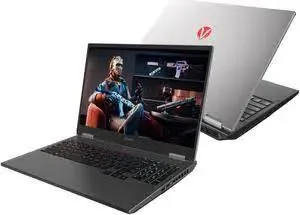
Best 16GB RAM Laptops in Kenya 2026: The Complete Buying Guide
Search "16GB RAM laptop Kenya" or "best laptop with 16GB RAM Nairobi" and you'll find a genuinely confusing mix of listings — some accurate, some vague, some conflating 16GB RAM with entirely different specifications. This guide cuts through that confusion with a precise, honest explanation of why 16GB RAM specifically matters, who genuinely needs it, and which real, tested configurations across HP, Lenovo, Dell, and MSI are available at City Gadgets Kenya — every one fully tested and backed by a genuine warranty.
What RAM Actually Does, Explained Simply
Before diving into specific laptop recommendations, it's worth explaining RAM (Random Access Memory) plainly, since a lot of buying advice assumes familiarity that many first-time or budget-conscious Kenyan buyers genuinely don't have. RAM is your laptop's short-term working memory — every application you have open, every browser tab, every background process, loads into RAM while it's actively running. Storage (your SSD or hard drive) is where files live permanently; RAM is the temporary workspace your laptop uses while actively working with those files and programs.
The practical consequence of insufficient RAM: when your combined open applications and browser tabs demand more memory than your laptop physically has, your operating system starts using storage space as a slower, emergency substitute for RAM — a process that dramatically slows everything down. This is precisely the moment a laptop starts to feel sluggish, unresponsive, or prone to freezing, regardless of how strong its processor is.
Why 16GB Specifically Has Become the Genuine Sweet Spot
Where 8GB RAM was long considered adequate for typical computing, the reality of modern software — heavier web browsers with dozens of simultaneous tabs, resource-hungry applications, and the simple habit of leaving many programs open simultaneously rather than closing them between tasks — has genuinely shifted the practical baseline. 16GB represents the point where most Kenyan buyers, across a wide range of use cases, stop noticing RAM as a limitation in daily use, which is precisely why searches for "16GB laptop Kenya," "laptop 16GB RAM price Nairobi," and similar terms have grown substantially as more buyers have learned this from direct experience with an 8GB machine that felt limiting.
Who genuinely needs 16GB, specifically:
- Students and professionals who keep numerous browser tabs open alongside document work (our student and business buying guides cover this pattern in detail)
- Programmers and developers running IDEs, local servers, and containers simultaneously (detailed extensively in our developers' buying guide)
- Accountants working with large, multi-sheet spreadsheets and financial models (detailed in our accountants' buying guide)
- Anyone doing moderate photo editing, video editing, or creative work (detailed in our graphic design and video editing buying guides)
- Remote workers running video calls alongside screen sharing and multiple applications (detailed in our remote work buying guide)
Who can genuinely still manage on 8GB: buyers whose computing is genuinely light and sequential — browsing one thing at a time, basic document editing, occasional email — without the habit of running many applications simultaneously. It's worth being honest that 8GB isn't universally inadequate; it's specifically the multitasking pattern described throughout this guide where 16GB earns its keep.
Budget Tier Breakdown: Where to Find Genuine 16GB Configurations in Kenya
Under KES 35,000: Accessible 16GB Configurations
Contrary to what many assume, 16GB RAM configurations are genuinely available at accessible prices in Kenya's refurbished laptop market, particularly on slightly older processor generations where the RAM upgrade was standard on higher corporate-fleet configurations.
Recommended: Lenovo ThinkPad T480/T480s, HP EliteBook 830 G6, or select Dell Latitude 5300/7300 configurations.
KES 35,000–55,000: Newer Processor Generations With 16GB
This range pairs 16GB RAM with genuinely more modern processor generations (9th-11th generation Intel), offering both the RAM headroom and processing speed improvements together.
Recommended: Lenovo ThinkPad T490s, Dell Latitude 7390, or HP EliteBook X360 16GB configurations.
KES 55,000–100,000: Premium 16GB Configurations
At this tier, 16GB RAM pairs with flagship-level construction (carbon fibre ThinkPad X1 Carbon, premium Dell XPS 13) or dedicated graphics (HP ZBook, Dell Precision entry configurations), genuinely comfortable for demanding professional or creative work.
Recommended: Lenovo ThinkPad X1 Carbon, Dell XPS 13 9320, or Dell Precision 5530/5540.
Above KES 100,000: 32GB and Maximum Configurations
For buyers whose needs genuinely exceed even comfortable 16GB use — heavy video editing, data science, or running multiple virtual machines simultaneously — this tier offers 32GB configurations across our XPS, Precision, and MSI Stealth lines.
Recommended: Dell XPS 13 9320 (32GB), Dell XPS 15 7590 (32GB), or MSI GS66 Stealth configurations.
Comparison Table: 16GB Configurations Across Our Catalog
| Model Family | Processor Generation Range | Typical Price Range | Best Suited For |
|---|---|---|---|
| Lenovo ThinkPad T480/T480s | 8th generation | KES 25,000–35,000 | Accessible multitasking upgrade |
| Lenovo ThinkPad T490s | 8th generation | KES 30,000–42,000 | Business, student, developer use |
| HP EliteBook 830 G6/G7 | 8th–10th generation | KES 30,000–50,000 | General business, spreadsheet-heavy work |
| Dell Latitude 7390 | 8th generation | KES 27,000–59,000 | Premium 7000-series construction |
| Lenovo ThinkPad X1 Carbon | 8th–13th generation | KES 35,000–122,000 | Flagship portability + RAM |
| Dell XPS 13 9320 | 12th generation | KES 102,000–122,000 | Newest architecture + premium design |
| Dell Precision 5530/5540 | 8th–9th generation | KES 59,000–80,000 | Dedicated graphics + RAM together |
RAM vs Processor: Which Matters More, Genuinely?
This is worth addressing directly, since buyers on a fixed budget often have to choose between prioritising RAM capacity and processor generation, and the honest answer depends on your specific workload. For genuinely multitasking-heavy use — many browser tabs, several applications open simultaneously — RAM tends to be the more common bottleneck, meaning a slightly older processor paired with 16GB RAM often outperforms a newer processor paired with only 8GB for this specific usage pattern. For computationally intensive single tasks — video export, complex calculations, compiling large codebases — processor generation and core count matter more directly. Most everyday Kenyan users, based on the patterns described throughout our buying guides, genuinely fall into the multitasking category, which is precisely why this guide and several others across our catalog consistently emphasise RAM capacity as a priority worth taking seriously.
Upgradeable vs Soldered RAM: A Genuinely Important Distinction
This deserves specific explanation, since it affects your long-term flexibility and is a detail easy to overlook when comparing listings. On many traditional business laptops (older ThinkPad, EliteBook, and Latitude generations), RAM is installed in removable modules that can be upgraded later by opening an access panel — meaning a laptop bought with 8GB today could potentially be upgraded to 16GB later without replacing the entire machine. On newer, thinner laptops (many ultrabooks, some newer ThinkPad and Dell XPS generations, and all Apple silicon MacBooks), RAM is soldered directly to the motherboard, meaning the RAM capacity at purchase is permanent — no future upgrade path exists regardless of need.
Practical implication: if you're buying at the lower end of your budget with a plan to upgrade RAM later, always confirm with your seller whether your specific model supports this before assuming it's possible — this single detail can save genuine future frustration and unnecessary full-laptop replacement costs.
How Much RAM Does Common Software Actually Use? A Practical Breakdown
Rather than speaking abstractly about "multitasking," it's worth being concrete about how much RAM specific, common applications genuinely consume in real-world Kenyan use, since this grounds the 16GB recommendation in tangible numbers rather than a vague rule of thumb.
| Application/Activity | Typical RAM Usage | Notes |
|---|---|---|
| Windows 11 operating system (idle) | 3-4GB | Baseline consumption before opening anything |
| Google Chrome with 10 tabs open | 2-4GB | Modern browsers are genuinely RAM-hungry, more tabs multiply this |
| Microsoft Word (single document) | 200-500MB | Genuinely lightweight in isolation |
| Microsoft Excel (large workbook, multiple sheets) | 1-3GB | Scales up significantly with complexity, as detailed in our accountants' guide |
| Zoom or Teams video call | 500MB-1GB | More with screen sharing active simultaneously |
| Adobe Photoshop (moderate layered file) | 2-6GB | Scales with file complexity and layer count |
| A single Docker container | 500MB-2GB | Multiplies with each additional container running |
| Android Studio with emulator running | 4-8GB | Notoriously RAM-intensive, as detailed in our developers' guide |
What this table makes clear: simply having Windows running, a browser with a reasonable number of tabs, and one moderately demanding application open simultaneously can easily approach or exceed 8GB total — before you've added anything else. This is precisely why 16GB, offering genuine headroom above this realistic baseline, has become the practical sweet spot this guide emphasises throughout, rather than an arbitrary marketing number.
RAM Considerations for Gaming on a Budget in Kenya
While gaming isn't the primary focus of this guide, it's worth a brief mention since many buyers searching for "16GB RAM laptop Kenya" are specifically comparing options for casual or moderate gaming alongside everyday use. Most modern games genuinely benefit from 16GB RAM as a comfortable minimum, with the dedicated graphics card (rather than RAM alone) typically being the more significant limiting factor for actual gaming performance — worth cross-referencing with our MSI Stealth and dedicated graphics coverage elsewhere in our catalog if gaming is a genuine priority alongside your everyday computing needs.
Future-Proofing: How Long Will 16GB Remain Genuinely Sufficient?
This is a fair, forward-looking question worth addressing honestly. Software's RAM demands have grown steadily over the past decade, but 16GB has remained a genuinely comfortable, sufficient baseline for mainstream use for several years now, without the rapid obsolescence some other specifications (like processor generation) experience. Based on the software usage patterns detailed in the table above, 16GB is likely to remain a genuinely comfortable specification for typical business, student, and everyday professional use for the foreseeable future — making it a sound, durable investment rather than a specification likely to feel inadequate again within a year or two of purchase, unlike buying the absolute minimum 4GB or 8GB configurations that already show strain against current software demands.
Comparing 16GB Configurations Across Operating Systems
It's worth a brief note on how RAM requirements differ slightly across operating systems, relevant if you're weighing a Windows laptop against a MacBook as covered in our dedicated MacBook vs Windows comparison guide. macOS on Apple silicon (M1 and later) tends to use RAM somewhat more efficiently than Windows for equivalent tasks, due to the tighter integration between Apple's hardware and software — meaning an 8GB Apple silicon MacBook can sometimes feel more comparable to a 16GB Windows laptop for similar everyday tasks. That said, for buyers specifically comparing within the Windows ecosystem (the primary focus of this guide, given Windows' dominance in Kenya's refurbished business laptop market), the 16GB recommendation throughout this guide holds firmly, since it's specifically calibrated to Windows' typical resource consumption patterns detailed in the table above.
RAM vs SSD Caching: Why Storage Speed Complements But Doesn't Replace RAM
It's worth clarifying a common point of confusion: a fast SSD, while genuinely important for overall system responsiveness (as emphasised throughout our buying guides), does not substitute for adequate RAM. When your system runs low on RAM and begins using storage as an emergency substitute (a process called "paging" or using a "swap file"), even the fastest SSD is dramatically slower than genuine RAM for this purpose — it's a stopgap measure, not an equivalent replacement. This is why our recommendations throughout this guide always specify both adequate RAM and SSD storage as complementary, not interchangeable, priorities — a laptop with a superb SSD but insufficient RAM will still feel sluggish under genuine multitasking load, just marginally less sluggish than the same scenario with a slower hard drive.
Case Studies: Real Kenyan Buyers Choosing 16GB Configurations
The university student who outgrew their 8GB laptop by second year. Starting with a modest 8GB configuration for first-year coursework, this student found that heavier coursework, more demanding software, and simply more open browser tabs across research and coursework created genuine daily frustration by their second year. Learning from this, many students now search specifically for "16GB RAM laptop Kenya student" from the outset — a Lenovo ThinkPad T480 offers this headroom from day one at a genuinely accessible price.
The small business owner juggling accounting software, email, and multiple client tabs. As detailed in our small business buying guide, this profile's realistic daily workload — invoicing software, email, banking portals, and social media marketing tabs all open simultaneously — is precisely the multitasking pattern where 8GB starts to strain. A HP EliteBook 830 G6 with 16GB RAM resolves this daily friction.
The freelance developer working across multiple client projects. Running local development servers, Docker containers, and IDEs for several concurrent client projects, as detailed extensively in our developers' buying guide, this profile treats 16GB as a genuine baseline rather than a luxury. A Lenovo ThinkPad T490s supports this demanding multi-project workflow comfortably.
The remote worker attending back-to-back video calls with screen sharing. As covered in our remote work buying guide, video calls alongside screen-shared documents and multiple browser tabs create a genuinely heavier load than video calling alone — a Dell Latitude 7390 with 16GB RAM handles this comfortably across a full working day.
The graphic designer working with layered Photoshop files. As detailed in our graphic design buying guide, layered creative files consume RAM quickly, making 16GB close to essential rather than optional — a Dell Precision 5530 combines this RAM headroom with genuine dedicated graphics for a complete creative workflow solution.
How to Verify Genuine RAM Capacity Before Buying
Given how central this specification is to the entire premise of this guide, it's worth confirming directly rather than trusting a listing at face value:
- Ask your seller to show RAM capacity directly through Windows system information (Settings > System > About), which displays installed RAM clearly and definitively.
- Confirm whether the RAM is upgradeable or soldered, as discussed above, particularly if you're considering a lower-RAM configuration with future upgrade plans.
- Check RAM speed and type if performance-critical work is your priority, since DDR4 RAM at higher clock speeds offers marginally better performance than older DDR3 configurations at the same capacity, though this is a secondary consideration behind raw capacity for most buyers.
Common Mistakes Buyers Make When Shopping for 16GB Laptops
Assuming any laptop advertised with "16GB RAM" is equally suitable regardless of processor generation. As discussed above, RAM and processor generation both matter, and an older processor paired with 16GB RAM, while genuinely better than 8GB for multitasking, won't match the experience of a newer processor with the same RAM capacity for computationally intensive tasks.
Not confirming whether RAM is upgradeable before buying a lower-capacity configuration as a "starter" laptop. As covered above, many newer, thinner laptops have RAM permanently soldered — verify this before assuming a future upgrade path exists.
Overlooking storage type in favour of RAM alone. RAM capacity matters enormously, but pairing it with a traditional hard drive rather than an SSD still leaves significant performance on the table — always confirm both specifications together rather than treating RAM in isolation.
Paying a significant premium for 32GB RAM without a genuine workload that demands it. As discussed throughout this guide, 16GB genuinely suffices for the vast majority of everyday, business, and even moderate creative use — reserve the 32GB premium for the specific heavy workloads (video editing, data science, extensive virtualisation) detailed in our other buying guides.
Red Flags When Shopping for 16GB RAM Laptops in Kenya
Listings that mention "16GB" without clarifying whether this refers to RAM or storage. This confusion genuinely happens in informal listings — always confirm explicitly that the figure refers to RAM (memory) and separately confirm storage capacity (which is typically measured in the hundreds of gigabytes, like 256GB or 512GB) as a distinct specification.
Sellers unable to show RAM capacity through system settings directly. As covered in the verification section above, this is a simple, quick check any legitimate seller should be willing and able to perform before you commit to purchase.
Suspiciously low prices for 16GB configurations compared to the broader market. As with any refurbished laptop red flag covered throughout our guides, prices dramatically below the typical range for a stated specification deserve scepticism rather than excitement.
Brand-by-Brand: Where Each Manufacturer's 16GB Configurations Genuinely Shine
HP's 16GB configurations, spanning the EliteBook 830/840/850 series and the X360 convertible line, offer genuinely the broadest availability across generations in Kenya's refurbished market, as discussed in our HP vs Dell vs Lenovo comparison guide — this makes HP often the easiest brand to find an exact 16GB configuration matching a specific budget, particularly for buyers with a tightly defined price ceiling.
Lenovo's 16GB ThinkPad configurations pair this RAM capacity with the brand's widely-regarded keyboard quality, making the T480s, T490s, and X1 Carbon lines particularly worth prioritising for buyers whose daily work involves substantial typing alongside the multitasking that justifies 16GB in the first place — a genuinely complementary pairing of strengths for programmers, writers, and heavy document-workers specifically.
Dell's 16GB Latitude and XPS configurations offer the clearest tier structure for understanding what else you're getting alongside the RAM — the Latitude 7000-series signals premium construction, while the XPS line signals Dell's premium consumer design language, letting buyers quickly understand the broader value proposition beyond RAM capacity alone, as detailed in our Dell-focused product coverage.
MSI's 16GB gaming-class configurations, found in the GS65/GS66 Stealth line, pair this RAM capacity with genuinely powerful dedicated graphics, making these the right choice specifically when your 16GB need is driven by video editing, content creation, or gaming rather than purely business or document-based multitasking, as detailed in our video editing and content creator buying guides.
Dell Precision's 16GB workstation configurations combine this RAM capacity with certified professional graphics (Quadro or RTX A-series), making them the right choice when your multitasking needs specifically involve CAD software, engineering simulation, or professional creative work requiring certified driver support, as detailed in our CAD and engineering student buying guide.
Frequently Asked Questions
Is 16GB RAM genuinely necessary, or is 8GB fine for most Kenyan users? It depends entirely on your usage pattern — if you keep many browser tabs and applications open simultaneously (a genuinely common pattern among students, business owners, and professionals), 16GB removes a real, daily source of friction. If your use is lighter and more sequential, 8GB remains genuinely adequate.
Can I upgrade my laptop's RAM from 8GB to 16GB later instead of buying 16GB upfront? Sometimes, depending on the specific model — many traditional ThinkPad, EliteBook, and Latitude configurations support this upgrade, while many newer, thinner laptops have soldered RAM with no upgrade path. Always confirm this specifically before assuming either way.
Does 16GB RAM genuinely make a laptop faster, or just better at multitasking? More precisely the latter for most tasks — RAM capacity primarily affects how many applications and browser tabs you can run simultaneously without slowdown, rather than making any single task inherently faster the way a stronger processor would.
Is 32GB RAM worth the extra cost for a typical Kenyan business or student user? Generally not necessary — as covered throughout this guide, 16GB comfortably handles the vast majority of everyday, business, and even moderate creative workloads; 32GB is worth its premium specifically for the heaviest workloads detailed in our video editing, CAD, and development buying guides.
How do I check how much RAM my current laptop has before deciding whether to upgrade? On Windows, go to Settings, then System, then About — this displays your installed RAM capacity clearly, letting you assess whether an upgrade or replacement genuinely makes sense for your usage pattern.
Are 16GB RAM laptops significantly more expensive than 8GB configurations in Kenya's refurbished market? The price difference is generally modest rather than dramatic, particularly when comparing the same model and processor generation — the specific comparisons throughout this guide's tables show this pattern clearly across HP, Lenovo, and Dell configurations.
Does RAM speed (like DDR4 vs DDR3) matter as much as capacity? Capacity matters considerably more for most everyday multitasking scenarios — speed differences are a genuine but secondary consideration, more relevant for performance-critical work like gaming or video editing than for typical business and student use.
Is it worth buying a 16GB laptop with an older processor over an 8GB laptop with a newer processor, at the same price? For genuinely multitasking-heavy use, yes, generally — as discussed above, RAM tends to be the more common bottleneck for typical daily use, making the 16GB configuration often the better overall daily experience despite the older processor.
Does closing background apps help if I only have 8GB RAM, as an alternative to buying more? It helps marginally, but genuinely disciplined app-closing habits only go so far against modern software's baseline RAM consumption, as shown in the usage table above — this is a reasonable short-term workaround, not a genuine long-term substitute for adequate RAM capacity if your workload consistently demands more.
Will 16GB RAM become insufficient within a couple of years, similar to how 4GB and 8GB have aged? Based on the gradual, rather than sudden, growth in software RAM demands discussed in the future-proofing section above, 16GB is likely to remain genuinely comfortable for mainstream use considerably longer than the 4-8GB configurations that already show strain against current software.
Can I test whether I genuinely need 16GB before buying, using my current laptop? Yes — open Windows Task Manager (or Activity Monitor on a Mac) during a typical, realistic work session with your usual number of applications and tabs open, and check your current RAM usage percentage; consistently running near 100% is a clear, practical signal that more RAM would genuinely help your specific workload.
Is there a meaningful difference between 16GB RAM on a Windows laptop versus 16GB on a MacBook? As discussed above, macOS on Apple silicon tends to use RAM somewhat more efficiently for equivalent tasks, though for buyers specifically comparing Windows configurations (the primary focus of Kenya's refurbished business laptop market), the recommendations throughout this guide remain directly applicable and reliable.
A Note on Multi-User Households and Shared Laptop Scenarios
Many Kenyan households share a single laptop across multiple family members — a parent handling business admin, a student doing coursework, and general family use all on the same device at different times. In this genuinely common scenario, 16GB RAM becomes even more valuable than for a single dedicated user, since different family members' habits (leaving browser tabs open, running different applications) compound within the same shared user session more than a single, disciplined user's habits might. If your household laptop genuinely serves multiple people with different computing needs, treating 16GB as a baseline rather than an optional upgrade helps ensure the device serves everyone's needs without one person's habits creating friction for the next person to use it.
Shop 16GB RAM Laptops at City Gadgets Kenya
Every laptop at City Gadgets Kenya is fully tested, with RAM capacity confirmed and clearly stated, and backed by a genuine 6-month warranty. Browse the full laptops category or message us directly on WhatsApp, and tell us your budget and typical usage pattern — we'll help you find a genuine 16GB configuration that fits both.








